
Home dashboard
View temperature, security cameras and presence information from a single web dashboard, with light and dark appearance options.

Gladys Assistant is free, open-source smart-home software that runs on local hardware and supports dashboards, scenes, energy monitoring, voice control and a broad range of device integrations. It is designed for users who want self-hosted home automation with no required cloud service, with optional paid services for remote access and advanced features.
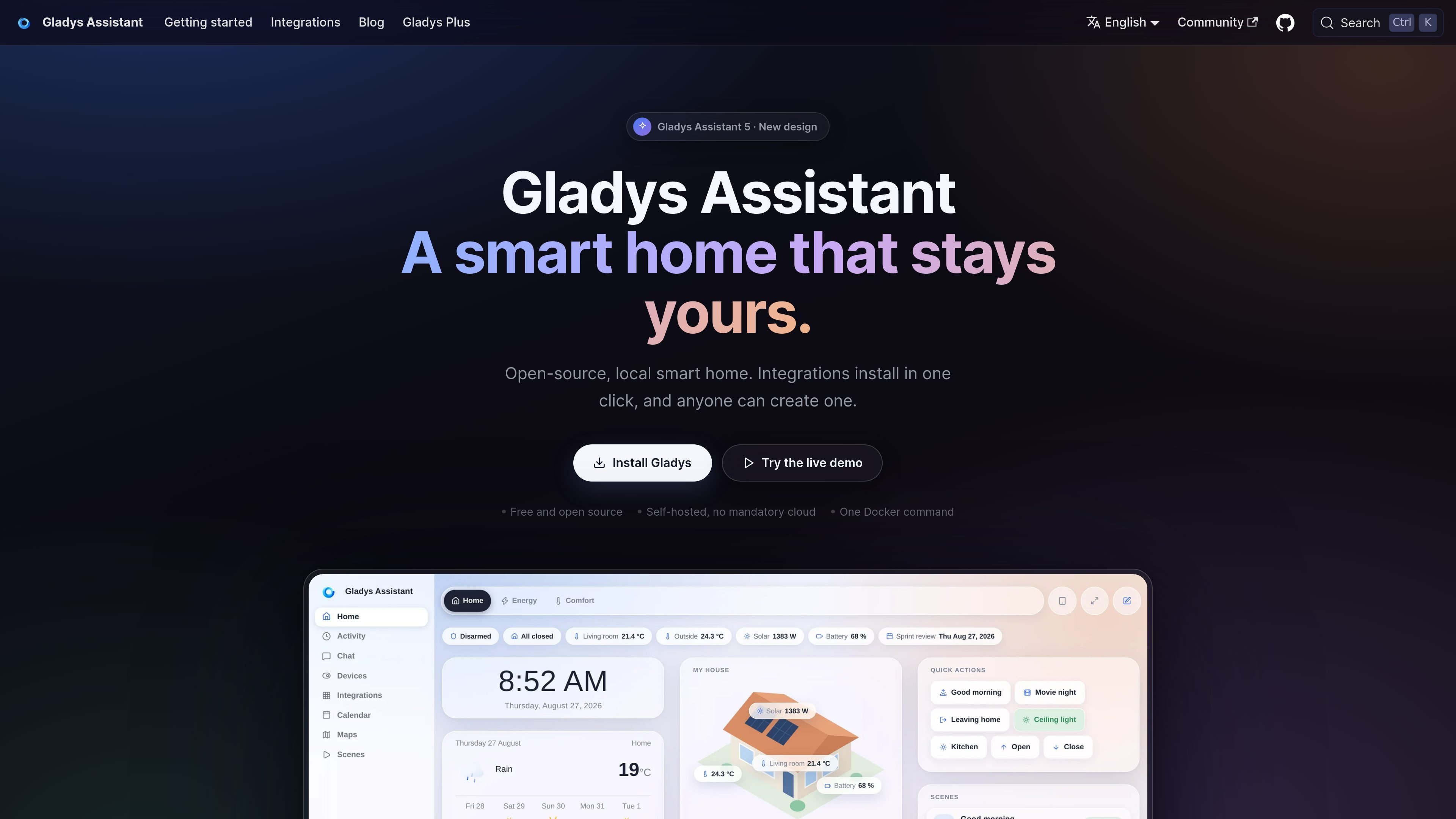
Gladys Assistant is free, open-source home-automation software for people who want to run their smart home on hardware they control. It operates locally on a home hub, allowing users to connect devices, organize them by room and manage the installation through a web interface.
The system combines dashboards, scenes, device integrations, energy monitoring and voice or message-based control. It supports open protocols such as Zigbee, Matter, MQTT and Z-Wave, plus integrations for selected consumer devices and community extensions. Gladys can be installed with Docker on Linux-compatible hardware, while an official 64-bit image supports Raspberry Pi 3, 4 and 5.
The core software does not require a subscription. Gladys Plus is an optional service for features including encrypted remote access, daily encrypted backups, voice assistants, camera streaming and AI, depending on the plan. Users who prefer to manage remote connectivity themselves can instead configure a VPN or reverse proxy.
View temperature, security cameras and presence information from a single web dashboard, with light and dark appearance options.
Build routines for actions such as turning on lights, starting music or brewing coffee without writing code.
Track electricity use, solar production and home-battery information in real time when supported by the connected integrations.
Control devices with the built-in voice assistant or by sending messages from a phone.
Connect devices through Zigbee, Matter, MQTT and other supported protocols, with native and community-built integrations for additional brands and services.
Run the core system on local hardware with no mandatory cloud service or tracking; automatic upgrades install new features and bug fixes.
Combine lights, motion sensors, temperature readings and scenes to automate recurring routines such as morning lighting, evening controls or appliance actions.
Use supported sensors and cameras to receive alerts for events such as excessive heat, an open refrigerator, water leaks or suspected intrusion.
Bring electricity consumption, solar production and battery data into the home interface to observe usage and identify opportunities to reduce consumption.
Connect lights, shutters, gates, appliances and other equipment from different ecosystems through supported protocols and integrations instead of managing each vendor separately.
Run the system on a mini-PC, NAS, Raspberry Pi or existing Linux computer when local control and ownership of smart-home data are more important than a cloud-managed setup.
Gladys Assistant is free and open-source, with no subscription required for the core self-hosted software. Optional Gladys Plus services add features such as encrypted remote access, backups, voice assistants and AI.
Gladys runs locally on a home automation hub. The documented setup uses a Linux machine with Docker, such as a mini-PC, compatible NAS, server or older computer. A simplified official 64-bit image is also available for Raspberry Pi 3, 4 and 5.
The initial setup involves choosing compatible hardware, installing Linux where needed, running Gladys with Docker, then creating an administrator account and naming the home in the web interface. The documentation provides installation guides for mini-PCs, Synology NAS, Unraid NAS and Raspberry Pi.
Yes. Gladys is designed to keep smart-home data on the local machine and does not require a cloud connection for its core operation. Access from outside the home can use Gladys Plus, which provides encrypted remote access, or a self-managed VPN or reverse proxy for more technical users.
Gladys supports open protocols including Zigbee, Matter, MQTT and Z-Wave, along with integrations for services and brands such as Philips Hue, SmartThings, TP-Link Kasa and Tapo, Shelly, Sonos, Reolink cameras and LG ThinQ. Availability and setup can vary by device, so the integration directory should be checked before purchase.

Flunkey is a voice-first productivity layer for Windows that converts speech into text, AI-assisted outputs, and remembered context. It is built for users who want to capture ideas and actions without leaving the app they are working in.

Uma plataforma de IA tudo-em-um que combina ferramentas para imagem, vídeo, voz, escrita e chat para melhorar a criatividade e a colaboração.

Gemma AI is a phone call reminder app that calls you with scheduled reminders instead of push notifications. It helps people who want a more direct way to stay on schedule, with Google Calendar sync and conversational call interactions.

Wallie is an open-source AI streamer that watches your screen, hears chat, and generates live commentary in a configurable persona. It runs locally on your machine with your own keys and is aimed at faceless content, autonomous streams, and real-time reactions.

Claude Overlay is a Windows desktop overlay for Claude Code that reads your screen so you can ask questions, inspect content, and request edits without leaving the current app. It runs on your existing Claude subscription through the Claude CLI, so no separate API key is required.

SpeakoFlow is a free, open-source desktop voice-to-text app for Windows, macOS, and Linux. It supports dictation into any app, voice-driven writing with Flow, cleanup, translation, and a screen-aware assistant.