
Generate Prototypes from a Single Sentence
Users can describe a page or function in natural language, such as “design a login page,” and the system generates a prototype accordingly.

PMAI是一款面向产品经理的AI原型工具,可用一句话生成原型图,并支持后续对话编辑、导出到Figma或Axure。页面还显示它提供PRD生成等产品经理常用功能。
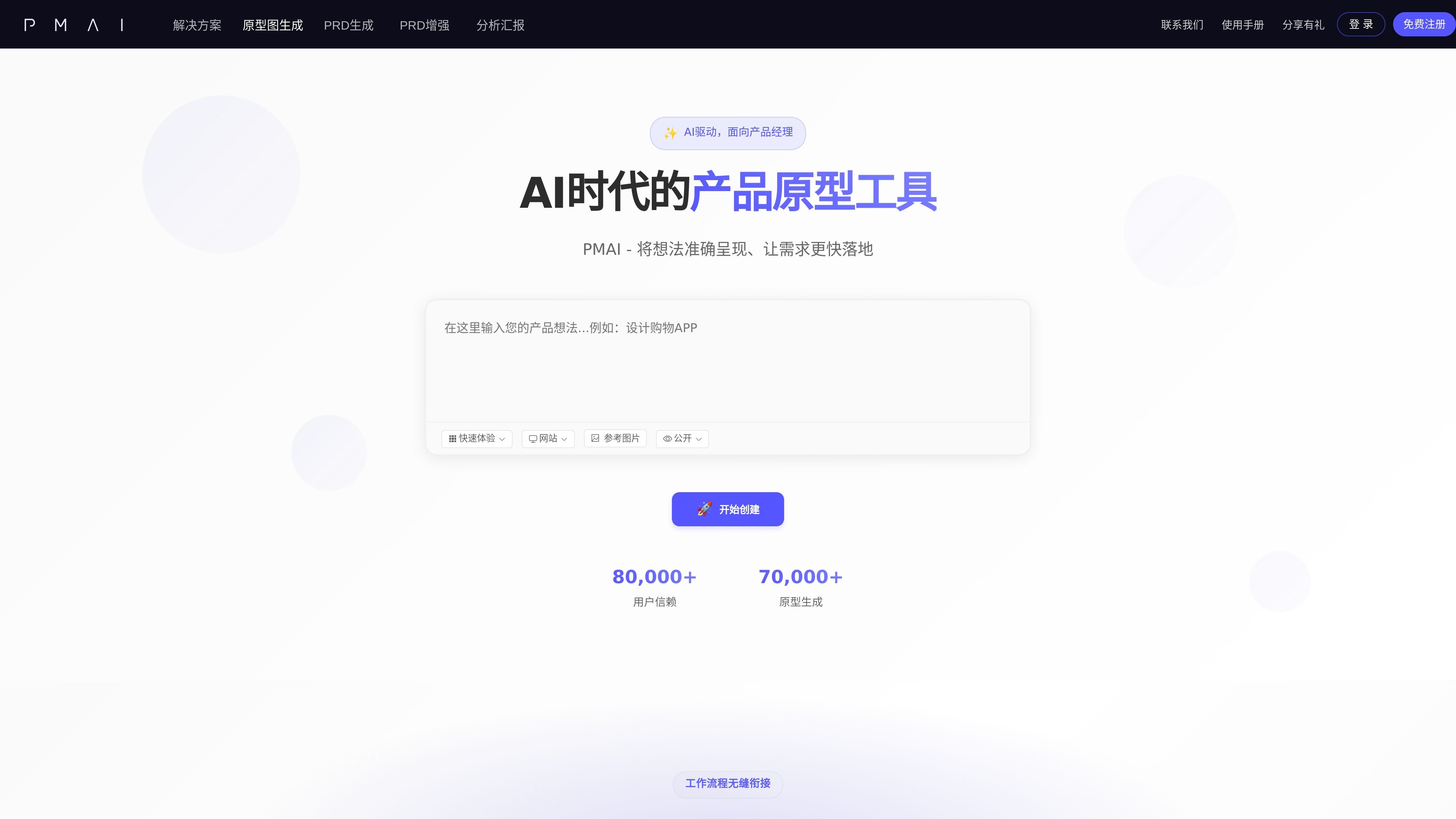
PMAI is an AI prototype tool for product managers, with a core capability of turning one sentence into a prototype mockup. It converts requirement descriptions into visual pages, helping users bring ideas to demo-ready prototypes more quickly.
According to the homepage information, PMAI also offers common product-manager features such as PRD generation, and supports further detail adjustments through conversation after generation. The output can be imported into Figma or Axure, and it can also be shared online or exported as HTML.
Users can describe a page or function in natural language, such as “design a login page,” and the system generates a prototype accordingly.
The page shows that it can generate both single-page experiences and complete applications, apps, or website systems made up of multiple pages.
It supports both website and app display modes, for desktop interfaces and mobile application scenarios respectively.
After generation, you can continue editing details through conversation, such as adjusting button colors or other interface elements.
Finished prototypes can be imported into Figma or Axure, and can also be shared online or exported as HTML.
The platform supports public and private visibility settings when displaying prototype work, making it easy to share results as needed.
Suitable for product managers when requirements are just taking shape, allowing them to quickly sketch a page framework with one sentence and validate information architecture and interaction ideas.
Suitable for projects that need multiple pages presented together, generating a more complete app or website flow rather than just a single interface.
Suitable for quickly adjusting details during review or communication, using conversation to modify colors, layout, or other local elements.
Suitable for teams already using Figma or Axure, using the AI-generated result as a preliminary draft before importing it into the later design workflow.
Suitable for users who need to publicly showcase cases or keep drafts for personal storage only, with prototype works manageable by public/private visibility.
PMAI provides the ability to generate prototype mockups from a single sentence, and you can continue adjusting details through conversation after generation.
The page content shows that it can generate prototypes from a description and, after completion, export to Figma or Axure. It can also be shared online or exported as HTML.
The homepage copy shows “Quick Experience” and “Free Account Registration,” but it does not provide clear paid plans, prices, or package limits.
The public page mentions two visibility options, “Public” and “Private,” indicating that prototype work can be managed by visibility scope.
The page does not provide clear information about team collaboration, permission management, or enterprise integrations, so these capabilities cannot be confirmed from the current page alone.

Napkin AI transforma texto em visuais editáveis para apresentações, documentos e conteúdo partilhável. Geração a partir de texto e exportação para PPT, PNG, SVG ou PDF.

Make Real is a Next.js app that turns hand-drawn wireframes into working HTML prototypes using the tldraw SDK and AI models. It helps users sketch on a canvas, generate code, and review the result in an embedded preview.

PixelDrive is a bulk image generation API for creating many on-brand images from one template through a browser editor, REST API, CSV batch, or MCP. It suits teams that need repeatable image output with cacheable renders and usage-based pricing.

Refero MCP for AI agents connects an MCP-compatible agent to Refero’s curated library of web and iOS product interfaces and user flows. It helps agents research real design patterns before generating UI, with access included in the Refero Pro plan.

Beauty Diagram is an online Mermaid and PlantUML editor that live-previews text diagrams, beautifies their layout, and exports SVG or PNG. It also supports Pro draw.io workflows and integrations for Obsidian and VS Code-family editors.

okkslides is an AI presentation maker that creates and edits business slide decks from prompts, documents, outlines, or existing PowerPoint files. It supports template-based generation, natural-language edits, and export to PowerPoint.