
Edge-docked, compact layout
Time Precision sits as a 46-pixel strip against the left or right edge of the desktop when idle, reducing clutter until you interact with it.

Time Precision is a Windows desktop timezone widget that docks to the edge of the screen and shows multiple cities on hover. It is listed for Windows 10 / 11 x64 and includes 233 cities, nine finishes, and free-to-install access.
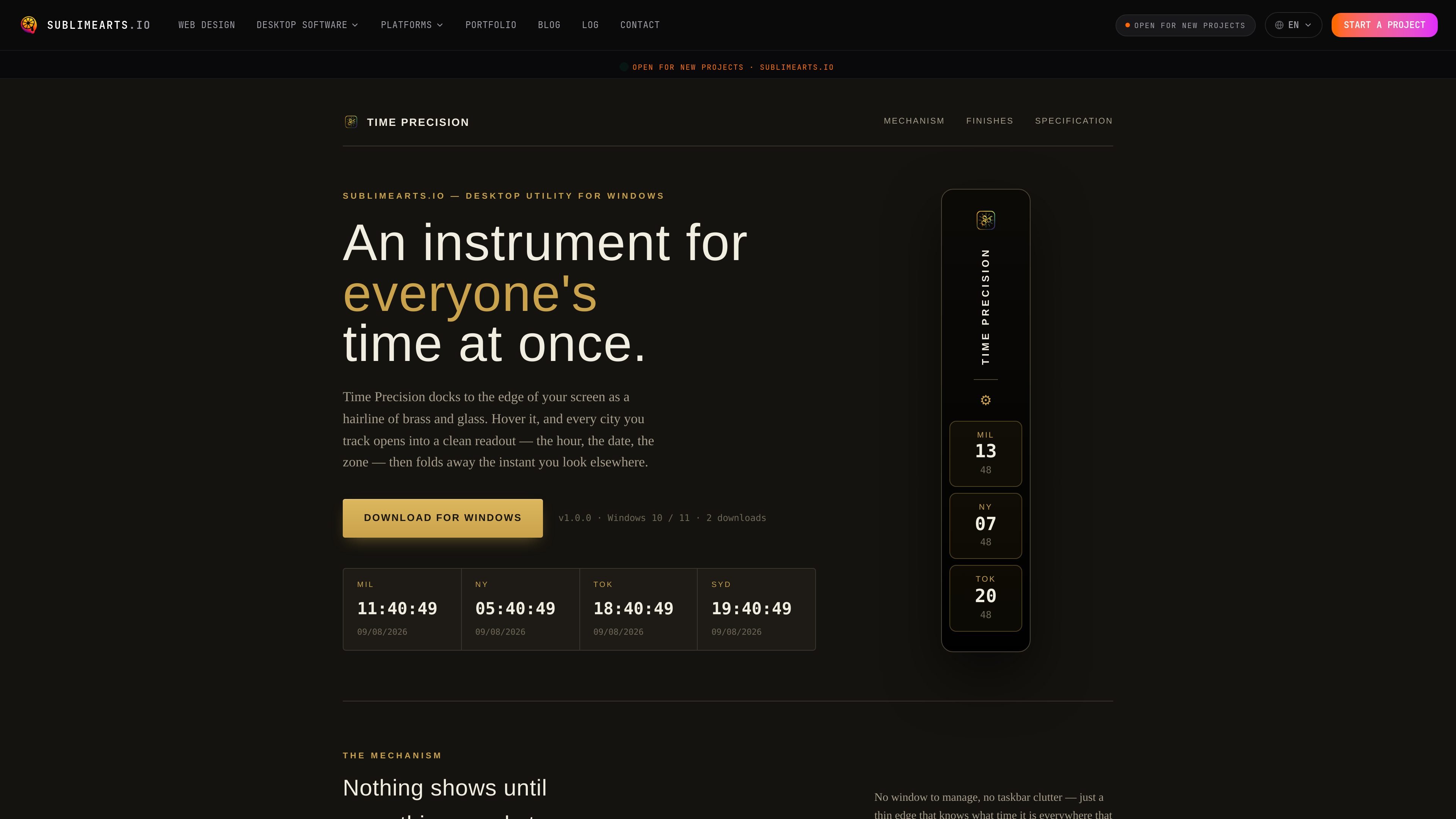
Time Precision is a Windows desktop timezone widget that keeps a thin, docked strip on the edge of the screen and expands only when you hover a city. The interface is designed to show the current time, date, and zone for multiple locations without leaving a permanent window open.
According to the product page, the app includes 233 cities, nine built-in finishes, automatic edge docking, drag-and-drop city ordering, and support for 12-hour or 24-hour time and multiple date formats. It is listed for Windows 10 / 11 and x64, and the site says it is free to install.
Time Precision sits as a 46-pixel strip against the left or right edge of the desktop when idle, reducing clutter until you interact with it.
Hovering a city tile opens a card with the full city name, live seconds, the selected date format, and the zone abbreviation, then collapses again when you move on.
The widget includes 233 cities across every country, and the page says the list is validated against the IANA timezone database.
Cities can be added, removed, and reordered from Settings using drag and drop, so the rail can match the order you prefer.
Settings include edge position, accent color, time and date formats, startup behavior, and update handling from a single control panel.
The product offers 9 built-in finishes, with each finish changing the typography, corner geometry, border weight, and color treatment rather than only repainting the interface.
Keep a small, always-available reference for cities you work with across different time zones, while avoiding the distraction of a full desktop window.
Select a few cities, reorder them in Settings, and use the hover cards to compare local time, date, and zone at a glance during planning sessions.
Switch finishes and adjust accent and format settings to fit the widget into a desktop setup that favors a specific visual style.
Leave the app set to launch with Windows so the timezone list is available automatically after sign-in without reopening it manually.
The page describes Time Precision as a Windows desktop widget for tracking multiple time zones. It docks to the screen edge and reveals city-specific time, date, and zone information on hover.
The product page lists Windows 10 / 11 and x64 in its specification section.
The page states that Time Precision includes 233 cities, 9 built-in finishes, 12-hour and 24-hour time formats, three date formats, drag-and-drop reordering, and automatic updates.
The homepage copy says the product is free to install and includes nine finishes. A separate pricing page on the same site currently returns a 404, so no additional licensing details are provided on the available pages.
MealTime é o seu companheiro pessoal de receitas, focado no modo offline, projetado para ajudar você a salvar, organizar, planejar refeições e gerar listas de compras inteligentes, mantendo seus dados privados.

Goldfish is an AI memory app for macOS that helps you reply, write, summarize, and continue using the context already on your Mac. It stores memory locally and writes in your tone.

ArtDeck is a visual reference board app for iPhone, iPad, and Mac that lets artists collect mixed reference material on one canvas and study it with ToolBox lenses. It works offline, supports optional iCloud sync, and is sold as a one-time purchase with no account required.

Biji é uma plataforma versátil projetada para aumentar a produtividade por meio de ferramentas e recursos inovadores.

Gemma AI is a phone call reminder app that calls you with scheduled reminders instead of push notifications. It helps people who want a more direct way to stay on schedule, with Google Calendar sync and conversational call interactions.

Redline is a budgeting tool for Claude Code that paces sessions to stay within time, token, cost, or plan-percentage limits. It uses Claude Code’s native hooks and statusline to help sessions finish with a usable result instead of stopping abruptly.