
Aime Chat
Ask market questions in a conversational interface, compare tickers, and run research tasks without leaving the chat flow.

AInvest Terminal is a macOS desktop app for AI-assisted stock and market analysis. It combines chat-based research, screeners, charts, news, and market data in one workspace for investors who want a guided workflow.
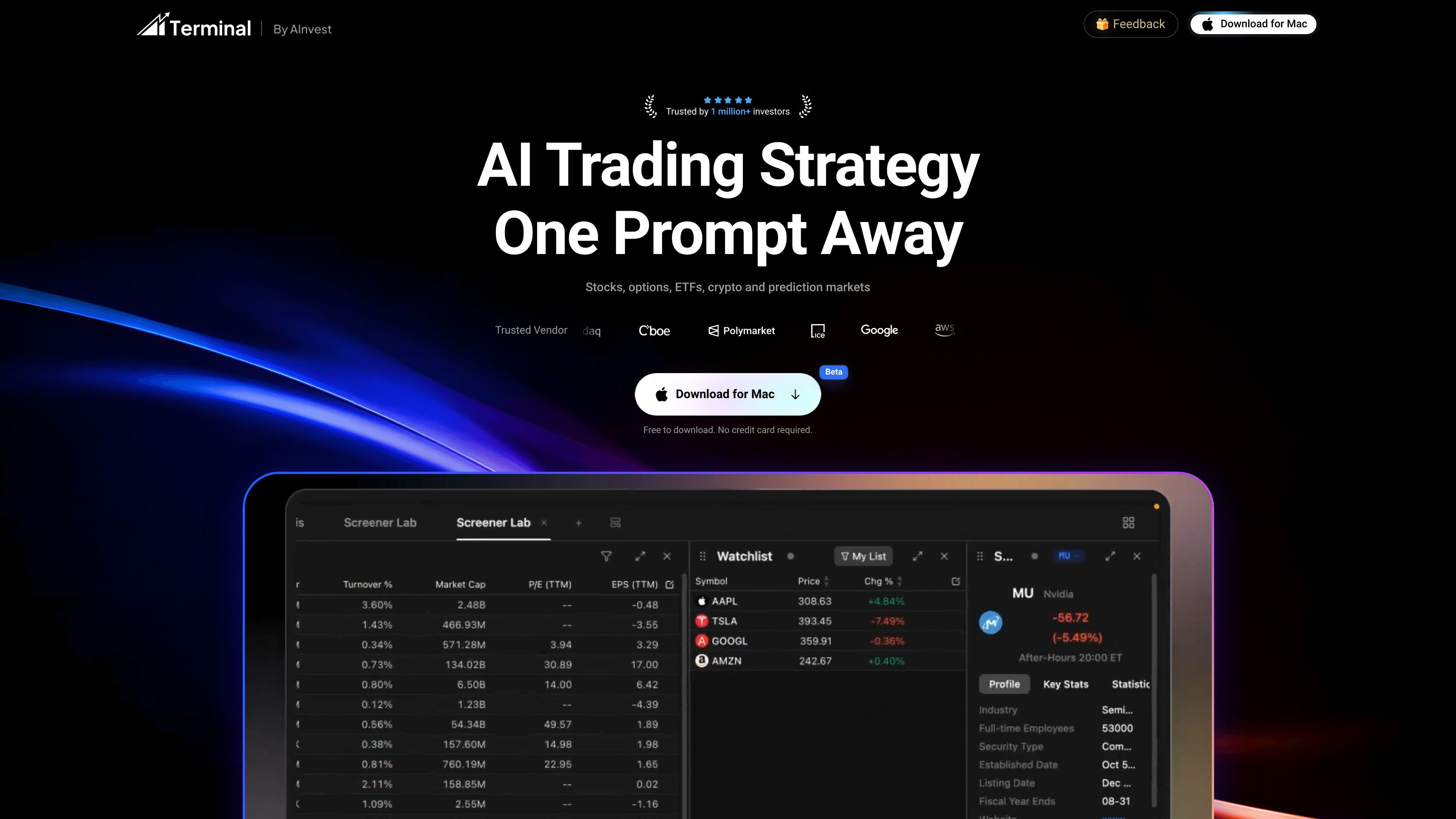
AInvest Terminal is a macOS desktop app for AI-assisted stock and market analysis. It combines chat-based research, workspace building, screeners, charting, news, and market data in one interface.
The product is centered on a conversational workflow: you can ask Aime questions in plain English, have it assemble a desk for a specific research task, and keep the answers tied to the chart or market workspace you are using. The site also positions the terminal as a research and analysis tool rather than an order-entry platform, with trade execution staying under user control.
Ask market questions in a conversational interface, compare tickers, and run research tasks without leaving the chat flow.
Describe a goal in plain English and the terminal assembles a workspace with charts, watchlists, news, scanners, and other market widgets around that task.
Use built-in desks such as Stock Research, Options Desk, Earnings Season, and Market Radar to focus the workspace on a specific workflow.
Review market data and analytics across stocks, ETFs, options, cryptos, and other markets, with the terminal presenting them in one workspace.
Set recurring checks such as pre-market scans, flow alerts, and end-of-day recaps so routine monitoring runs automatically.
Use the terminal to ask a research question, compare tickers, and keep the conversation grounded in the market data on screen.
Set up a stock, options, or earnings desk when you want charts, watchlists, news, and market tools arranged for one task.
Run screeners and recurring checks for pre-market movers, flow alerts, or end-of-day recaps without rebuilding the same query every day.
Use the terminal to follow multiple market types in one place when your workflow spans equities, ETFs, options, crypto, and macro or prediction markets.
Let the desk explain chart structure and context when you are working through trend channels, resistance, or other chart-based setups.
Aime interprets a plain-English research request, screens relevant markets, and assembles a workspace with charts, watchlists, data feeds, scanners, and related widgets for that task. You can then reshape the workspace by asking follow-up questions.
The product page says the workspace covers U.S. equities, ETFs, options, bonds, cryptos, the economy, and prediction markets. It also layers in alternative data such as social and news sentiment, options flow, crypto funding, and event-market odds.
AInvest Terminal is positioned for research, analysis, and workflow support. The page states that trade actions stay user-controlled and confirmed by you, rather than being executed automatically by the terminal.
Yes. The terminal is free to download on macOS. The pricing page also shows a free Basic plan, while some advanced features may require a premium plan after launch.
Automation is described as a way to run recurring scans, reports, and alerts so routine market checks can arrive on schedule, such as pre-market scans, flow alerts, and end-of-day recaps.
SimplyPortfolio is a manual portfolio tracker for stocks, ETFs, gold, and silver that combines multiple accounts into one dashboard. It supports multi-currency reporting, cost-basis tracking, and CSV export, with a free tier for up to 3 holdings.

金灵 — это продукт AI-агента, специально разработанный для финансового сектора, который изучил огромное количество финансовых знаний и способен уверенно использовать различные финансовые инструменты.

TickerSignals provides Bullish, Bearish, or Neutral stock signals for 4,500+ US and Indian stocks using 39 technical indicators. It is designed to help investors review tickers with post-market daily updates before the next trading day.

Napkin AI превращает текст в редактируемые визуалы для презентаций, документов и публикаций. Генерация из текста, совместная работа, экспорт в PPT, PNG, SVG или PDF.

Shodh is an AI-powered research and strategy platform for business questions that need structured investigation, source-backed evidence, and auditable recommendations. It is aimed at founders, operators, consultants, investors, and corporate development teams.

Finchum is a personal finance planning tool that aggregates accounts and forecasts future balances for users in the US and Canada. It supports secure sync without sharing bank passwords, with OAuth where available and file-based imports as a fallback.