
Drop-in client wrapping
Wrap supported provider clients in one line so your app can keep using the SDK it already knows, while Bursora handles spend checks in front of the request.

Bursora is an AI spend management tool that enforces budgets before provider calls are sent, helping teams control tenant, agent, workflow, and workspace costs. It supports cloud and self-hosted deployment options and works with common AI provider SDKs.
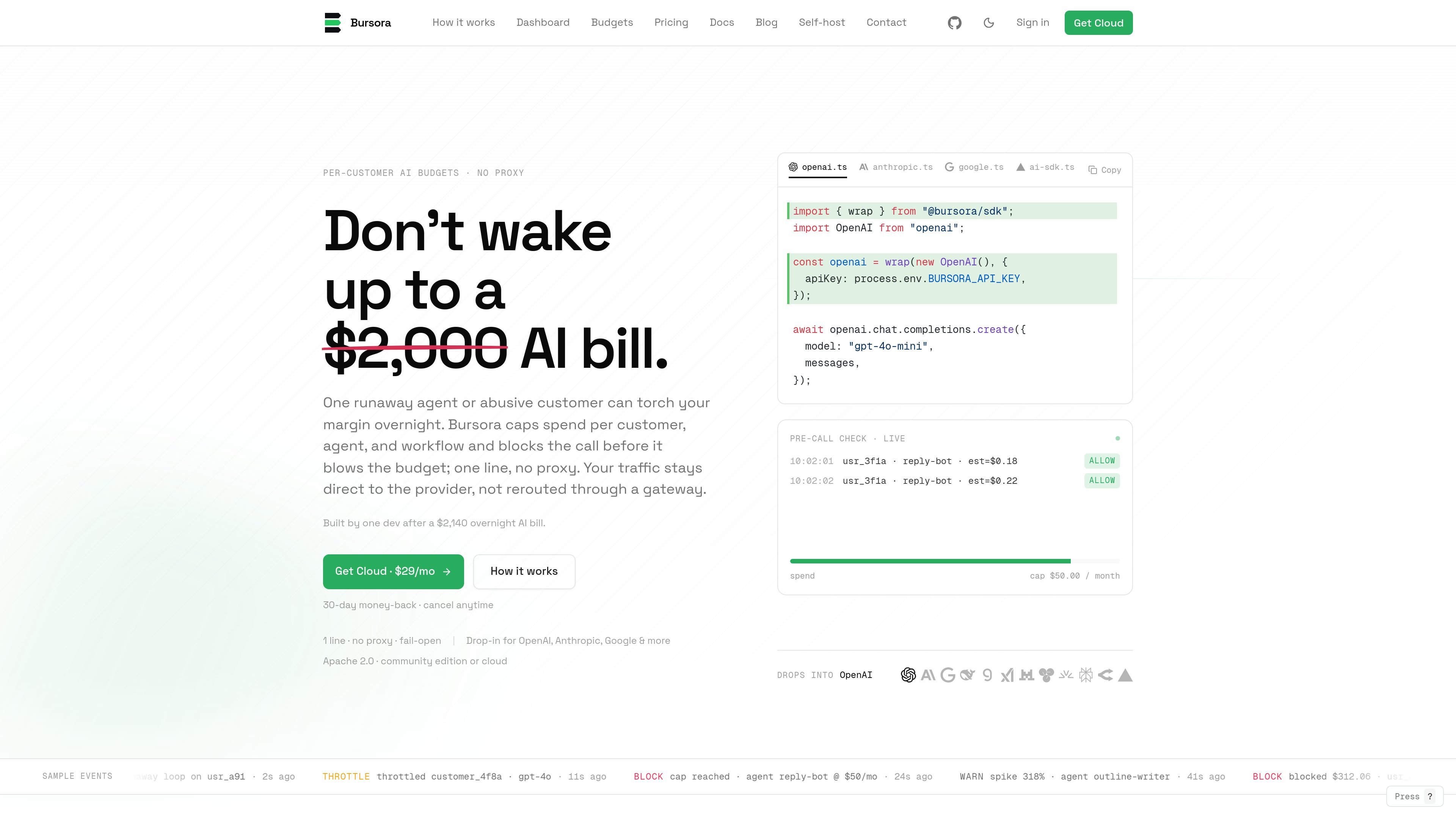
Bursora is an AI spend management tool that checks usage before a request is sent to the model provider. It is built to stop runaway agent loops, abusive tenants, and misconfigured workflows from creating surprise bills after the fact.
The product wraps existing provider clients with a small SDK layer, then uses tenant, agent, workflow, or workspace tags to decide whether a call should be allowed, throttled, or blocked. The homepage emphasizes that traffic stays direct to the provider instead of being routed through a proxy, and the docs describe both cloud and self-hosted options.
Wrap supported provider clients in one line so your app can keep using the SDK it already knows, while Bursora handles spend checks in front of the request.
Apply caps by workspace, tenant, agent, or workflow, with monthly resets and configurable limits for each scope.
Choose the response when a cap is reached: notify, throttle, or block. The source also describes the behavior as pre-call enforcement rather than after-the-fact reporting.
Keep provider traffic direct instead of rerouting it through a proxy or gateway. The homepage explicitly says Bursora does not sit in the traffic path.
View spend grouped by tenant, agent, workflow, and model, plus alerts, top spenders, and projected month-end burn in the dashboard.
Run the community edition on your own infrastructure with Docker Compose, Postgres, Redis, ClickHouse, and a public hostname.
Set a monthly cap per customer so one free-tier or high-usage account cannot consume more model spend than it should.
Assign an agent-level budget to catch runaway loops or prompt mistakes in production workflows before they create a large invoice.
Apply a workflow cap to specific automated flows such as onboarding, content generation, or tool-calling pipelines, then notify, throttle, or block when costs rise.
Use the self-hosted community edition when you want direct control over the app, data stores, and deployment environment instead of the managed cloud offering.
Wrap existing provider clients in an application that already uses OpenAI, Anthropic, Google, or AI SDK patterns, without rewriting the whole integration.
Bursora is designed to wrap supported AI clients and check spend before a request is sent to the provider. The source shows it can allow, throttle, or block a call when a budget threshold is reached.
The docs say Bursora supports OpenAI, Anthropic, Google Gemini, DeepSeek, Groq, xAI, Mistral, Amazon Bedrock, and the Vercel AI SDK. The homepage examples show wrappers for OpenAI, Anthropic, Google, and the Vercel AI SDK.
Yes. The self-host docs describe a community edition under Apache 2.0 with no license server and no phone home. It runs with Docker Compose and requires Postgres, Redis, and ClickHouse.
The source says budgets can be scoped by workspace, tenant, agent, or workflow, and can be set to notify, throttle, or hard block when the limit is reached.
The homepage describes Bursora as fail-open. Its purpose is to stop over-budget calls before they leave your server while keeping traffic directed to the provider rather than through a proxy.

CreateOS Sandbox is an isolated compute environment for running code and agent workloads inside Firecracker micro-VMs. It is designed for workflows that need machine-level isolation, private networking between sandboxes, and programmatic control through SDK, CLI, or MCP.

AakarDev AI helps teams manage AI provider access, project-level setups, logs, and analytics from one dashboard. It supports BYOK workflows and lists providers including OpenAI, Google Gemini, Anthropic, Groq, Mistral AI, and Perplexity AI.

ByteAsk is a terminal-first AI coding agent for C and C++ that edits repositories and verifies changes with the real compiler, debugger, sanitizers, and tests before showing a diff. It offers a free tier plus paid plans, with editor connectors and zero-retention handling described in the source.

Codex Plugins bundle reusable skills, app integrations, and MCP servers into workflows you can install in the Codex app or use from Codex CLI. They help extend Codex with connected-service tasks, reusable instructions, and shared team workflows.

hob is an independent workspace for coding agents that keeps agent sessions, terminals, history, and follow-up work organized around the tools and providers you already use. It is aimed at developers who want local control over routing, history, and workspace structure rather than a bundled model stack.

Ably Chat is a chat API platform for building custom realtime chat applications. It supports room-based messaging, typing indicators, presence, reactions, and message updates, with usage-based pricing options for different deployment stages.