
Protocol reference for BLE makers
The project documents the Bluetooth LE wire protocol used by the Claude desktop apps, including service UUIDs, newline-delimited JSON messaging, heartbeat snapshots, and permission-decision messages.

Reference and example firmware for connecting maker devices to Claude for macOS and Windows over Bluetooth Low Energy. It documents the desktop bridge protocol, pairing flow, and sample hardware behavior for status displays and permission controls.
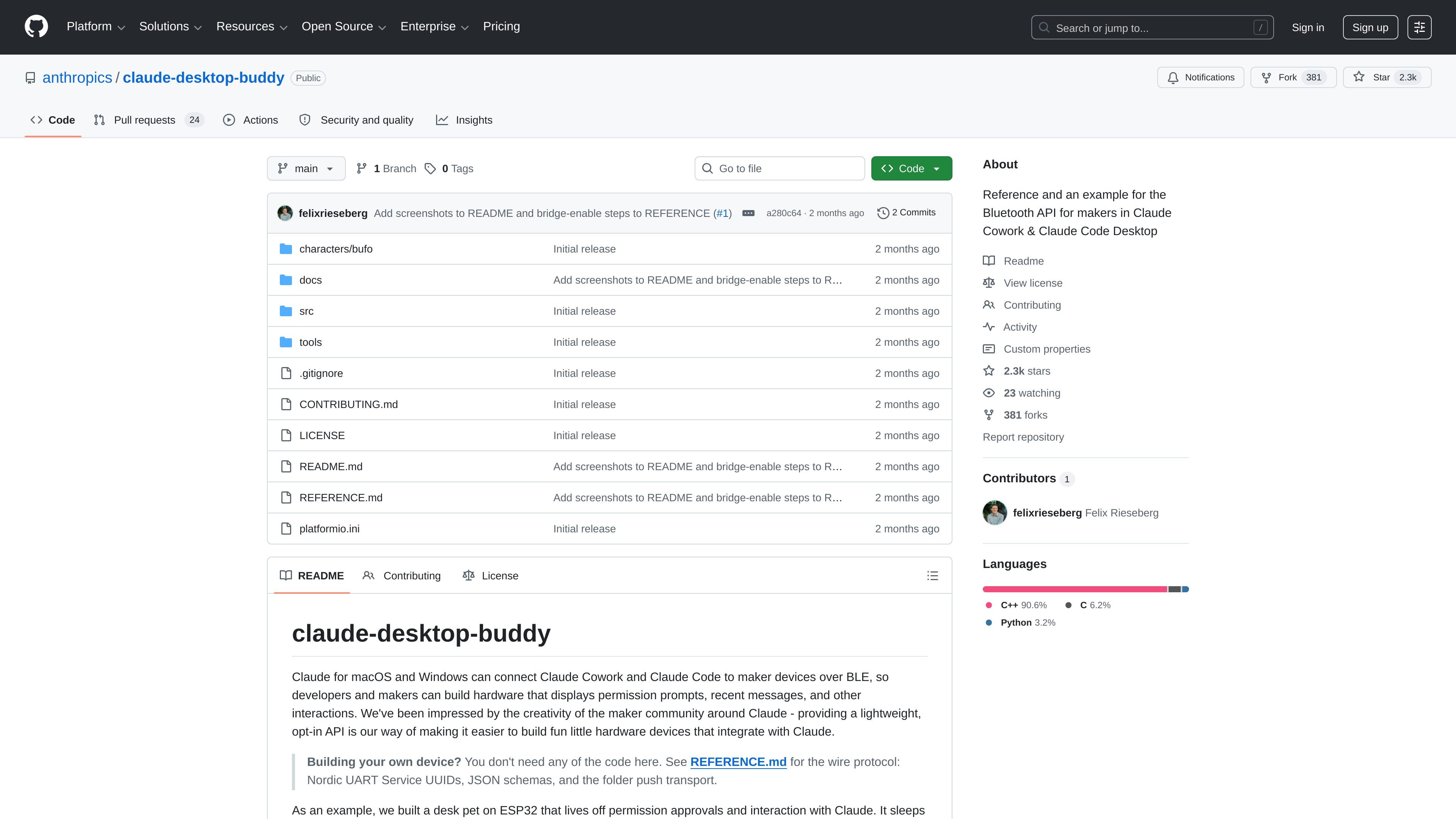
`claude-desktop-buddy` is a reference repository and example firmware for connecting maker devices to Claude for macOS and Windows over Bluetooth Low Energy. It focuses on the wire protocol, pairing flow, and sample device behavior needed to build hardware that can display Claude session status and react to permission prompts.
The repository centers on a desk-pet style ESP32 build and also documents the underlying Bluetooth API so other devices can implement the same flow without using the sample code. The desktop bridge runs in developer mode, uses the Nordic UART Service, and exchanges newline-delimited JSON for snapshots, turn events, and permission decisions.
The project documents the Bluetooth LE wire protocol used by the Claude desktop apps, including service UUIDs, newline-delimited JSON messaging, heartbeat snapshots, and permission-decision messages.
The desktop bridge can pair with a device from the Hardware Buddy window once developer mode is enabled, then auto-reconnect when both sides are awake.
The example firmware targets ESP32 with the Arduino framework and is written around a specific hardware stack that uses the M5StickCPlus display, IMU, and buttons.
The sample device UI tracks Claude session state such as running sessions, waiting approvals, recent transcript entries, and token counts for compact screens.
The repository supports ASCII pets and GIF character packs, with tooling to load custom characters over BLE or over USB for faster iteration.
The device can respond to permission prompts with approved or denied decisions, turning the desktop bridge into a small hardware control surface.
Build a small desk accessory that shows whether Claude is idle, working, or waiting on approval, so you can see session state at a glance.
Create a button-driven device that lets a user approve or deny Claude tool calls directly from the hardware.
Implement your own BLE-compatible device by following the wire protocol reference instead of copying the sample firmware.
Experiment with ASCII pets or animated GIF characters as a playful front end for Claude-connected maker devices.
Iterate on device graphics and behavior locally by pushing character packs over USB during development, then using BLE for normal operation.
Claude Desktop Buddy is a Bluetooth Low Energy bridge for the Claude desktop apps. In developer mode, you open the Hardware Buddy window, connect to a device advertising the Nordic UART Service, and the desktop app streams snapshots and prompts over newline-delimited JSON.
The source describes support for an ESP32 device built with the Arduino framework, and notes that the firmware currently depends on the M5StickCPlus library for display, IMU, and button drivers. It also says any device that can advertise the Nordic UART Service and parse newline-delimited JSON should work.
The repository provides both a wire-protocol reference and an example implementation. The README points to REFERENCE.md for UUIDs, JSON schemas, folder-push transport details, heartbeat snapshots, and permission-decision messages.
The bridge is only available when the desktop apps are in developer mode, and it is described as intended for makers and developers rather than an officially supported product feature.
The example firmware supports ASCII pets and GIF character packs, plus a desk-pet style device that shows session status and lets you approve or deny permission prompts from the hardware.

AakarDev AI helps teams manage AI provider access, project-level setups, logs, and analytics from one dashboard. It supports BYOK workflows and lists providers including OpenAI, Google Gemini, Anthropic, Groq, Mistral AI, and Perplexity AI.

Arduino VENTUNO Q is an edge AI computer for AI and robotics applications. It combines AI inference and deterministic control on a single board and is designed to work with Arduino App Lab.

Devin is an AI coding agent and software engineer that helps developers and engineering teams plan and execute complex software tasks. It is available through desktop, cloud, JetBrains, and CLI surfaces, with plans for individuals, teams, and enterprises.

MakerLoft is a chat-first AI app builder for non-developers who want to create static sites or full-stack apps from a GitHub repository. It supports a free GitHub Pages path and a DigitalOcean-backed app path with sign-ins, payments, and an admin dashboard.

Codex Plugins bundle reusable skills, app integrations, and MCP servers into workflows you can install in the Codex app or use from Codex CLI. They help extend Codex with connected-service tasks, reusable instructions, and shared team workflows.

Ably Chat is a chat API platform for building custom realtime chat applications. It supports room-based messaging, typing indicators, presence, reactions, and message updates, with usage-based pricing options for different deployment stages.