
Multi-session project work
Run multiple sessions for the same project in tabs, and switch between projects from the sidebar. Each session keeps its own Claude Code instance and persistent history.

Claudy is a native macOS app for Claude Code that organizes multiple projects, sessions, and accounts in one window. It also includes a built-in marketplace for Skills, MCP servers, and commands, plus a one-time purchase model with a 14-day free trial.
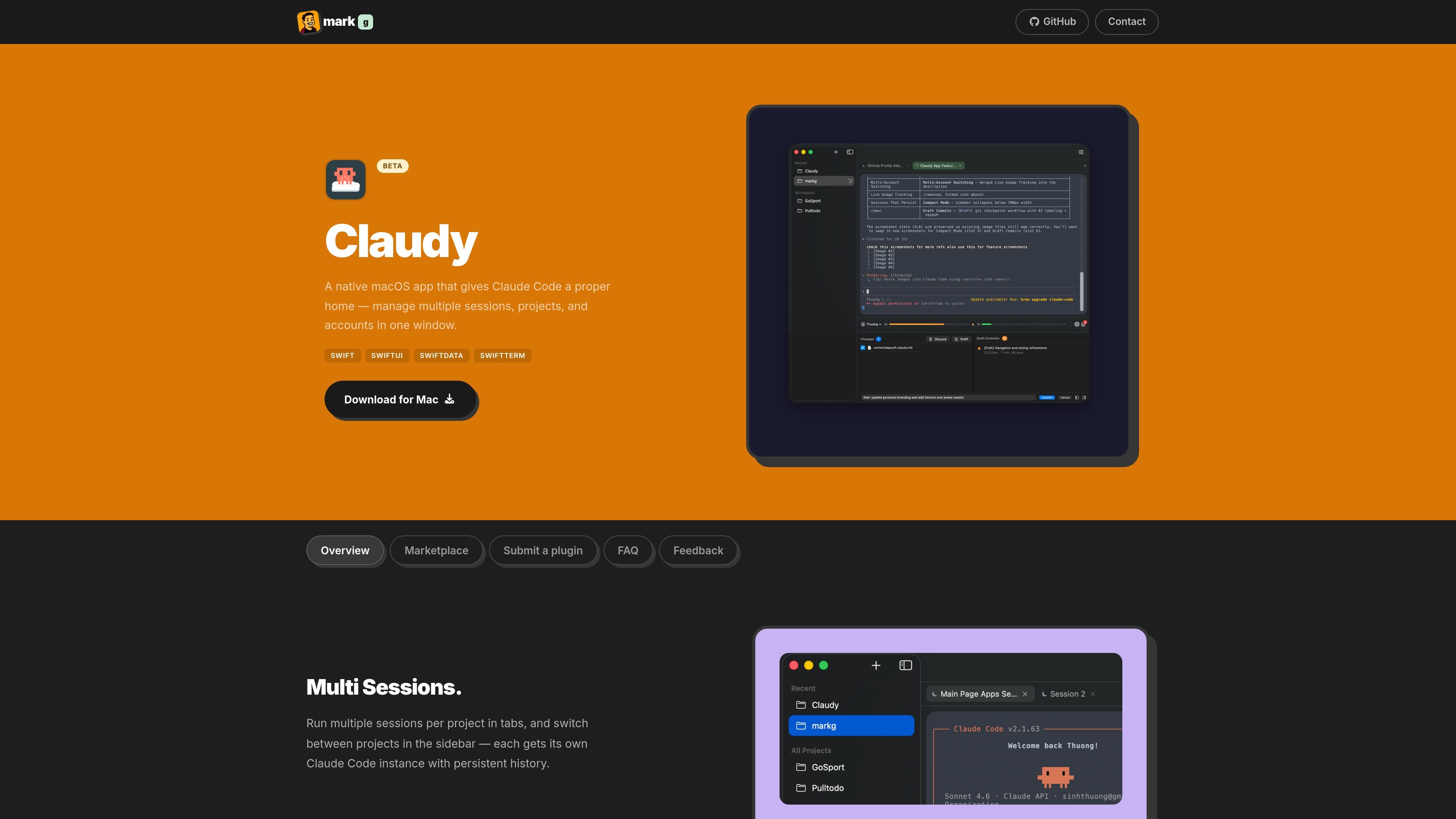
Claudy is a native macOS app for Claude Code that gives the CLI tool a multi-project, multi-session, multi-account interface. It is presented as “a proper home for Claude Code,” with tabs, a sidebar, and a built-in marketplace for add-ons.
The app is designed for people who want to run several projects and sessions in one window, move between Claude accounts as limits change, and keep work organized with persistent history, draft commits, and plugin installation from inside the app.
Run multiple sessions for the same project in tabs, and switch between projects from the sidebar. Each session keeps its own Claude Code instance and persistent history.
Configure several Claude accounts and let Claudy switch when one gets close to its usage limit. Real-time usage bars show the status of each account.
Shrink the window into a compact layout with the sidebar collapsed and a quick-switch bar, so you can keep working without extra visual clutter.
Checkpoint work with [Draft] git commits. Claudy labels the commits, lets you restore a checkpoint, and then squash changes into a final commit.
Browse and install MCP servers, skills, and slash commands from the built-in marketplace. The app says plugins can be added with one tap and no manual config files.
Keep several Claude Code sessions open for the same repository or task, then move between them without losing history.
Work across multiple Claude accounts and let the app switch when one account approaches its usage limit.
Use the compact layout when you want a smaller window and faster switching without the full sidebar taking space.
Create checkpoints during longer coding sessions, restore a previous point if needed, and then squash the approved work into a final commit.
Install plugins from the marketplace when you want Skills, MCP servers, or commands without editing config files by hand.
Claudy offers a 14-day free trial that starts the first time you launch the app. No credit card or account is required, and the trial gives full access to every feature. When the trial ends, the app prompts you for a license key; your projects, settings, and accounts are preserved.
If the trial expires, Claudy asks for a license key to continue. Nothing is deleted when the trial ends, and you can buy a license to keep using the app.
Claudy is sold as a one-time purchase for macOS. The pricing page says the license includes at least one year of updates, all future updates at no extra charge, and a 30-day money-back guarantee. Purchases are processed by Paddle, which calculates taxes at checkout and emails the license key.
The marketplace includes community Skills, MCPs, and Commands. The site also shows plugin categories such as Skills, MCPs, and Commands, and says you can install them from the built-in marketplace without manual config files.
The FAQ page lists questions about access tokens, session keys, automatic account switching, skip permissions, Claude not being found, and what to do when all accounts hit their limits, but the source text does not provide the answers on-page.
Assemble by Cohesium AI is an open-source prompt orchestration system for AI coding tools. It generates native config files that turn one project into a structured multi-agent setup across 21 platforms.

ByteAsk is a terminal-first AI coding agent for C and C++ that edits repositories and verifies changes with the real compiler, debugger, sanitizers, and tests before showing a diff. It offers a free tier plus paid plans, with editor connectors and zero-retention handling described in the source.

Biji - это универсальная платформа, разработанная для повышения продуктивности с помощью инновационных инструментов и функций.

SonOf connects to your repo and PM tool, audits the codebase and surrounding product context, and turns approved work into shipped tickets with senior engineering review. It is aimed at founders and engineering leaders who need backlog help without hiring a full team immediately.

Ghost — терминальный AI-ассистент для чата, генерации кода и запуска задач в командной строке. Бесплатные модели, Linux, macOS, Windows, open source.

Vi3ecode is a maintained development environment for working with AI coding agents. It keeps project context, terminal, Git, memory, flows, review, and communication connected around the agent you already use.