
Auto-translate posts and comments
Reads Hacker News posts and comments in your selected language, with automatic translation shown alongside the original text.

Haiker is a Hacker News mobile app for iOS and Android with automatic translation, reply notifications, bookmarks, and a native reading experience.
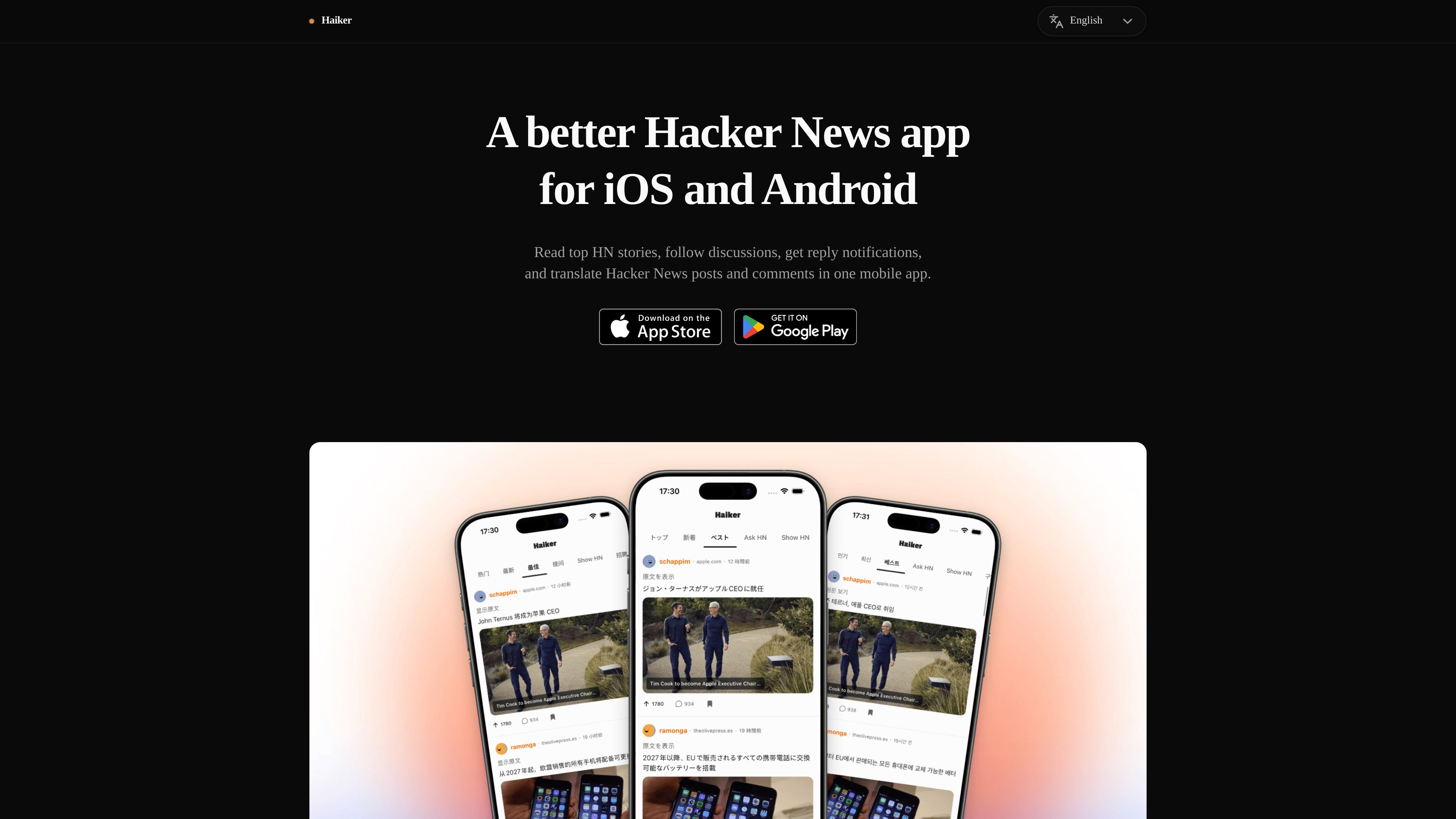
Haiker is a mobile Hacker News client for iOS and Android. It focuses on reading HN stories and comments in a native mobile interface while adding automatic translation for people who want to follow discussions in another language.
The app lets you choose a target language in settings, then translates posts and comments as they are displayed. It also supports reply translation, so you can draft a response in your own language and review an English version before posting. Reply notifications, bookmarks, and dark mode round out the core reading workflow.
Reads Hacker News posts and comments in your selected language, with automatic translation shown alongside the original text.
Supports 13 target languages, including Simplified Chinese, Traditional Chinese, Japanese, Korean, German, French, Spanish, Brazilian Portuguese, Russian, Hindi, Italian, Polish, and Dutch.
Lets you write replies in your own language and convert the draft to English before posting.
Sends notifications when someone replies to your posts or comments so you can follow the conversation.
Includes dark mode for reading at night or in low light.
Lets you save stories for later with bookmarks.
Read Hacker News posts and comments in your preferred language without manually copying text into a translator.
Draft a reply in your native language, translate it to English, and review the result before posting to Hacker News.
Turn on reply notifications to keep track of conversations where you have commented or posted.
Save posts you want to revisit later and read them in dark mode when you are on your phone at night.
Haiker is a Hacker News mobile app for iOS and Android. It lets you read stories and comments with automatic translation, and it supports reply notifications and bookmarks.
You choose your target language in the app settings. Supported target languages include Simplified Chinese, Traditional Chinese, Japanese, Korean, German, French, Spanish, Brazilian Portuguese, Russian, Hindi, Italian, Polish, and Dutch.
Haiker automatically translates Hacker News posts and comments into your chosen language as you read them. When you write a reply, you can tap the translate button to convert your draft into English before posting.
No. You can browse stories, read comments, and use auto-translation without logging in. An HN account is only needed if you want to post comments, reply, or upvote.
Yes. The source states that Haiker is available on iOS through the App Store and on Android through Google Play.

Microsoft Translator is a Bing translation web app for translating short text between English and more than 100 languages. It also supports image capture translation and basic output actions like listen and copy.

Google Translate is a free translation service from Google for text, speech, images, documents, and web pages. It helps people translate and understand content across more than 100 languages in the browser or app.

LangPanda is a browser extension for learning languages from streaming video and other supported sites. It combines instant subtitle lookup, flashcard creation, vocabulary tracking, and spaced-repetition review for 36 languages.

Talkpal is an AI-powered language learning web and mobile app for practicing speaking, listening, writing, and pronunciation. It offers guided courses, roleplays, and call-style conversation practice across 130+ languages.

MagicSlides is an AI presentation generator that turns text, topics, documents, URLs, and videos into slide decks. It creates presentations in Google Slides by default and supports PowerPoint export, with multilingual output and AI-assisted editing.

Rubriq 是一款面向科研写作的 AI 学术论文润色与翻译工具,支持个人订阅、机构方案和论文查重相关服务。它帮助研究人员在上传稿件后快速生成带修订痕迹的可审阅文档。