
Visual session workbench
Navigate long coding-agent sessions through a Finder-style Miller-column interface with focused views for tool calls, properties, history, and context.

Juggler is a visual desktop and browser workbench for developers using AI coding agents. It provides inspectable tool calls, branching conversations, editable context, and local or remote sessions across multiple model providers.
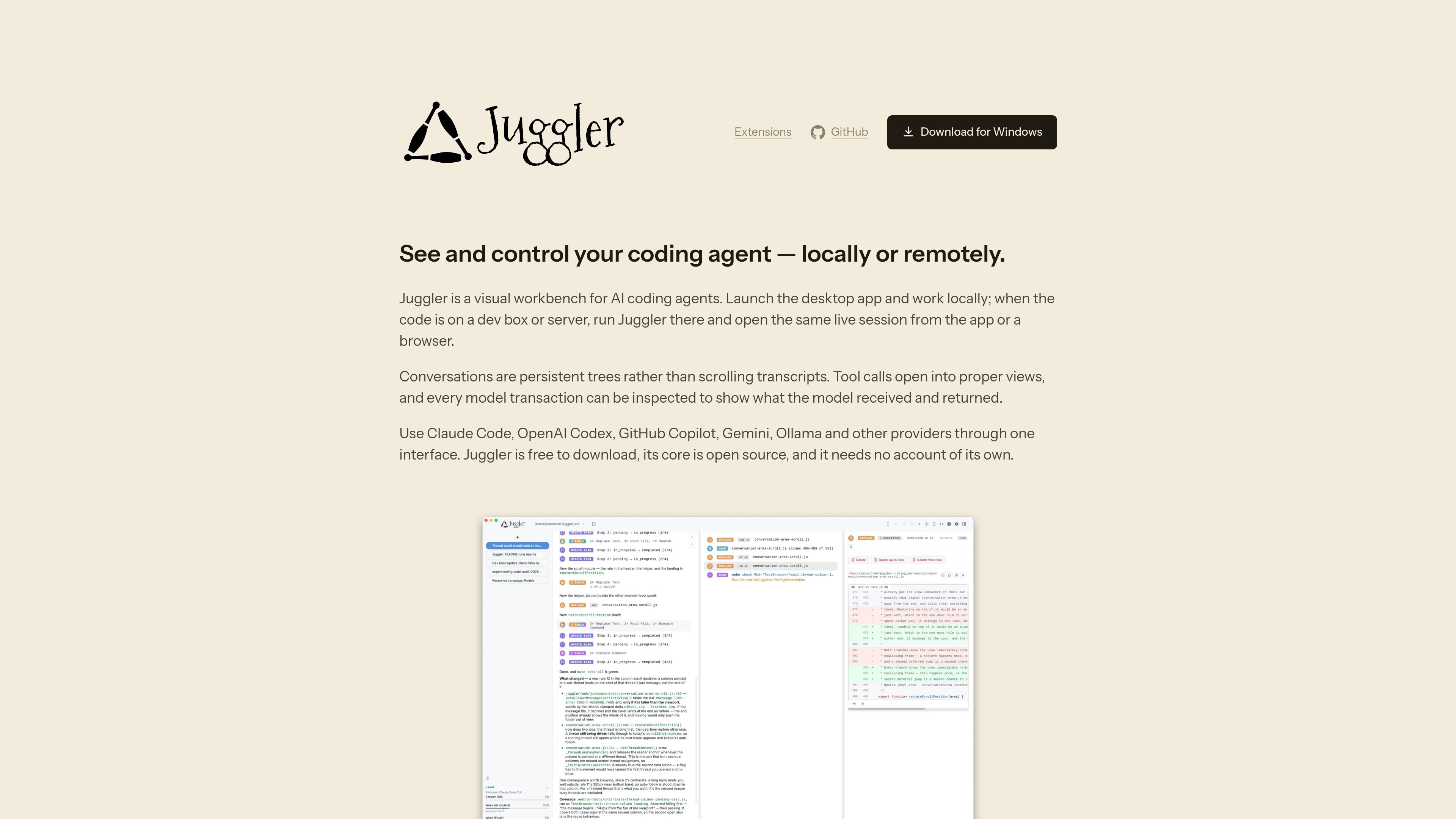
Juggler is a visual workbench for AI coding agents. It gives developers a desktop or browser interface for working with coding-agent sessions, including inspectable tool calls, persistent conversation trees, and editable context. The desktop app starts a local server for local projects; a headless server can run on the machine where a remote codebase lives.
Instead of treating an agent conversation as a scrolling transcript, Juggler presents it as a navigable tree. Users can branch into sub-threads, inspect what the model received and returned, and keep delegated or exploratory work out of the parent context until its result is needed. It supports multiple coding-agent and model-provider connections, does not require a Juggler account, and is free to download; the core application is open source.
Navigate long coding-agent sessions through a Finder-style Miller-column interface with focused views for tool calls, properties, history, and context.
Branch conversations recursively into sub-threads for tangents, delegated tasks, or competing approaches, then return only a requested result to the parent thread.
Inspect system prompts, messages, tool definitions, generated arguments, approvals, results, token use, timing, stop reasons, and MCP server activity.
Fold selected history into a new thread, move or copy items between branches, expand a branch into its parent, and undo structural changes.
Run Juggler locally in the desktop app or run its server on a development machine or server and connect through a browser or desktop client. Multiple clients stay in sync.
Handle context-window pressure by sizing the complete request before each call, reserving room for the response, and compacting older history when needed.
Extend tools, loop strategies, slash commands, file viewers, and sidebar cards with JavaScript using the public SDK; extensions can be scaffolded, validated, linked, and hot-reloaded.
Use the desktop app for local repositories when you want a visual workspace for long coding-agent sessions, with focused views instead of a terminal transcript.
Run the server on a development box or other machine containing the project, then monitor and control the same session from a browser or desktop app without moving the codebase.
Create a sub-thread for a tangent, delegated task, or alternative implementation. Review its work separately and return only the result needed by the parent conversation.
Review a model turn or MCP interaction when you need to understand the exact prompt, tool schema, arguments, approval, result, timing, or error involved.
Build project-specific tools, slash commands, file viewers, loop strategies, or sidebar cards using the public extension SDK, then validate, link, and hot-reload them during development.
Download and launch the desktop app on macOS, Windows, or Linux. It starts the matching local server and opens a project without requiring a terminal. For a remote project, run the headless Juggler binary on the machine where the code lives, then connect from a browser or the desktop app.
Juggler can connect to Claude Code, Anthropic, OpenAI, Codex, GitHub Copilot, Gemini, Mistral, Z.AI, Ollama, OpenRouter, DeepSeek, and other OpenAI-compatible providers. You can bring an existing provider subscription or use your own API keys.
Yes. A session is stored on disk and remains available after quitting, relaunching, or losing a connection. Connected desktop, browser, and other clients stay synchronized with the live session.
Yes. Juggler lets users inspect the assembled system prompt, messages, available tool definitions, model output, token use, timing, and stop reason for individual transactions. Tool arguments, approvals, results, and MCP handoffs can also be inspected.
Extensions are unsandboxed JavaScript with the full privileges of the app. Juggler displays an extension's declared host access before installation, but this is disclosure rather than containment, so only trusted extensions should be installed and enabled.

ByteAsk is a terminal-first AI coding agent for C and C++ that edits repositories and verifies changes with the real compiler, debugger, sanitizers, and tests before showing a diff. It offers a free tier plus paid plans, with editor connectors and zero-retention handling described in the source.

GitBot is a local browser-based workspace for creating reusable coding bots powered by Claude Code, Codex, or OpenCode. It helps developers run those agents across repository folders with persistent threads and configurable permissions.

Ghost — терминальный AI-ассистент для чата, генерации кода и запуска задач в командной строке. Бесплатные модели, Linux, macOS, Windows, open source.

Vi3ecode is a maintained development environment for working with AI coding agents. It keeps project context, terminal, Git, memory, flows, review, and communication connected around the agent you already use.

Lucid Train is a local-first AI coding harness that turns repository code into architecture diagrams and uses those diagrams as specifications for coding agents. It is available as a desktop app and a lightweight Rust CLI, and it can run with local models or your own API keys.

CreateOS Sandbox is an isolated compute environment for running code and agent workloads inside Firecracker micro-VMs. It is designed for workflows that need machine-level isolation, private networking between sandboxes, and programmatic control through SDK, CLI, or MCP.