
On-screen lookup shortcut
Press ⌥A to scan or look up words directly from the screen without switching apps or opening a browser tab.

Leafy is a Mac vocabulary builder that saves looked-up words with the sentence they came from. It helps readers and language learners build and review vocabulary without leaving the page they are on.
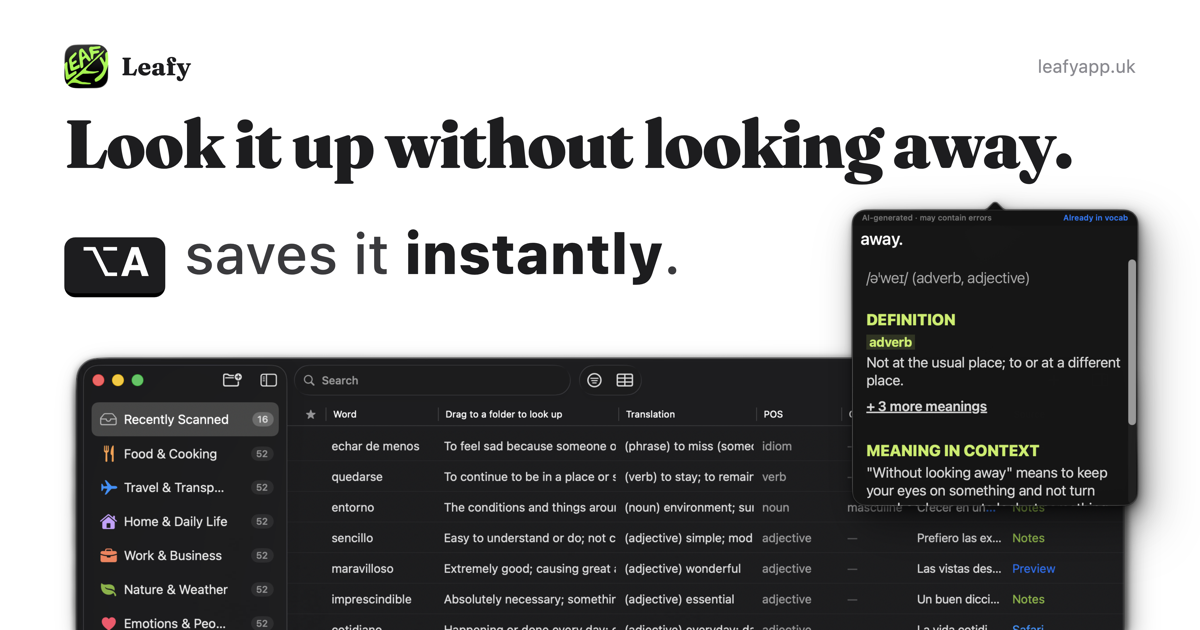
Leafy is a Mac vocabulary builder that lets you look up words from anywhere on screen with a keyboard shortcut. It is designed to capture a word together with the sentence around it, so the meaning and context are saved at the same time.
Instead of asking you to create flashcards manually, Leafy builds a vocabulary list as you read. You can review saved words in their original sentences, export the library to several formats, or import an existing list from a template or another app.
Press ⌥A to scan or look up words directly from the screen without switching apps or opening a browser tab.
Leafy reads the sentence around the word, then saves the word together with the line it came from so you can revisit it in context.
Review mode hides the target word inside the original sentence and asks you to fill it in, turning your reading history into practice material.
The app works with PDFs, ebooks, images, and other on-screen text, plus text selected through the PopClip bar.
Export saved words to JSON, CSV, Excel, PDF, or Anki, and import data from templates or common vocabulary exports.
Leafy includes multiple learning languages, with support listed for English, Spanish, French, German, Italian, Greek, Simplified Chinese, Japanese, Thai, and Arabic.
Look up unfamiliar words while reading PDFs, ebooks, or webpages without breaking your flow. Leafy saves the word and its sentence, so you can come back to it later with context intact.
Build a vocabulary list as you study a new language. The app supports multiple learning languages and turns the sentences you encounter into review cards.
Import a spreadsheet, CSV, JSON, text file, or Anki export if you already keep vocabulary elsewhere. Leafy can also use a template when you want to start from a structured list.
Use PopClip to define, translate, or save selected text anywhere on your Mac when you want a quick lookup from highlighted text rather than screen scanning.
Export your saved vocabulary to formats like CSV, Excel, PDF, JSON, or Anki if you want to study elsewhere or keep a backup copy.
Leafy is set up for individual use on a Mac. The website says there is no account and no sync server, and the pricing page notes that multiple Macs are supported if they are yours.
Yes. The help guide says you can import a template file from Excel or CSV, and it also supports direct imports from CSV, TSV, Excel (.xlsx), JSON, plain text, and Anki (.apkg) exports.
On the help page, Leafy says it can look up selected text through a PopClip extension. PopClip is a separate paid app and must be installed and running for the extension to work.
Leafy saves your library on your Mac. When you scan or look up text, the text is sent to a third-party AI service for processing, and the privacy policy says you can avoid that transfer by not using the AI features.
The site says there is no account and no email required to download while the app is in beta. Paid plans are described on the pricing page, but nothing is for sale yet.

Contextbergは、画面・入力・ブラウザ・AIエージェントの利用履歴をローカルで記録し、MCP経由でClaude CodeやCursorなどに作業コンテキストを渡すデスクトップアプリです。中断した作業の再開、過去ログの検索、日次レビューに利用できます。

recall is an AI flashcard app that turns reading and notes into study cards through Claude, ChatGPT, or another MCP client. It uses one-time lifetime access pricing and spaced repetition review.

Goldfish is an AI memory app for macOS that helps you reply, write, summarize, and continue using the context already on your Mac. It stores memory locally and writes in your tone.

Flunkey is a voice-first productivity layer for Windows that converts speech into text, AI-assisted outputs, and remembered context. It is built for users who want to capture ideas and actions without leaving the app they are working in.

Lasso is an ecommerce product data platform for enriching catalog records, processing supplier files, generating product content, and monitoring competitors. It combines a web app with a REST API, SDK, and MCP server for teams and developers.

ArtDeck is a visual reference board app for iPhone, iPad, and Mac that lets artists collect mixed reference material on one canvas and study it with ToolBox lenses. It works offline, supports optional iCloud sync, and is sold as a one-time purchase with no account required.