
Draft from a past deliverable
Describe your service and upload a past client deliverable so Mycel can draft the next piece of work in a similar operating style.

Mycel is an AI workflow tool for service businesses that turns a past deliverable and current work into drafts for recurring client operations. It supports approval-based desks for tasks such as receivables, recruiting, contracts, monthly close, and GEO monitoring, with hosted and self-hosted options.
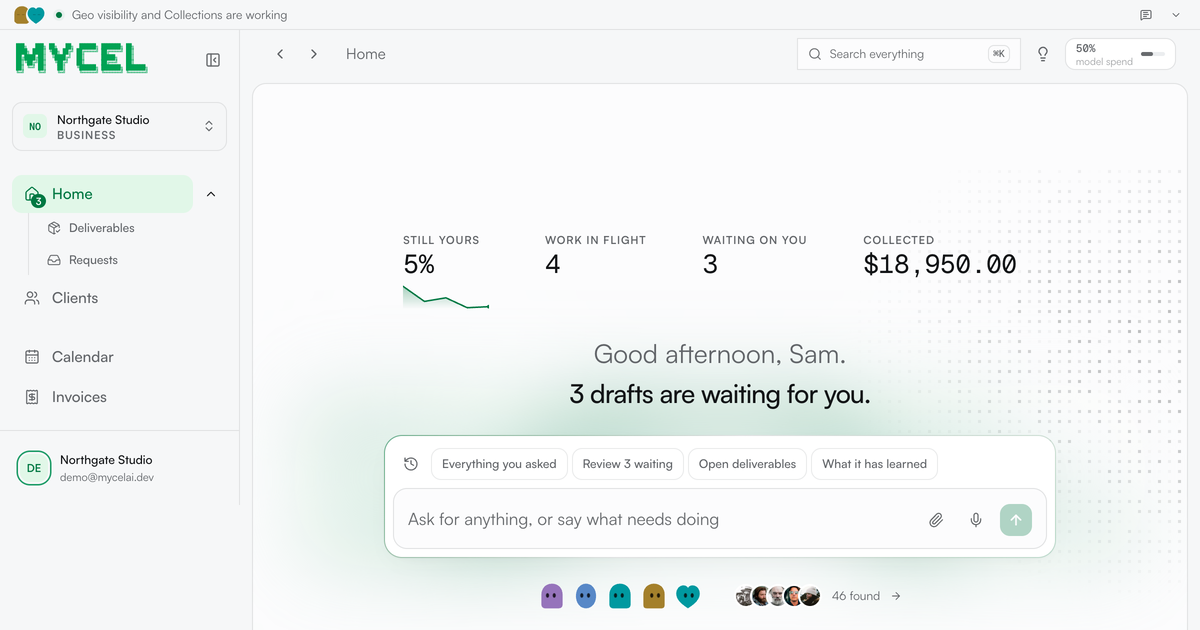
Mycel is an AI workflow tool for service businesses that repeatedly produce client deliverables. It uses a description of the service and one previously delivered piece of work as a starting point, then drafts future work for review. Examples on the site include reports, proposals, shortlists, invoice reminders, redlines, and buyer-facing content recommendations.
The product is organized around specialized desks and an approval loop rather than unattended sending. A desk can run a recurring operational process, prepare the next action or document, and wait for a human to approve it. Mycel is offered as a hosted service, with a free self-hosting option for teams that want to run the code on their own servers and supply their own model key.
Describe your service and upload a past client deliverable so Mycel can draft the next piece of work in a similar operating style.
Review and correct generated work before it is sent. Corrections are retained so later drafts can require less revision.
Run repeatable service workflows such as outreach, invoice chasing, recruiting screens, monthly-close tasks, contract redlines, and buyer-question monitoring.
Create outputs for different operational jobs, including client reports, proposals, shortlists, dunning messages, redlines, risk notes, and content briefs.
Apply workflow-specific controls: pause for missing client paperwork, avoid duplicate invoice reminders, flag gaps in security responses, and stop high-risk actions at approval.
Use the hosted product or run the code on your own servers with your own model key. The site identifies the self-hosted code as Apache-2.0 licensed.
Monitor the questions a client's buyers ask in ChatGPT, Perplexity, and Google's AI answers. Mycel records the responses, named competitors, linked sources, and a suggested page to write, while avoiding claims based on unanswered questions or a single week's results.
Sweep overdue invoices, choose the next reminder step from defined policy, draft the message, and wait for approval. The workflow can pause for payment, resume at the next chase date, and stand down when payment arrives.
Move candidates through declared stages, draft outreach and screening work, and let assessors respond through links without giving every assessor a full seat.
Prepare recurring back-office and review work, such as chasing receipts, reconciling books, flagging anomalies, drafting contract redlines, or packaging security-questionnaire responses, while leaving final judgment with the team.
Mycel is designed for service businesses whose work produces repeatable client deliverables. The site lists bookkeeping, recruiting, GEO, legal, web, operations, contract, accounts-receivable, monthly-close, pipeline, trust-and-security, and contracts workflows, while also offering a way to describe a different service for a tailored setup.
The stated setup is to describe what you sell, upload one past deliverable, provide the current week's work, and review the resulting draft before sending it. The site says setup can be completed in an afternoon, but the time to a useful output will depend on the service and material provided.
Mycel drafts work and holds it for approval. The site repeatedly states that nothing reaches a client or leaves the firm until a person has reviewed it. Desk-specific safeguards include approval gates for outgoing messages, high-risk final notices, and redlines.
The hosted service offers a seven-day free trial and then paid plans. The site lists Starter at $299 per month and Growth at $899 per month after an introductory three-month discount, with Scale available through a sales conversation. It also states that the same code can be self-hosted for free under Apache-2.0 using your own model key.

Codex Plugins bundle reusable skills, app integrations, and MCP servers into workflows you can install in the Codex app or use from Codex CLI. They help extend Codex with connected-service tasks, reusable instructions, and shared team workflows.

Struere is an AI-native platform for turning spreadsheet data into structured operational software with dashboards, alerts, and automations. It is aimed at teams that want to replace manual spreadsheet workflows without building custom tools from scratch.

Wysera is an AI business platform that combines PostWyse for content and OpsWyse for CRM and revenue workflows, powered by the shared Wyse AI. It is built for solo operators, teams, and agencies that want approval-first automation across publishing, lead follow-up, and related operations.

OpenFlags is an open-source, self-hosted feature flag platform for modern JavaScript teams. It supports local evaluation, targeted rollouts, and controlled launches while keeping flag data in your own infrastructure.

Awish is an AI-powered no-code automation platform that turns natural-language requests into automated workflows across connected apps. It serves individuals and teams that want to automate repetitive tasks, chat-based assistants, and workflow updates without manual configuration.

Dif.sh manages feature flags, A/B tests, holdouts, and staged rollouts as Markdown files in your repo. It uses a CLI to scaffold, validate, build, and conclude experiments, with Dif Cloud available for shared metrics and decision review.