
Local call protection
Recognizes repeat unknown call patterns locally and can decline matching calls before they ring when Android call filtering allows it. Saved contacts remain unaffected by default.

NoRing is a free Android app for blocking repeat unwanted calls and managing SMS/MMS with local, on-device protection. It helps users keep promotional or suspicious messages quiet while important communication stays available in Inbox.
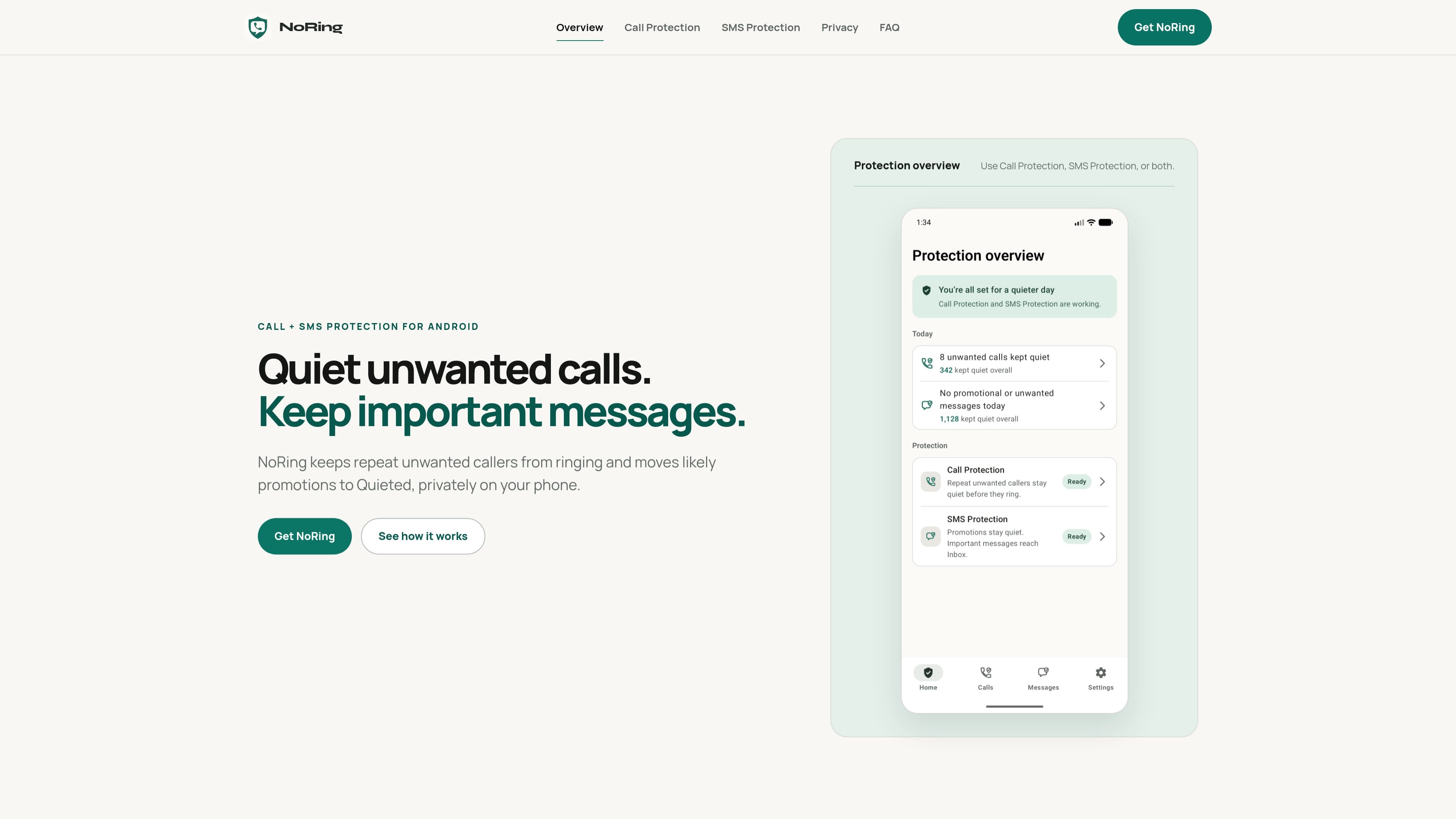
NoRing is a free Android app for call and SMS/MMS protection. It is built to keep repeat unwanted callers quiet and move likely promotional or suspicious texts out of the way, while leaving important communication available on the device.
The app separates protection into two independently usable pillars: Call Protection and SMS Protection. Call Protection uses local learning and Android incoming call filtering to act on repeat unknown call patterns, while SMS Protection works as a full SMS/MMS app with Inbox, Quieted, search, compose, reply, and sender controls.
NoRing is designed around a local privacy boundary. Decisions happen on the phone, and the site says calls, contacts, numbers, SMS/MMS content, metadata, rules, and learning profiles are not uploaded for protection. SMS Protection requires NoRing to be the default SMS app, and RCS is not currently supported.
The product is available free, with optional NoRing Plus that removes ads while active but does not unlock stronger protection. Free users may see restrained ads on eligible safe screens, and no account is required for core use.
Recognizes repeat unknown call patterns locally and can decline matching calls before they ring when Android call filtering allows it. Saved contacts remain unaffected by default.
Keeps confident promotions and suspicious messages quiet while letting important alerts, personal messages, and uncertain conversations stay in Inbox.
Lets you browse a local Inbox and Quieted timeline, search messages, compose and reply, and review message context without uploading content for protection.
Sender Rules let you change how a sender is handled, including always notify, mute, keep only important alerts, keep marketing quiet, or block.
Imports and indexes existing SMS/MMS history locally so past conversations remain available after setup.
Keeps call logs, contacts, phone numbers, message metadata, rules, and learning profiles on the phone; protection decisions do not rely on cloud or cross-user scoring.
Use Call Protection to keep repeat unknown callers from ringing when they match your own rejected or very short call patterns. This is aimed at users who want quieter phones without depending on a shared caller-ID database.
Use SMS Protection to move confident promotions and suspicious texts into Quieted while letting alerts, personal messages, and uncertain threads remain in Inbox. This fits people who want important messages to stay visible without a separate filtering app.
Use the local Inbox and Quieted timeline to review messages, search history, reply, compose new messages, and correct how a sender is handled with Sender Rules. This is useful when you need control after setup, not just automatic filtering.
Enable both pillars when you want one Android app to cover unwanted calls and SMS/MMS in a single local-first workflow. The product is set up in steps and can be expanded from one pillar to both later.
Choose NoRing if you want protection without signing in and without uploading communication data for protection. The app is positioned for users who prefer private, on-device decisions over cloud scoring.
NoRing has two independently usable pillars: Call Protection and SMS Protection. You can use either one or both. Full protection covers calls and SMS/MMS.
Yes. Call Protection and SMS Protection are available for free. Free users may see restrained ads on eligible safe screens, and NoRing Plus is optional; it removes ads while active but does not unlock stronger protection.
No. SMS Protection requires NoRing to be the default SMS app. Android uses that role to let the app reliably receive, write, send, organize, and control notifications for SMS/MMS.
NoRing supports SMS and MMS. RCS is not currently supported.
When you enable SMS Protection, NoRing imports and indexes your existing SMS/MMS history locally so conversations remain available. Message content and identifiers are not uploaded for protection.

MacSpoof — смена MAC-адреса в macOS: меняйте или рандомизируйте Wi‑Fi MAC, чтобы переподключаться и меньше светить идентификатор в публичных сетях.

NomNak — бесплатное приложение для iPhone, где находят рестораны по рекомендациям друзей, сохраняют места, ведут food passport и ищут по городам.

TyeGit — нативный Git-клиент на Rust и Tauri для точного управления staging, коммитами, ветками и remotes в Windows, macOS и Linux.

Loomal is a payments layer for agentic commerce that lets developers add paywalls to APIs, MCP tools, or hosted files. It settles agent payments in USDC on Base and is aimed at services that want per-request payment from AI agents.

idmly converts self-contained HTML designs into editable Adobe InDesign (.idml) files. It is built for designers and teams that need browser-made or AI-generated layouts turned into InDesign without rebuilding them by hand.

Rokoko is a motion capture software and hardware ecosystem for body, finger, and face animation. Rokoko Studio processes capture data, lets creators clean and retarget it, and streams or exports it to 3D tools.