UStackUStack
Translate Peek icon

Translate Peek

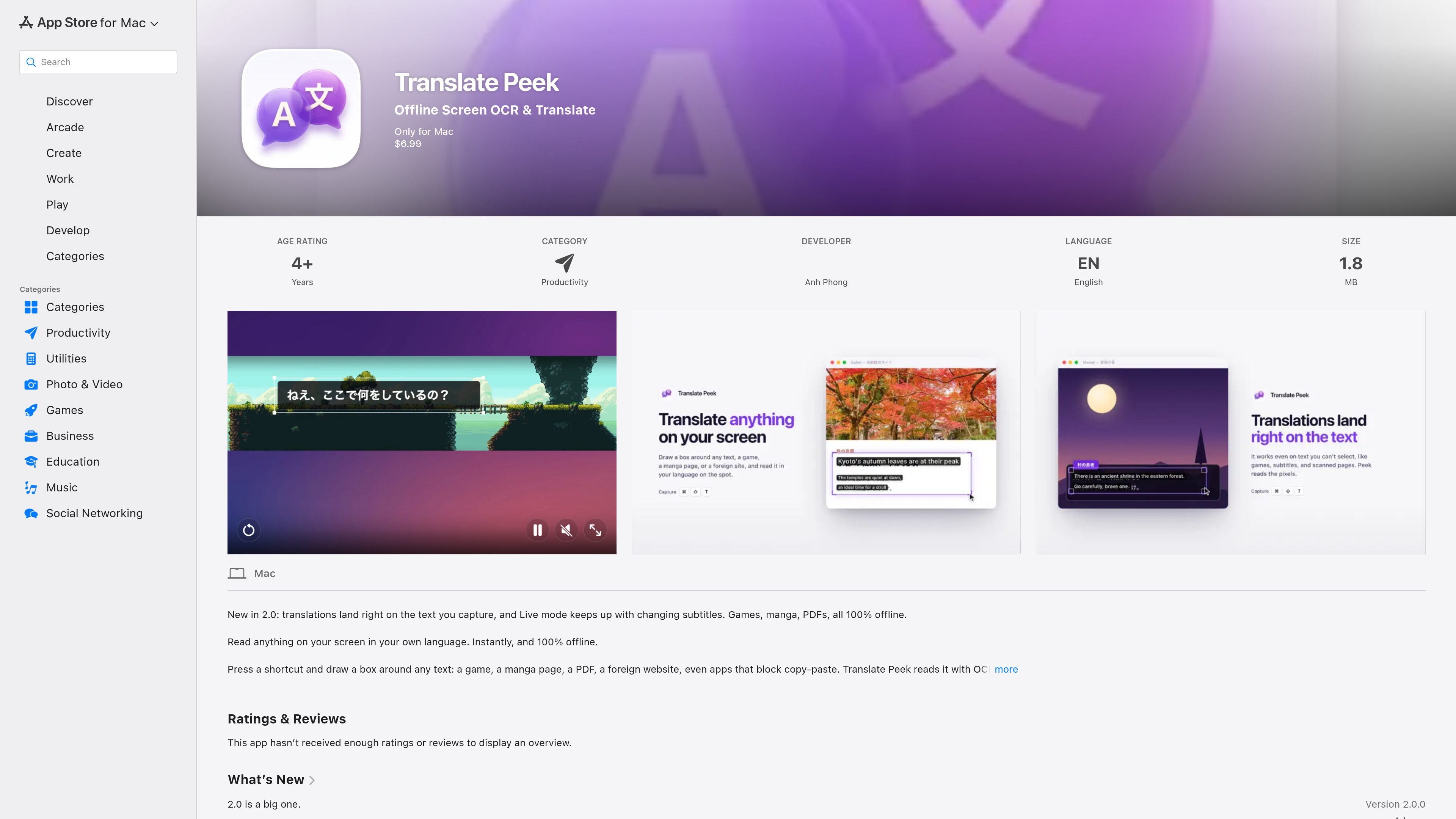
Translate Peek is a Mac app that uses OCR to capture on-screen text and translate it offline. It is aimed at users who need to read foreign-language content in games, PDFs, manga, videos, screenshots, and other apps that are hard to copy from.

Translate Peek

Overview

Translate Peek is a Mac productivity app for translating text that appears on your screen. It uses OCR to capture selected text from a region of the display, then translates it locally and shows the result in a floating panel or directly over the captured text in version 2.0.

The product page positions it for people who need to read foreign-language content in games, manga, PDFs, videos, screenshots, websites, or apps that make copying difficult. It also includes an OCR-only shortcut for extracting text without translation, plus Live Translate for changing content such as subtitles.

Key features

Screen capture translation

Press the app’s shortcut, draw a rectangle around on-screen text, and get a translated result in a floating panel. The listing also notes that translations in version 2.0 appear directly on top of the captured text instead of only in a side panel.

OCR-only mode

An OCR-only shortcut lets you extract text without translating it. This is useful when you just need to copy text from an image, screenshot, or other non-translatable content.

Live subtitle translation

Live Translate is designed for text that changes over time, such as video subtitles, so the app can keep translating as the content updates.

Broad on-screen content support

The App Store page says the app works with games, manga, comics, PDFs, images, videos, screenshots, and copy-protected apps, including content that blocks copy and paste.

Multi-language translation

Translate Peek says it supports 19 languages and can translate both ways. The listed languages include Japanese, Korean, Chinese, and Vietnamese.

History and utility tools

Version 2.0 adds searchable history, text-to-speech for results, quick translation for pasted or typed text, and QR code reading when a capture has no text.

Where it fits

  • Reading foreign-language games

    Capture a line of dialogue, subtitles, or UI text from a game and translate it without leaving the screen you are on.

  • Extracting text from visual content

    Select text from manga pages, comics, PDFs, screenshots, or images when copy and paste is blocked or impractical.

  • Following live subtitles

    Use Live Translate when text changes continuously, such as subtitles in a video, and you want translations to keep up with the changing content.

  • Translating typed text quickly

    Paste or type a short phrase into Quick Translate when you do not need to capture text from the screen first.

  • Copying text without translation

    Use OCR-only mode when you want plain text extraction for copying or reuse without generating a translation.

Pros and Cons

Pros

  • Runs 100% offline on the Mac, with no network access described on the listing.
  • Uses Apple’s on-device Vision and Translation frameworks.
  • Supports capture-based translation for a wide range of on-screen content, including screenshots, PDFs, videos, and copy-protected apps.
  • Offers OCR-only capture, Live Translate, searchable history, quick typed translation, and offline text-to-speech in version 2.0.
  • States that the developer does not collect data from the app.

Cons

  • Requires macOS 15.0 or later.
  • The App Store page does not provide a detailed breakdown of pricing terms beyond showing a $6.99 price on the listing.
  • The page does not yet show accessibility feature details from the developer.

FAQ

What does Translate Peek do?

It is a Mac app that uses OCR to capture text from part of your screen and translate it in a floating panel. You start it with a keyboard shortcut, draw a box around the text, and read the result without leaving the app you were using.

What Mac version is required?

The app is designed for macOS 15 (Sequoia) or later.

Does Translate Peek work offline?

The product page says it is powered by Apple's on-device Vision and Translation frameworks and runs 100% offline on your Mac.

What changed in version 2.0?

Version 2.0 adds Live Translate for changing text such as video subtitles, plus OCR-only capture, searchable history, quick typed translation, offline text-to-speech, and QR code reading when a capture contains no text.

Can it be shared through Family Sharing?

The app supports family sharing, according to the App Store listing.

Quick Facts

Category
Productivity
Platform
Mac
Compatibility
Requires macOS 15.0 or later
Developer
Anh Phong
Source domain
apps.apple.com
Price shown on listing
$6.99
Translate Peek - AI Tool, Features, Use Cases & Alternatives | UStack