
Ambient desktop presence
The desktop charm appears by the notch on Mac or as a small black pill at the top of Windows, keeping agent status visible without opening a phone or separate app.

OpenCharm is an open-source desktop and buildable hardware interface for AI agents such as Claude Code, Codex, Hermes, and OpenClaw. It adds visible status faces, voice interaction, and a key-based way to respond to agent questions without replacing the agent itself.
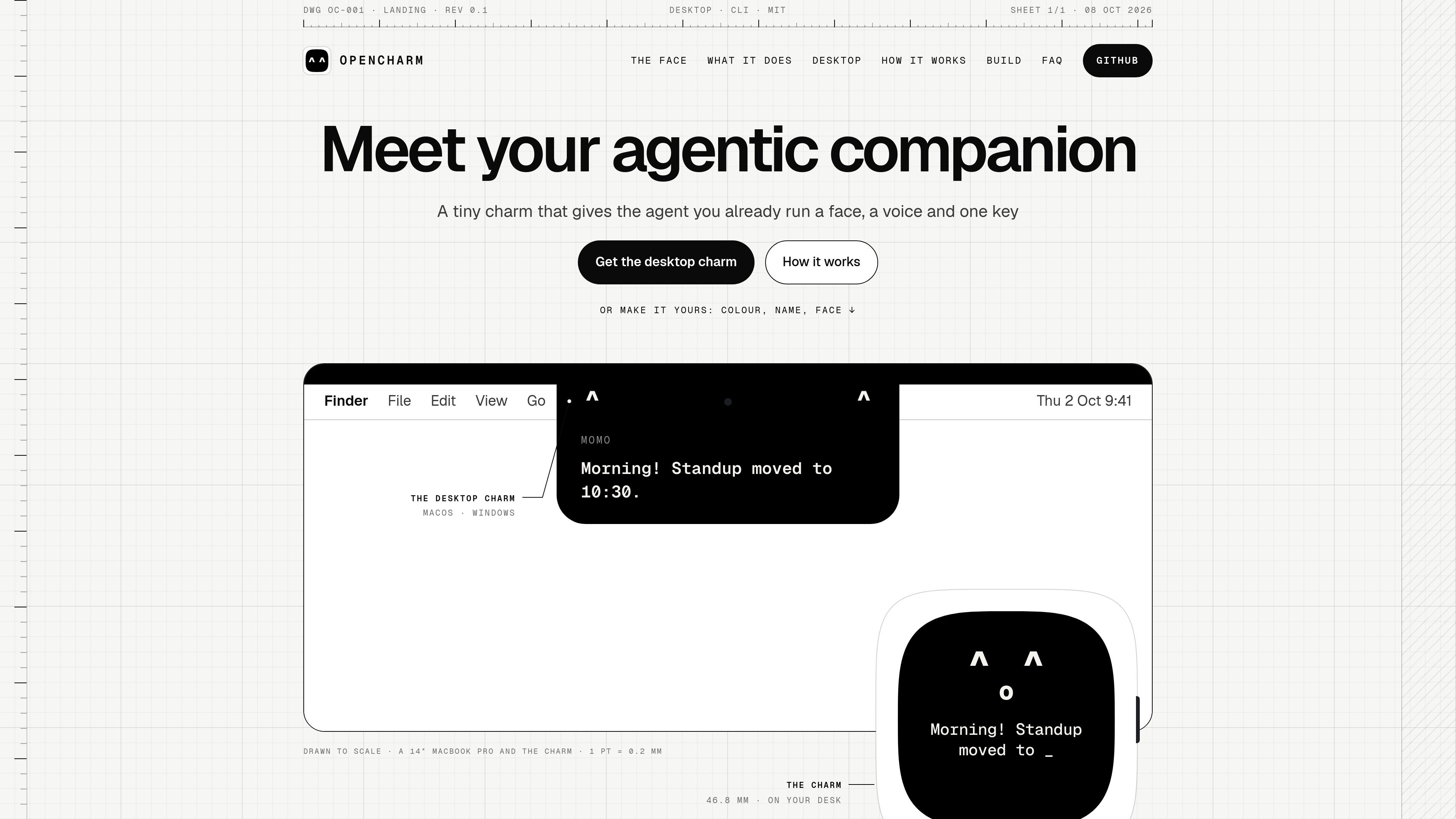
OpenCharm is an open-source interface for AI agents that adds a visible face, voice, and physical or desktop key to agents users already run. It is designed to make an agent's state legible at a glance rather than requiring users to check a terminal, app, or phone.
The product currently includes a desktop charm for Mac and Windows, with a small board presented as a buildable hardware form. It can connect to several named agent tools, ACP commands, or an OpenAI-compatible server, while leaving the agent's model, memory, skills, files, and permitted tools in place.
The desktop charm appears by the notch on Mac or as a small black pill at the top of Windows, keeping agent status visible without opening a phone or separate app.
OpenCharm turns agent events into readable faces and states, including thinking, tool work, approval requests, completion, errors, learned skills, memory writes, budget thresholds, and idle periods.
Hold the talk key in any app to ask the connected agent a question and hear an answer. Voice options described by the source include a local Mac voice, OpenAI with a key in the keychain, or no voice.
The interface supports a key interaction for agent requests: holding indicates yes and pressing indicates no in the described approval flow. Risky actions make the face orange and wait for the key.
Users can choose a colour, name, and face, and can create or share faces as text. Settings can be applied in the desktop charm or a workspace opencharm.json file.
A physical board is described as a small buildable version of the desktop charm. The product page says API keys are stored on the device and that a server connection can use an encrypted link, but it does not provide full hardware or deployment instructions.
Start a long coding or automation task and monitor the charm for working, stuck, failed, or done states without repeatedly checking the agent's terminal.
When an agent asks for clarification or approval, use the key-based interaction to respond. The source describes an orange state and a wait for the key before risky actions proceed.
Hold the talk key to ask an agent a question and hear a concise answer while remaining in the current application.
Use memory-related events to notice when the agent records information, then read the saved list as part of a personal knowledge workflow.
Connect an agent to tools such as calendars, weather, recipes, home controls, email, or flight status so the charm can surface brief, context-specific interactions.
OpenCharm provides a desktop charm for Mac and Windows. On macOS it appears by the notch, and on Windows it appears as a small black pill at the top of the screen. The source also describes a small board that users can build, but it does not provide complete hardware requirements or setup instructions.
The desktop charm can connect to agents including Claude Code, Codex, Gemini CLI, goose, Hermes, OpenClaw, any ACP command, or an OpenAI-compatible server. The source does not define detailed compatibility limits for each integration.
OpenCharm listens to agent events and maps them to visible states such as thinking, working, needing approval, done, stuck, failed, learned, or idle. It can also provide spoken responses through a local Mac voice, OpenAI using a key stored in the keychain, or no voice.
The desktop interface uses a talk key that can be held in any app: Option + Space on Mac or Ctrl + Alt + Space on Windows by default. Users can change the key. The panel below the notch or pill displays captions and questions; the source describes holding the key for yes and pressing it for no in approval interactions.
The product is intended to add a visible face, voice, and physical or desktop control to an agent you already run. It does not replace the agent's memory, skills, model, files, terminal access, or permitted app access; the source does not describe OpenCharm as a standalone assistant.

CreateOS Sandbox is an isolated compute environment for running code and agent workloads inside Firecracker micro-VMs. It is designed for workflows that need machine-level isolation, private networking between sandboxes, and programmatic control through SDK, CLI, or MCP.

GitBot is a local browser-based workspace for creating reusable coding bots powered by Claude Code, Codex, or OpenCode. It helps developers run those agents across repository folders with persistent threads and configurable permissions.

AakarDev AI helps teams manage AI provider access, project-level setups, logs, and analytics from one dashboard. It supports BYOK workflows and lists providers including OpenAI, Google Gemini, Anthropic, Groq, Mistral AI, and Perplexity AI.

Trigger.dev chat agent is a durable AI chat backend for developers building stateful conversations that can survive refreshes, crashes, and long-running turns. It connects with the AI SDK `useChat` flow and runs on managed infrastructure with no timeout on a turn.

ByteAsk is a terminal-first AI coding agent for C and C++ that edits repositories and verifies changes with the real compiler, debugger, sanitizers, and tests before showing a diff. It offers a free tier plus paid plans, with editor connectors and zero-retention handling described in the source.

Lasso is an ecommerce product data platform for enriching catalog records, processing supplier files, generating product content, and monitoring competitors. It combines a web app with a REST API, SDK, and MCP server for teams and developers.