
Live aircraft scope
Uses live ADS-B data from the airplanes.live network to identify nearby aircraft around your position. The app updates every few seconds and shows what is actually being broadcast and received.
Overflight is a live aircraft tracker for iPhone, iPad, and Apple TV that identifies nearby planes, shows what’s overhead, and points you in the right direction to look. It works without an account and offers a free core experience with optional Pro features.
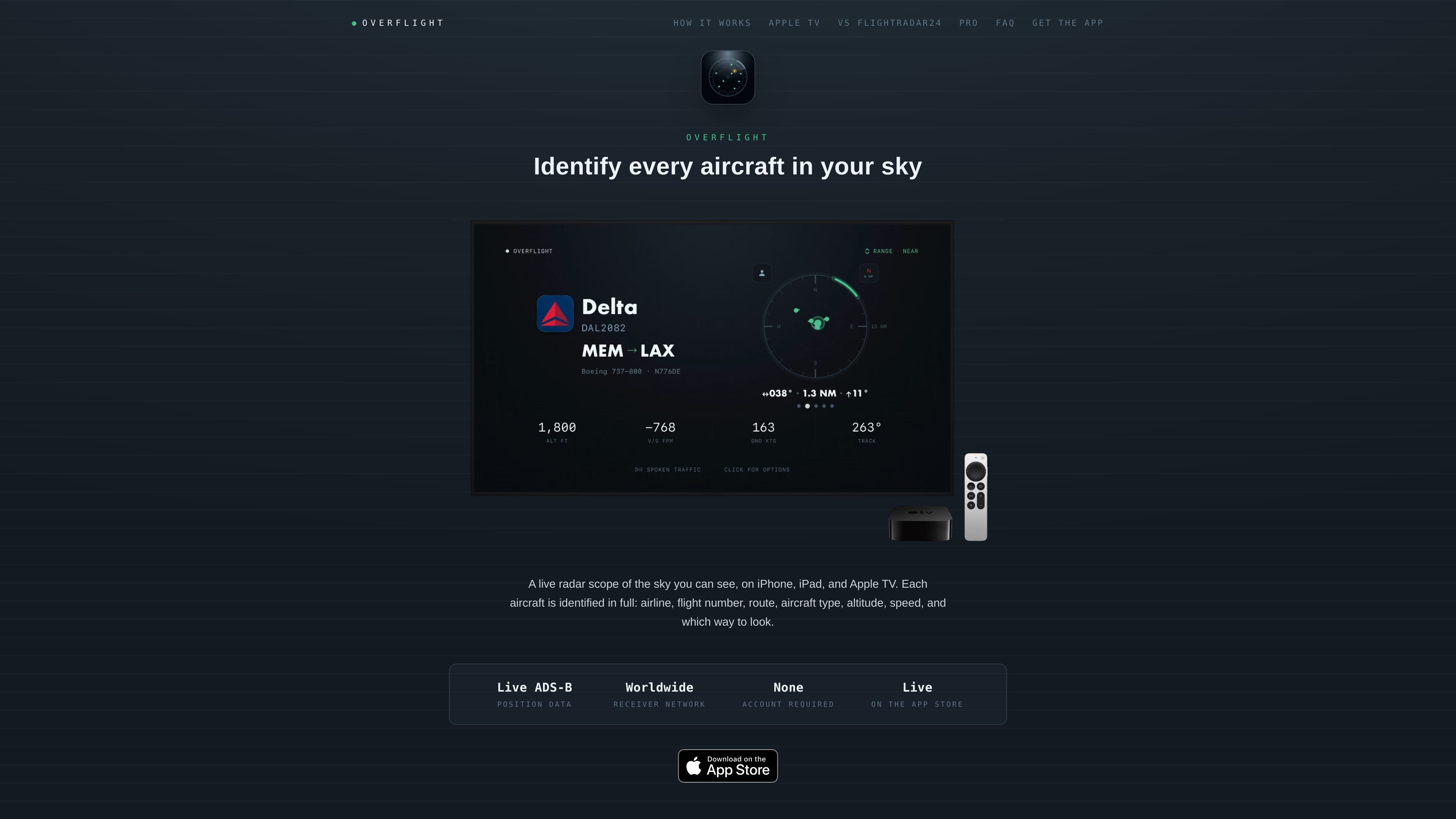
Overflight is a live aircraft tracker for iPhone, iPad, and Apple TV that answers a simple question: what is flying over me right now, and where should I look? It pulls aircraft data from the ADS-B network, filters it through a visibility model, and shows the aircraft you could actually see from your location on a radar-style scope.
The app identifies each aircraft with available details such as airline, flight number, route, altitude, speed, and bearing, then ranks the rest of the visible traffic behind the main target. On Apple TV, it can run as an ambient display for a room, while the mobile apps provide a pocket-sized instrument for checking the sky around you.
Uses live ADS-B data from the airplanes.live network to identify nearby aircraft around your position. The app updates every few seconds and shows what is actually being broadcast and received.
Applies a visibility model instead of a flat radius, so the scope reflects whether an aircraft is likely visible from your location. The model considers aircraft height, your elevation, and a range setting with NEAR, NORMAL, and FAR modes.
Highlights the most relevant aircraft first and keeps the rest in a ranked carousel. You can swipe through remaining aircraft to see each one’s details.
Resolves flight routes server-side and checks route geometry before showing origin and destination. If a route is private or does not match the aircraft’s position, the app withholds it rather than displaying it incorrectly.
Detects notable inbound traffic and turns the scope amber when an aircraft is closing on your position across consecutive sweeps. A countdown runs to overhead and the carousel pauses while the inbound is in focus.
Provides spoken traffic callouts and VoiceOver support, including ATC-style bearing, distance, altitude, aircraft type, and flight details. On Apple TV, spoken traffic can also announce aircraft as they pass.
Check which aircraft are overhead, what flight they are, and which direction to look without switching to a full world map or airport board.
Use the Apple TV app as a room display in a living room, office, flight school, or FBO lounge, where it can run unattended and track one aircraft after another.
Listen to spoken traffic or use VoiceOver to understand the aircraft around you when looking at the screen is inconvenient or not possible.
Use the inbound takeover and countdown to notice notable aircraft that are closing on your position, rather than just passing nearby.
Refine Apple TV location and orientation with a QR-code handoff from an iPhone so the display matches the room’s actual direction and elevation.
Overflight reads your position, queries the airplanes.live ADS-B network for nearby traffic, and identifies aircraft overhead by airline, flight number, route, type, altitude, speed, and direction to look. It then ranks the rest of the visible sky behind the primary aircraft on a radar-style scope.
Yes, when aircraft are broadcasting. Military and other notable airframes can be highlighted separately, and a closing inbound can take over the display in amber. Aircraft with transponders dark will not appear, because ADS-B apps can only show traffic that is being broadcast and received.
Overflight works on iPhone, iPad, and Apple TV, with support for iOS, iPadOS, and tvOS 17 or later. On Apple TV, the app can start from the TV's coarse location and be refined by scanning a QR code with an iPhone to pin exact location and direction.
No account is required. The live scope, aircraft identity, type, altitude, speed, and military highlighting are free. Overflight Pro adds routes on every aircraft, spoken traffic, proactive inbound alerts, and always-on operation without an idle timeout.
The app is free to download. Overflight Pro is available as a paid upgrade with a 7-day free trial on monthly and yearly plans, or as a one-time purchase. Buying Pro on iPhone or iPad also unlocks Apple TV.

MacSpoof — смена MAC-адреса в macOS: меняйте или рандомизируйте Wi‑Fi MAC, чтобы переподключаться и меньше светить идентификатор в публичных сетях.

NomNak — бесплатное приложение для iPhone, где находят рестораны по рекомендациям друзей, сохраняют места, ведут food passport и ищут по городам.

TyeGit — нативный Git-клиент на Rust и Tauri для точного управления staging, коммитами, ветками и remotes в Windows, macOS и Linux.

Loomal is a payments layer for agentic commerce that lets developers add paywalls to APIs, MCP tools, or hosted files. It settles agent payments in USDC on Base and is aimed at services that want per-request payment from AI agents.

idmly converts self-contained HTML designs into editable Adobe InDesign (.idml) files. It is built for designers and teams that need browser-made or AI-generated layouts turned into InDesign without rebuilding them by hand.

Rokoko is a motion capture software and hardware ecosystem for body, finger, and face animation. Rokoko Studio processes capture data, lets creators clean and retarget it, and streams or exports it to 3D tools.