
One page per day
Pennen centers each day on a single page, so the journal stays focused on one entry per date instead of a folder or feed structure.

Pennen is a handwriting-first daily journal for iPad and Apple Pencil. It stores entries on your device and in your own iCloud, with no feed, streaks, or AI reading your pages.
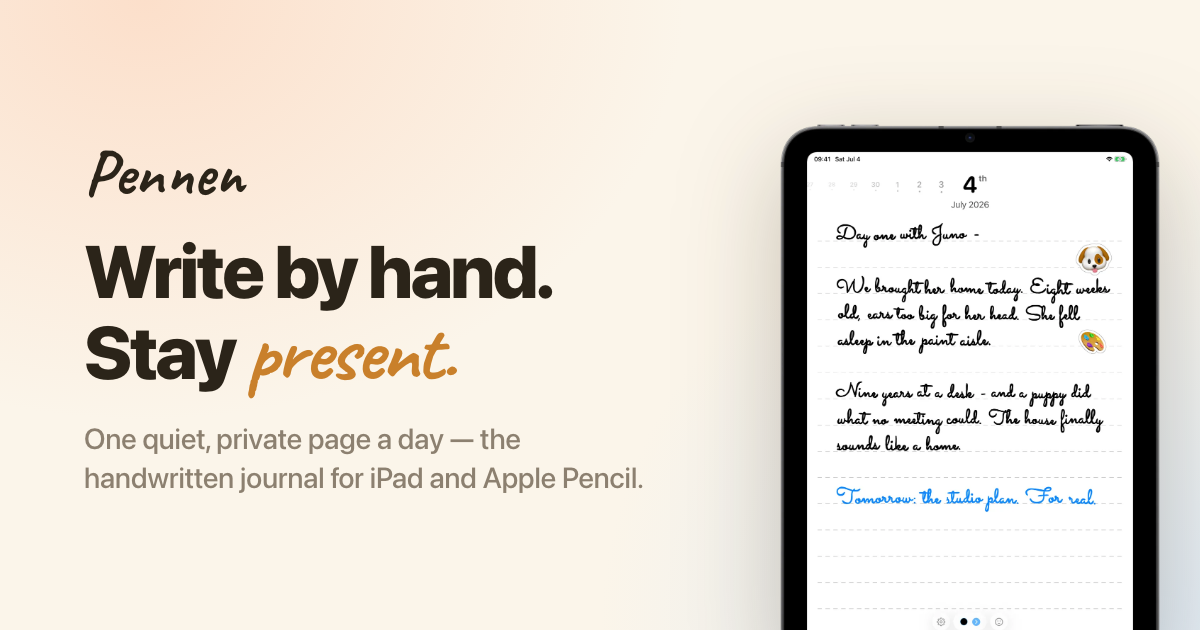
Pennen is a handwriting-first daily journal for iPad and Apple Pencil. It is designed around a calm, single-page-a-day workflow rather than folders, feeds, or prompt-heavy journaling.
The app keeps entries in the user’s own iCloud and on the iPad itself, with a private database, no Pennen servers, no analytics, and no AI processing of entries. Once a page is closed, it becomes read-only, which suits people who want a dated record that feels closer to a paper notebook than a general note-taking app.
The site positions Pennen as a minimal alternative to subscription-heavy journaling tools: one clear page for each day, a focus on handwriting, and a lifetime purchase option alongside monthly and yearly plans. It is built for users who want private daily journaling on iPad without feeds, streaks, or cross-platform app complexity.
Pennen centers each day on a single page, so the journal stays focused on one entry per date instead of a folder or feed structure.
The app is built for handwriting on iPad with Apple Pencil, while still allowing finger or pointer input when needed.
Finished pages seal and become read-only, so earlier entries are preserved as written rather than edited like an open notebook.
Pages live on the device and in the user’s own iCloud private database, with no Pennen servers involved in storage.
The app can be locked with a passcode, adding another layer of local access control to the journal.
The site says there is no OCR, no AI reading entries, and no ad or tracking layer in the product.
Use Pennen to write one dated page each day when you want a simple record of events, thoughts, or decisions without managing notebooks or folders.
Choose it when handwritten input matters more than typing and you want to keep the experience centered on Apple Pencil on iPad.
Use it as a private archive for entries you do not want processed by analytics, OCR, or AI systems.
Pick it if you want a journal that stays fixed once written, with earlier pages sealed and read-only for a stable chronology.
Consider it if you prefer a paid app with a lifetime option instead of a subscription-only journaling model.
Pennen is designed for iPad and Apple Pencil. The site says it is an iPad-only app and requires iPadOS 26 or later.
No. The app stores pages on your iPad and in your own iCloud, and the site says it does not use Pennen servers. It also says there are no analytics and no AI reading or training on your entries.
Pennen offers monthly, yearly, and lifetime purchase options. The homepage says the yearly plan includes a 7-day free trial, and the lifetime option is a one-time payment.
No. Pennen does not run OCR on pages, so handwriting stays handwriting. The site says you browse by date rather than by text search.
Pennen works offline for writing. The app saves entries on the device immediately and syncs through your own iCloud when you are back online.

Goldfish is an AI memory app for macOS that helps you reply, write, summarize, and continue using the context already on your Mac. It stores memory locally and writes in your tone.

Dirac is an AI email assistant that prepares a morning brief, prioritizes important threads, and drafts replies in your voice. It is positioned for founders and other busy professionals who use Gmail and want to reduce morning inbox triage.

Biji - это универсальная платформа, разработанная для повышения продуктивности с помощью инновационных инструментов и функций.

Redline is a budgeting tool for Claude Code that paces sessions to stay within time, token, cost, or plan-percentage limits. It uses Claude Code’s native hooks and statusline to help sessions finish with a usable result instead of stopping abruptly.

ProWritingAid is a writing assistant for storytellers that offers grammar checking, style editing, paraphrasing, and story analysis inside popular writing apps. It includes a free plan, paid tiers, and tools for chapter critique, manuscript review, and collaborative editing.

Claude Overlay is a Windows desktop overlay for Claude Code that reads your screen so you can ask questions, inspect content, and request edits without leaving the current app. It runs on your existing Claude subscription through the Claude CLI, so no separate API key is required.