UStackUStack
Pulsetic icon

Pulsetic

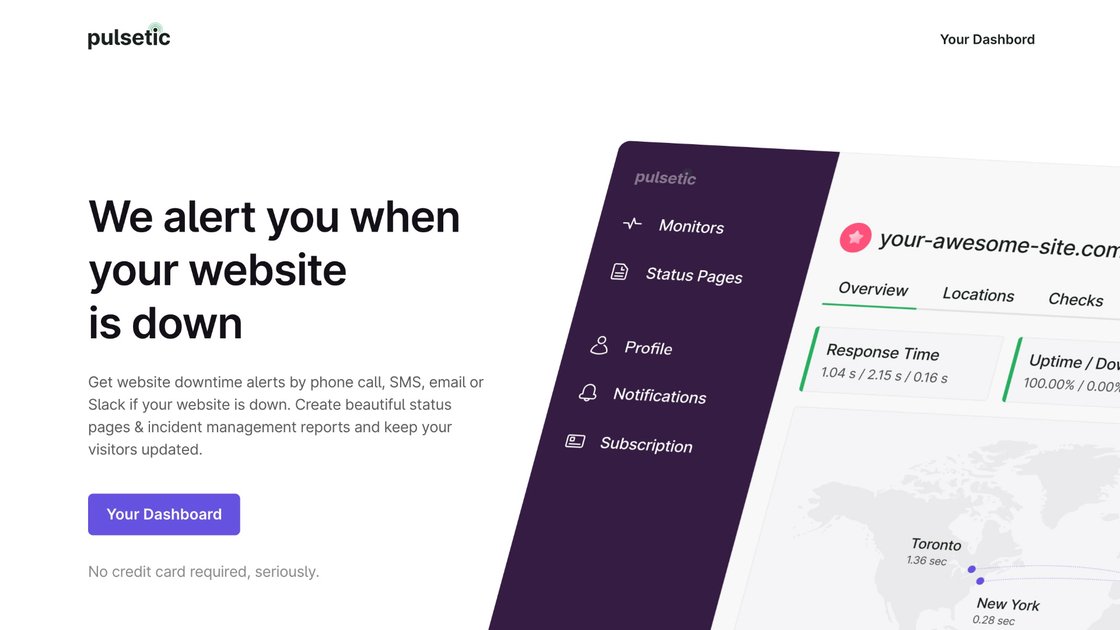
Pulsetic monitors websites, APIs, infrastructure services, SSL certificates, dependencies, and real-user performance from multiple regions. It helps website owners and development or operations teams detect confirmed outages, route alerts to their existing tools, and communicate incidents through status pages.

Pulsetic

Website and infrastructure monitoring

Pulsetic is a website and infrastructure monitoring service for detecting downtime, slow page loads, certificate expiry, dependency incidents, and other availability problems. It checks resources from multiple regions, displays current status and response times in a dashboard, and alerts designated people or connected team tools when an issue is confirmed.

Beyond synthetic checks, Pulsetic includes real-user monitoring, status pages, incident updates, webhooks, and API access. A free plan is available for smaller monitoring setups, while paid plans add shorter check intervals, more regions and monitors, expanded retention, alert capacity, team access, and additional monitoring and status-page features.


Monitoring and incident-response features

Multi-type uptime monitoring

Monitor websites, API endpoints, IP hosts, SSL certificates, ports, TCP services, ICMP ping, keywords, cron jobs, domains, and selected dependencies. Website checks can run as often as every 30 seconds on supported plans.

Multi-region verification

A failed check is confirmed from other regions before an alert is sent. Dashboards show live status, response times, and regional results rather than only one global average.

Flexible alert delivery

Route events through email, SMS, phone calls, WhatsApp, Slack, Microsoft Teams, Discord, Telegram, webhooks, Zapier, SIGNL4, Mattermost, or n8n, subject to plan availability and configuration.

Status pages and incident communication

Create branded public status pages or private pages for internal use. Features include custom domains, incident updates, scheduled maintenance, subscriber notifications, badges, and password or SSO protection on supported plans.

Real-user performance monitoring

Add a script to measure real-user LCP, CLS, INP, FCP, DNS, connection, time to first byte, total load time, JavaScript exceptions, and failed fetch or XHR requests. The free plan includes 1,000 page views per month.

Operational diagnostics

Use webhooks and API access to send events to internal systems, capture a screenshot when a check fails, retain uptime logs for a plan-defined period, and annotate response-time charts with deploys or configuration changes.

Practical use cases

  • Monitoring a small public website

    A small website owner can begin with the free plan, watch availability from multiple regions, and receive an alert when a confirmed outage requires attention. The dashboard provides recent status and response-time information without requiring a paid setup.

  • Investigating customer-facing performance

    A SaaS or e-commerce team can combine uptime checks with real-user measurements to distinguish an unavailable site from a site that loads slowly for a particular country, browser, device, or page. Error and failed-request data can help narrow the problem.

  • Communicating during incidents

    A company can publish a branded status page on its own domain, post incident and maintenance updates, and notify subscribers as an incident opens, changes, and resolves. A private page can instead be restricted for internal communication.

  • Connecting monitoring to on-call workflows

    A development or operations team can send monitor events to Slack, Microsoft Teams, a webhook, Zapier, n8n, or an on-call service, then use screenshots, annotations, logs, and API access as part of its troubleshooting workflow.

  • Watching external dependencies

    Teams responsible for multiple services can monitor dependencies and receive notices when providers such as Stripe or GitHub report incidents, while separately tracking their own endpoints and certificates.

Pros and Cons

Pros

  • A free plan is available without a credit card, with monitors, status pages, and uptime history included.
  • Failures are re-checked from other regions before alerting, which can reduce single-route false alarms.
  • It combines uptime checks, real-user performance data, dependency monitoring, status pages, and incident notifications in one service.
  • Alerts and events can be routed to common collaboration tools, messaging channels, webhooks, and automation platforms.

Cons

  • Feature availability, check intervals, retention, alert allowances, and team capacity vary substantially by plan.
  • The free plan has limited capacity, including five-minute checks, three region checks, 1,000 monthly real-user page views, and three months of uptime history.
  • The source material does not provide detailed setup instructions for every monitor type or define the full behavior of each integration.

FAQ

How does Pulsetic verify a downtime alert?

Pulsetic checks websites and other monitored resources continuously from configured regions. When a check fails, it re-checks the failure from other regions before sending an alert, reducing alerts caused by a single bad network route.

Is there a free version of Pulsetic?

You can start with the free plan without a credit card. The pricing page lists 10 monitors, five-minute checks, three region checks, three status pages, and three months of historical uptime and logs for the free plan.

Where can Pulsetic send alerts?

Alerts can be delivered by email and, depending on the plan and configuration, by SMS, phone call, WhatsApp, Slack, Microsoft Teams, Discord, Telegram, webhooks, Zapier, SIGNL4, Mattermost, n8n, and other listed connections.

Can Pulsetic provide a status page for customers or internal teams?

Yes. Pulsetic provides public or private status pages, including custom domains, branding, subscriber notifications, incident updates, and password or single-sign-on protection where supported by the plan.

What can be monitored with Pulsetic?

The service supports website, API, IP, SSL, port, TCP, ICMP ping, keyword, cron, domain, dependency, and real-user monitoring. Available monitors, retention, alert allowances, and team features vary by plan.

Quick Facts

Category
Website and infrastructure monitoring
Provider
Pulsetic
Free plan
Available; no credit card required
Free-plan capacity
10 monitors, 3 status pages, 5-minute checks, 3 region checks
Monitoring coverage
Websites, APIs, domains, SSL, ports, TCP, ICMP, keywords, cron, dependencies, and real users
Alert and workflow connections
Email, phone, SMS, WhatsApp, collaboration tools, webhooks, and automation platforms
Pulsetic - AI Tool, Features, Use Cases & Alternatives | UStack