
Quick Read analysis
Paste a draft and get a structured report that covers first impression, likely audience reactions, misreading risks, strongest and weakest sentences, and a recommended rewrite.

ReadRoom is an AI audience simulation tool that helps people see how a post, bio, or announcement may be interpreted before publishing. It is built for writers whose words carry weight and who want feedback on audience fit without losing their own voice.
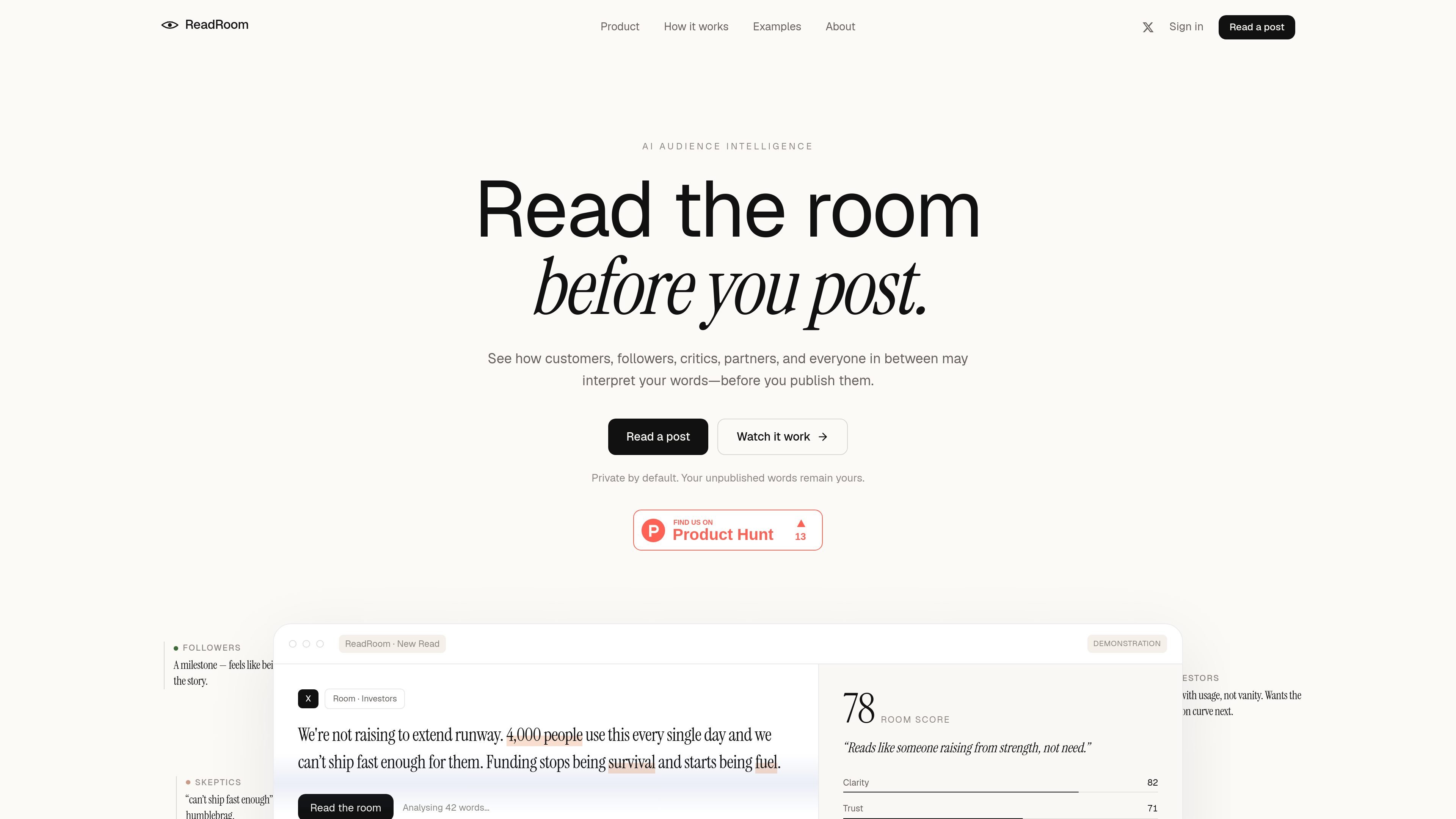
ReadRoom is an AI audience simulation tool that helps people check how a post, bio, or announcement may be interpreted before it is published. It is aimed at people whose words carry weight and who want to understand first impressions, trade-offs, and likely misreadings without replacing their own voice.
The product works by reading a draft through selected audience rooms and returning an editorial report with a room score, audience reactions, and suggested revisions. The site positions the tool as a way to keep authentic writing intact while making it harder to misunderstand.
Paste a draft and get a structured report that covers first impression, likely audience reactions, misreading risks, strongest and weakest sentences, and a recommended rewrite.
Create audience-specific rooms such as customers, investors, followers, skeptics, communities, and partners so the same draft can be viewed through different value sets and objections.
Build a writing profile from your own work so rewrites can preserve rhythm, vocabulary, formatting habits, directness, and phrases you prefer not to soften.
Audit a bio or recent posts for credibility, clarity, positioning, and memorability, highlighting what comes through quickly and what remains unclear.
Offer rewrites that keep the user’s voice while reducing the chance of being misunderstood or flattened into generic copy.
Check a launch, funding, or milestone post before publishing so you can see whether it reads as confident, vague, performative, or credible to different readers.
Review a profile bio or recent posting history to see what it suggests about credibility, positioning, and clarity before more people see it.
Test a sensitive statement, correction, or candid update to understand where honesty helps and where it may create new questions.
Compare how the same message lands with customers, investors, skeptics, and partners when those groups may read the post with different expectations.
Create a Voiceprint from existing writing so future drafts can be revised without losing the habits, tone, and vocabulary that make the writing feel like yours.
ReadRoom is designed for people whose words carry weight, especially founders and others posting public-facing updates. It simulates how a draft may be interpreted by different audiences before you publish it.
The product lets you paste or open a post, then reviews how it may land with different audience rooms. The output shown on the site includes a room score, audience reactions, misreading risks, strongest and weakest lines, and a recommended final version.
ReadRoom says it is private by default. Unpublished words stay yours unless you explicitly create a share link, and the site states that content is processed server-side by a configurable, vision-capable Claude model from Anthropic.
The source shows a sign-up flow and an example page, but it does not provide pricing details on the available pages. The pricing URL currently returns a missing-page message.
ReadRoom is a simulation tool, not a prediction engine. The example page explicitly says it simulates interpretation rather than predicting engagement or verifying facts.

PaperBetterAI - это интеллектуальный инструмент для написания, который генерирует академические работы и различные письменные материалы на китайском и английском языках с использованием передовых технологий ИИ.

心流AI助手是一款面向知识获取与内容处理的 AI 助手,可用于实时问答、长文总结和写作辅助。公开页面显示它覆盖日常百科、生活信息和学术论文相关场景,并提供 App 体验入口。

Goldfish is an AI memory app for macOS that helps you reply, write, summarize, and continue using the context already on your Mac. It stores memory locally and writes in your tone.

Все-в-одном AI платформа, которая объединяет инструменты для изображения, видео, голоса, письма и чата для повышения креативности и сотрудничества.

Slidesgo is a presentation template platform for Google Slides, PowerPoint, and selected Canva workflows. It offers free and Premium templates, plus AI-assisted presentation creation and team-friendly access options.

ProWritingAid is a writing assistant for storytellers that offers grammar checking, style editing, paraphrasing, and story analysis inside popular writing apps. It includes a free plan, paid tiers, and tools for chapter critique, manuscript review, and collaborative editing.