
Unified task and schedule view
rivva combines tasks, meetings, habits, and personal routines into one workspace so the day is planned from a single view rather than separate lists.

rivva is an AI productivity assistant that turns tasks, meetings, and energy context into a live daily plan. It helps people schedule work, capture items from email, and adapt their day as priorities change.
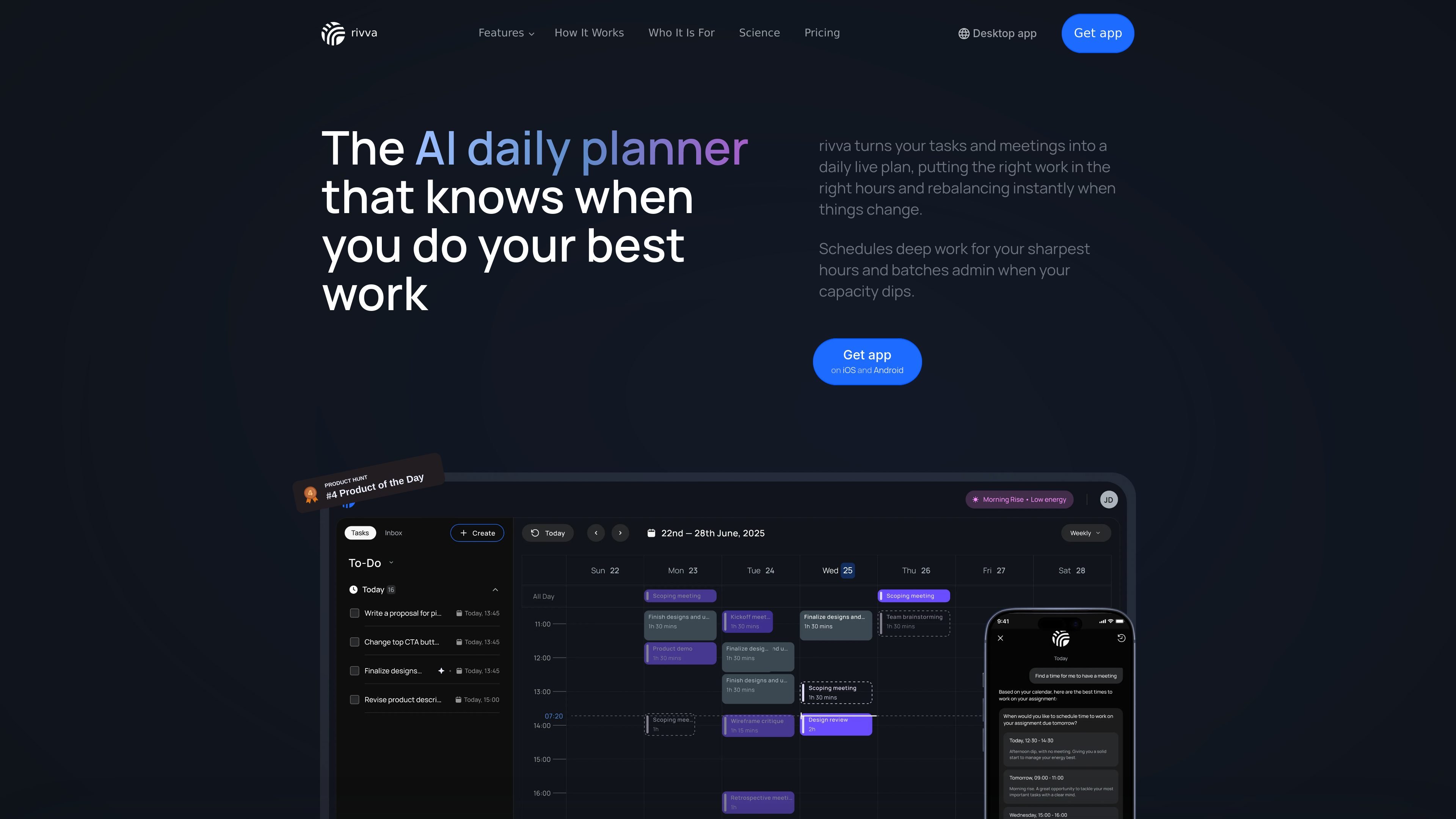
rivva is an AI productivity assistant and daily planner that organizes tasks, meetings, and routines into a live schedule. It pulls context from your work, calendar, and, optionally, your energy data to place work into the right time slots and adjust as the day changes.
The product is built around a conversational assistant named Nia and a schedule that can be updated automatically. Users can add tasks from email, manual entry, or chat, then let rivva rank, schedule, and rebalance those tasks across their calendars and available hours.
rivva combines tasks, meetings, habits, and personal routines into one workspace so the day is planned from a single view rather than separate lists.
It ranks tasks and places them into real calendar slots, helping the most demanding work land in the hours when you are most focused.
If meetings overrun or something urgent comes up, rivva reshuffles the rest of the day so planned work is not left behind.
Tasks can be added manually, through chat with Nia, or extracted from email, which reduces the need to re-enter action items by hand.
rivva can connect to Apple Health or Android Health Connect and use sleep and movement data to support energy-aware planning.
Nia acts as an assistant inside the product and can help coach, plan, reschedule, cancel, create, and break down tasks.
For people managing multiple clients, projects, or commitments, rivva keeps tasks and meetings in one live plan so nothing gets buried when priorities shift.
For founders, operators, and senior ICs, rivva helps reserve stronger focus hours for important work and push reactive tasks into the gaps.
For ADHD and neurodivergent professionals, Nia provides active support by reminding, restructuring, and nudging when plans drift.
For people who receive action items by email, rivva can surface those items, let you review them, and turn them into scheduled work.
For anyone whose day changes often, rivva rebalances the schedule when meetings run long or urgent work appears.
rivva is designed for people who want a daily plan that adapts to meetings, tasks, and changing energy levels. The site highlights freelancers, consultants, founders, senior ICs, operators, independent builders, and ADHD or neurodivergent professionals as examples of fit.
The pricing page shows monthly and quarterly paid plans, and the homepage offers a free trial prompt. The site also notes a group discount for teams of three or more.
rivva connects tasks, calendar events, and energy signals to build a live day plan, then reshuffles that plan when meetings run long or urgent work appears.
The homepage says you can add tasks by typing them in, chatting with Nia, or letting rivva extract them from email. It also pulls in meetings from your calendar and can surface tasks hiding in your inbox.
The site says you can link Apple Health or Android Health Connect for energy-aware scheduling, and the pricing page lists health app integration as part of the plan.

Liam is an AI copilot for managing inboxes, writing replies, prioritizing email, and scheduling meetings. It is offered free for individuals, with custom pricing for teams and enterprise.

Goldfish is an AI memory app for macOS that helps you reply, write, summarize, and continue using the context already on your Mac. It stores memory locally and writes in your tone.

Biji - это универсальная платформа, разработанная для повышения продуктивности с помощью инновационных инструментов и функций.

Gemma AI is a phone call reminder app that calls you with scheduled reminders instead of push notifications. It helps people who want a more direct way to stay on schedule, with Google Calendar sync and conversational call interactions.

Tactiq is an AI note taker for Google Meet, Zoom, and Microsoft Teams that transcribes meetings live and turns them into summaries, action items, and follow-up outputs. It is built around a Chrome extension and supports team workflows through sharing and integrations.

garden-md is an open-source Node.js CLI that turns meeting transcripts into a local company wiki. It links entities across transcripts, keeps the original text intact, and renders the result as a browsable wiki.