
Natural-language spreadsheet automation
Use natural language to automate spreadsheet work and generate outputs for tasks such as financial models, data analysis, and reporting.

Shortcut is an AI agent for Excel that helps analysts and finance teams automate spreadsheet work with natural language. It supports modeling, editing, and team deployment across web, desktop, plugin, and Windows CLI surfaces.
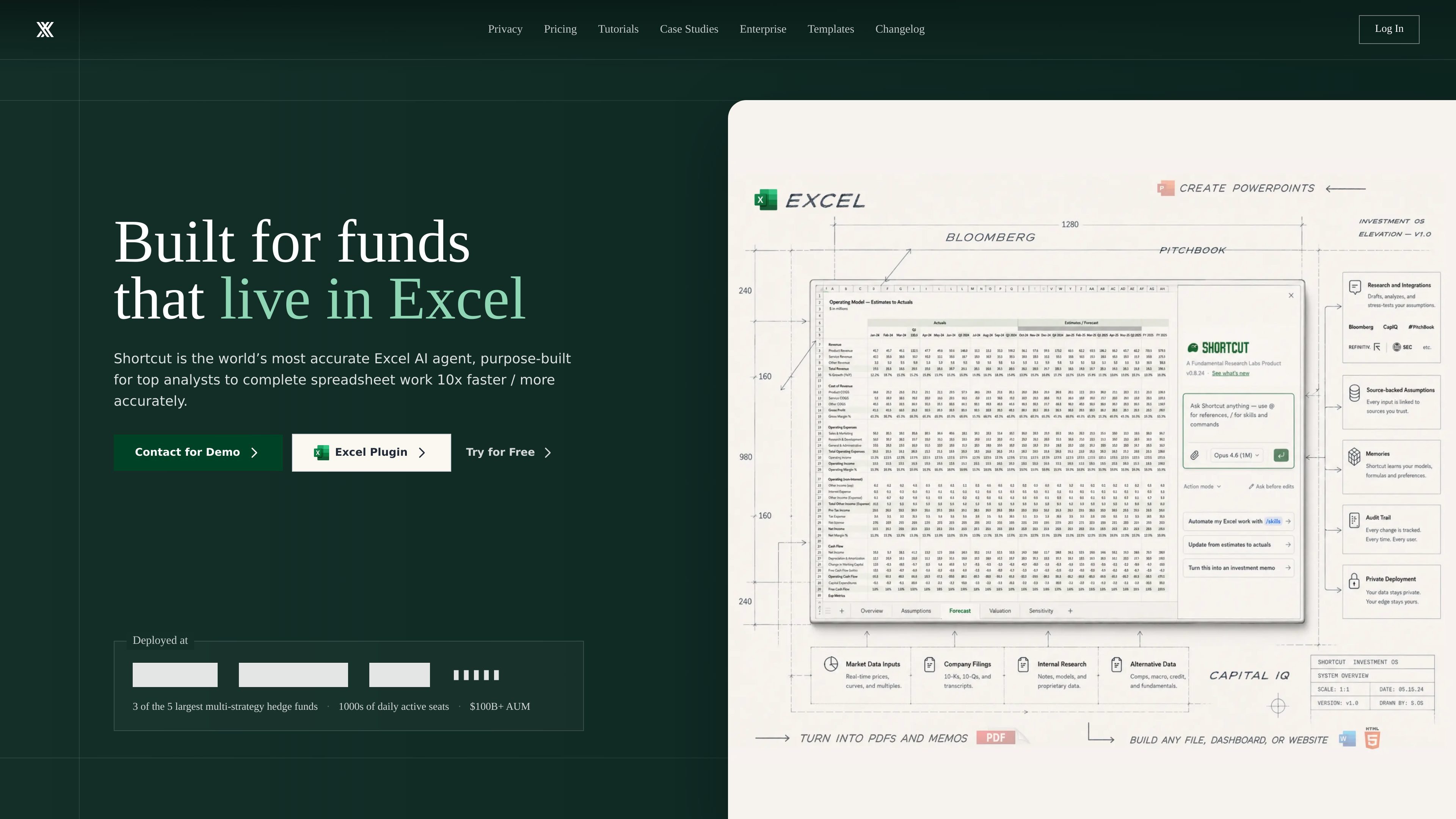
Shortcut is an AI agent for Excel that automates spreadsheet work through natural language. The site positions it as a tool for financial modeling, analysis, and reporting, with support for tasks that would normally take hours or days.
It runs in multiple surfaces, including a web app, desktop app, Excel plugin, Google Sheets plugin, and a Windows-only CLI. The product emphasizes Excel-native behavior, formula-driven outputs, auditability, and enterprise security controls so teams can use it in existing spreadsheet workflows.
Use natural language to automate spreadsheet work and generate outputs for tasks such as financial models, data analysis, and reporting.
Build LBOs, DCFs, and 3-statement models in minutes, with formula-driven outputs that update when inputs change.
Run directly in Excel as a native plugin, with support for existing macros, keyboard shortcuts, large files, and familiar workbook behavior.
Open and export Excel files without loss of fidelity, while preserving formatting, formulas, and features.
See changed cells, hard-coded values, and reasons for edits, with undo, revert, and restore available in the action sequence.
Use the Windows-only ShortcutXL CLI to build and edit multiple models in parallel from the terminal and control a real desktop Excel instance.
Draft or update leveraged buyout, discounted cash flow, and three-statement models from natural-language instructions instead of building every step manually.
Handle repetitive spreadsheet edits faster while preserving formulas, formatting, and existing workbook structure for analysts who work in Excel every day.
Deploy the tool across a team with pooled credits, shared resources, usage analytics, SSO, MFA, and access controls for centralized administration.
Use the Windows CLI to build and edit multiple models in parallel from a terminal when you want scripted, power-user control over desktop Excel.
Support security-conscious organizations that need BYOK, LLM BYOK, and enterprise-grade controls for sensitive spreadsheet work.
Shortcut works as an AI agent for Excel and is available on the web, desktop app, Excel plugin, and Google Sheets plugin on the Free plan. The site also offers a Windows-only ShortcutXL CLI for terminal-first Excel workflows.
The pricing page lists Free, Pro, Teams, and Enterprise options. Free starts at $0, Pro is billed at $20 per month annually, Teams starts at $400 per month plus $20 per seat per month, and Enterprise uses custom pricing.
Yes. The enterprise page describes SSO, BYOK, LLM BYOK, role-based access control, group management, auditability, and enterprise security controls. The pricing page also says Teams includes SSO and MFA.
The site says Shortcut can build financial models such as LBOs, DCFs, and 3-statement models, and it supports Excel-native workflows with existing macros, keyboard shortcuts, large files, and file export without loss of fidelity.
The support page points users to a contact form, Discord community, tutorial content, pricing information, and a privacy center. The site also notes that the team responds within 24 hours.

Macuse is a macOS app that lets AI assistants control native Mac apps through MCP and use Computer Use for any app. It works with clients like Claude Desktop, Cursor, and Raycast, and keeps automation on-device.

Goldfish is an AI memory app for macOS that helps you reply, write, summarize, and continue using the context already on your Mac. It stores memory locally and writes in your tone.

Lasso is an ecommerce product data platform for enriching catalog records, processing supplier files, generating product content, and monitoring competitors. It combines a web app with a REST API, SDK, and MCP server for teams and developers.

Biji - это универсальная платформа, разработанная для повышения продуктивности с помощью инновационных инструментов и функций.

Botacts is a web directory for finding AI bots and agents you can contact by phone, email, SMS, WhatsApp, Telegram, or Signal. It also lets creators suggest bots for manual review before publication.

Tavus is an AI video platform for building real-time, face-to-face agents, digital twins, and AI companions. It combines APIs, custom replicas, and multilingual conversational workflows for developers and teams.