
Shared project spaces
Keep project chats and files in a shared space instead of separate personal AI threads, so members can return to the same project context.

Spaces is a desktop AI workspace where individuals and teams organize project chats, files, specialist agents, and scheduled routines in shared spaces. It connects to existing ChatGPT, Claude, or Gemini access and supports local models through Ollama.
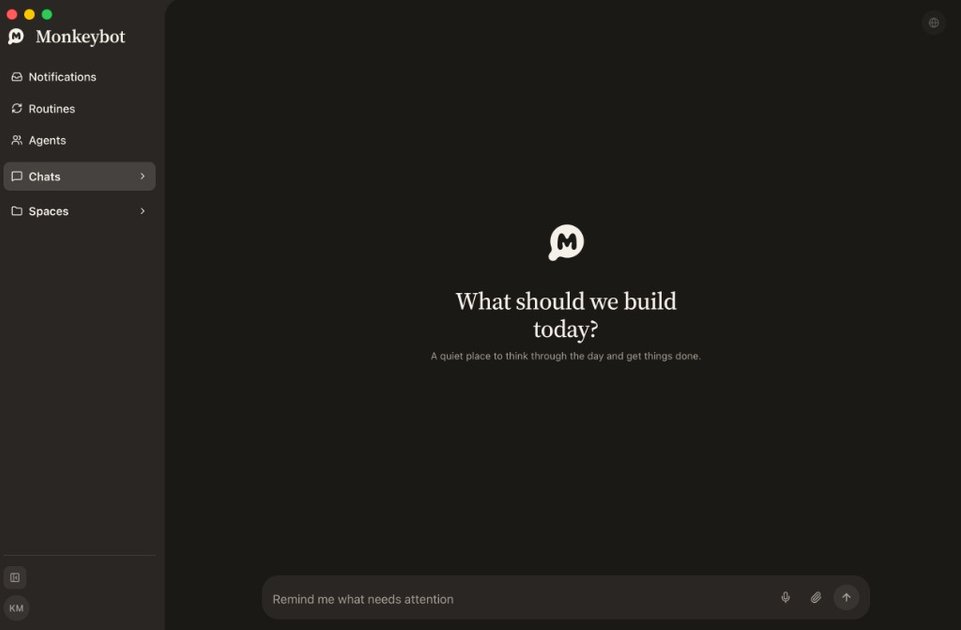
Spaces is a desktop AI workspace organized around projects. Each space combines shared chats, files, routines, and multiple specialist agents, giving a team a common place to continue work instead of keeping project context in separate private conversations.
The app is designed for teams that already use AI providers such as ChatGPT, Claude, or Gemini. Users connect their own keys or accounts, assign agents to project work, and schedule recurring tasks. Solo use is available through the free desktop app; shared cloud spaces are intended for invited team members.
Keep project chats and files in a shared space instead of separate personal AI threads, so members can return to the same project context.
Create separate specialists such as a researcher, copywriter, or launch lead. Each agent has its own instructions, memory, and tools, while members can put the agents to work.
Use scheduled routines for recurring work such as morning briefs, follow-ups, reminders, and weekly recaps. The routine can notify a person when a decision is needed.
Connect ChatGPT, Claude, or Gemini accounts that the team already uses, or run a model locally with Ollama. Providers can be switched per agent.
Agents can use the built-in browser to research pages, click through sites, and stay signed in while working with the web content visible in the app.
The app keeps agents, API keys, and connected accounts on each user’s computer while synchronizing shared chats, files, and routines for the space.
Create a launch space containing the project’s chats and files, then assign a launch lead, researcher, or copywriter to different parts of the work. Team members can work from the same accumulated context.
Give a research specialist access to the built-in browser and project files so it can investigate sources, compare claims, and prepare material for the rest of the team.
Set up a morning brief, follow-up, or weekly recap to run automatically. The routine handles scheduled work and contacts a person when an approval or decision is required.
Use the free desktop app to keep personal AI chats, files, specialists, and routines organized on one computer before inviting collaborators into a shared space.
Download the desktop app, connect an existing ChatGPT, Claude, or Gemini key, and open a space. One provider connection is enough to start, and no account is required for the free solo app.
Spaces supports ChatGPT, Claude, and Gemini connections, and can also run a model on the computer through Ollama. Agents can be switched between connected providers.
Agents, API keys, and connected accounts remain on each person’s computer. Shared-space content—such as chats, files, and routines—is synchronized to the cloud and encrypted at rest with a per-space key held in Google Cloud KMS.
The desktop app is free for solo use. When people work together in a shared cloud space, each person needs a seat; the published annual price is $10.99 per person, and a five-person team is listed as $55 per year.
Spaces runs as a desktop app on Apple silicon Macs and Windows PCs. The site also describes an enterprise option that can be set up inside a customer’s own cloud.

runevr is a connected workspace for creative teams that combines boards, media review, chat, recordings, drive, calls, and AI agents in one room-based environment. It is designed to reduce tool switching and keep project context together.

Biji - это универсальная платформа, разработанная для повышения продуктивности с помощью инновационных инструментов и функций.

Dcyde is a decision log for product teams that captures what was decided, the reasoning behind it, and the source in one shared place. It supports pinning decisions from Slack, Figma, or inside Dcyde and keeps the record searchable over time.

BotBoard is a task-management layer for AI agents that helps teams assign work, track progress, and review output. It supports CLI, MCP, and HTTP connections for tools like OpenClaw, Codex, Claude Code, and Cursor.

Goldfish is an AI memory app for macOS that helps you reply, write, summarize, and continue using the context already on your Mac. It stores memory locally and writes in your tone.

Lasso is an ecommerce product data platform for enriching catalog records, processing supplier files, generating product content, and monitoring competitors. It combines a web app with a REST API, SDK, and MCP server for teams and developers.