
Inline autocomplete while you write
SpellType suggests the next few words while you type, so you can accept a useful completion with Tab or keep typing and ignore it.

SpellType is a private AI autocomplete app for Mac that helps you finish email, chat, docs, and other everyday writing faster. It works locally on device, with support for Gmail, Google Docs, ChatGPT, and several native Mac apps.
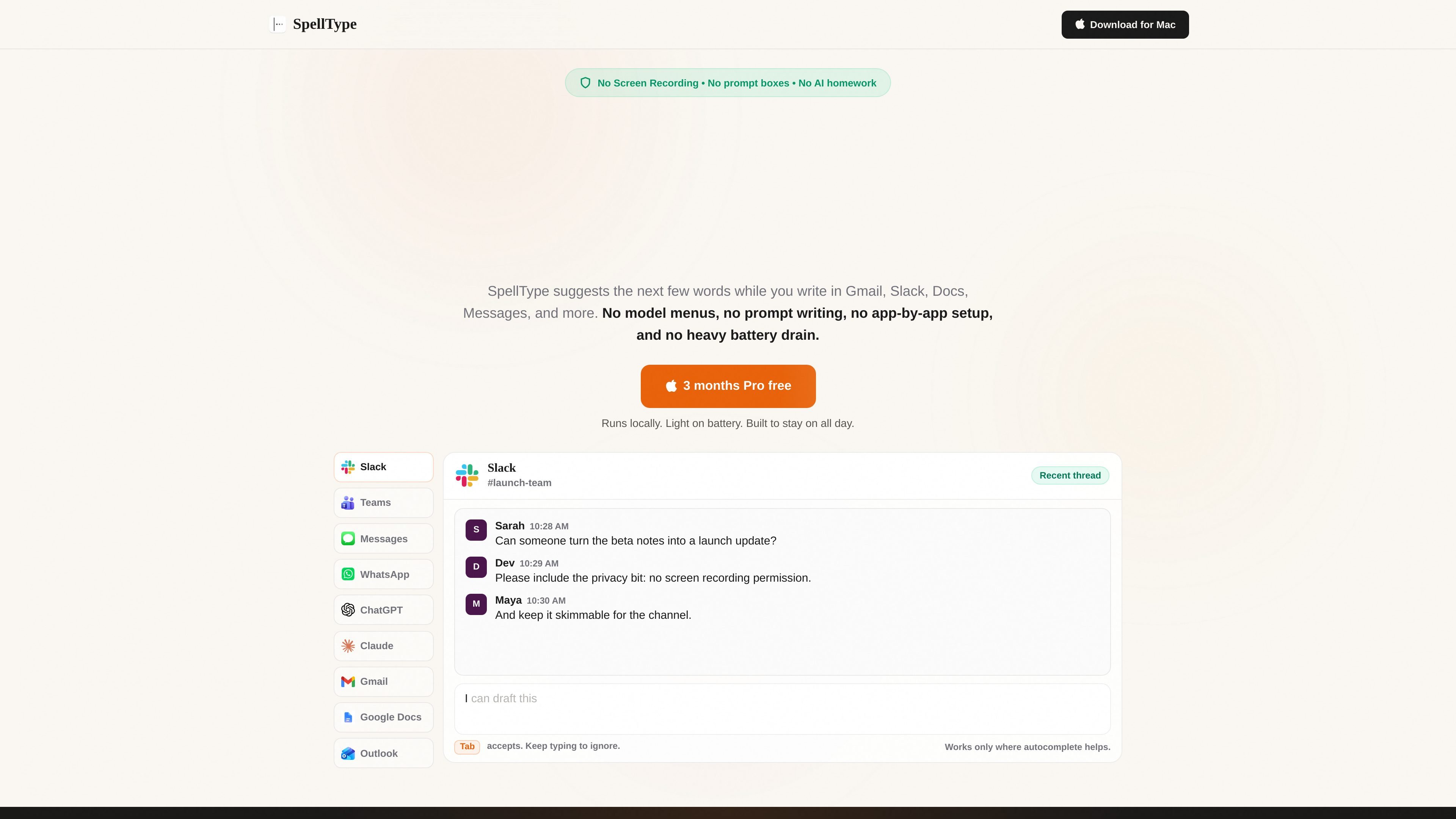
SpellType is a private AI autocomplete app for Mac that suggests the next few words while you write. It is positioned for people who spend much of their day in email, docs, chat, notes, and browser-based work writing, and want help without moving text into a separate chatbot.
The product’s main workflow is simple: set it up once on macOS, then type normally in supported apps and accept a suggestion with Tab when it helps. The site emphasizes local processing, no Screen Recording permission, and no prompt boxes or model menus, so the experience stays close to ordinary writing rather than a separate AI workflow.
SpellType suggests the next few words while you type, so you can accept a useful completion with Tab or keep typing and ignore it.
The product is built around local suggestions on your Mac rather than cloud autocomplete, and the site says writing stays local.
SpellType does not ask for Screen Recording permission and says it does not take screenshots or watch your screen.
The product is meant to stay usable during normal work and is described as light on battery and easy to leave on all day.
After the initial macOS permission setup, SpellType handles supported apps automatically instead of requiring per-app tuning.
The site says free users get the full private autocomplete experience, with Pro removing the weekly accepted-completion limit.
Use SpellType to speed through routine inbox work by accepting small completions instead of rewriting each reply from scratch.
Let it help with status updates, team messages, and quick back-and-forth in Slack, Teams, Messages, WhatsApp, and iMessage.
Use it inside Google Docs or other long-form writing surfaces to reduce repeated typing while keeping the draft in your own app.
Type prompts, drafts, or client-facing text in ChatGPT, Claude, or browser-based writing surfaces and use autocomplete without switching tabs or copy-pasting into another tool.
Rely on it for repetitive work writing such as meeting notes, customer replies, recruiting outreach, sales writing, and updates where small completions save time.
SpellType is designed to help with repetitive writing tasks such as replies, notes, updates, drafts, and messages by suggesting completions while you type. The site describes it as a way to finish writing faster without switching to a separate chatbot or writing prompts.
After one macOS permission setup, SpellType works in supported apps and writing surfaces. The site says it uses Accessibility permission for autocomplete support and does not require Screen Recording permission.
Yes. The source says suggestions run locally on your Mac, so SpellType keeps working without an internet connection.
No. The site says there are no model menus, engine choices, or prompt boxes to manage.
SpellType currently lists Gmail, Google Docs, and ChatGPT on Chrome and Safari, plus native support for Outlook, Codex, Slack, Teams, Notes, WhatsApp, Claude, and iMessage.

Dirac is an AI email assistant that prepares a morning brief, prioritizes important threads, and drafts replies in your voice. It is positioned for founders and other busy professionals who use Gmail and want to reduce morning inbox triage.

Goldfish is an AI memory app for macOS that helps you reply, write, summarize, and continue using the context already on your Mac. It stores memory locally and writes in your tone.

Biji - это универсальная платформа, разработанная для повышения продуктивности с помощью инновационных инструментов и функций.

Liam is an AI copilot for managing inboxes, writing replies, prioritizing email, and scheduling meetings. It is offered free for individuals, with custom pricing for teams and enterprise.

Redline is a budgeting tool for Claude Code that paces sessions to stay within time, token, cost, or plan-percentage limits. It uses Claude Code’s native hooks and statusline to help sessions finish with a usable result instead of stopping abruptly.

ProWritingAid is a writing assistant for storytellers that offers grammar checking, style editing, paraphrasing, and story analysis inside popular writing apps. It includes a free plan, paid tiers, and tools for chapter critique, manuscript review, and collaborative editing.