
Conversational voice capture
Stream is presented as an inner dialogue and memory keep for people whose minds move quickly, combining voice capture with note-taking and conversational interaction.

Stream is Sandbar’s private voice ring and conversational notes app for capturing ideas, dictating text, and managing spoken notes on iOS and Mac. It is designed for hands-free voice input with push-to-talk control and silent haptic confirmation.
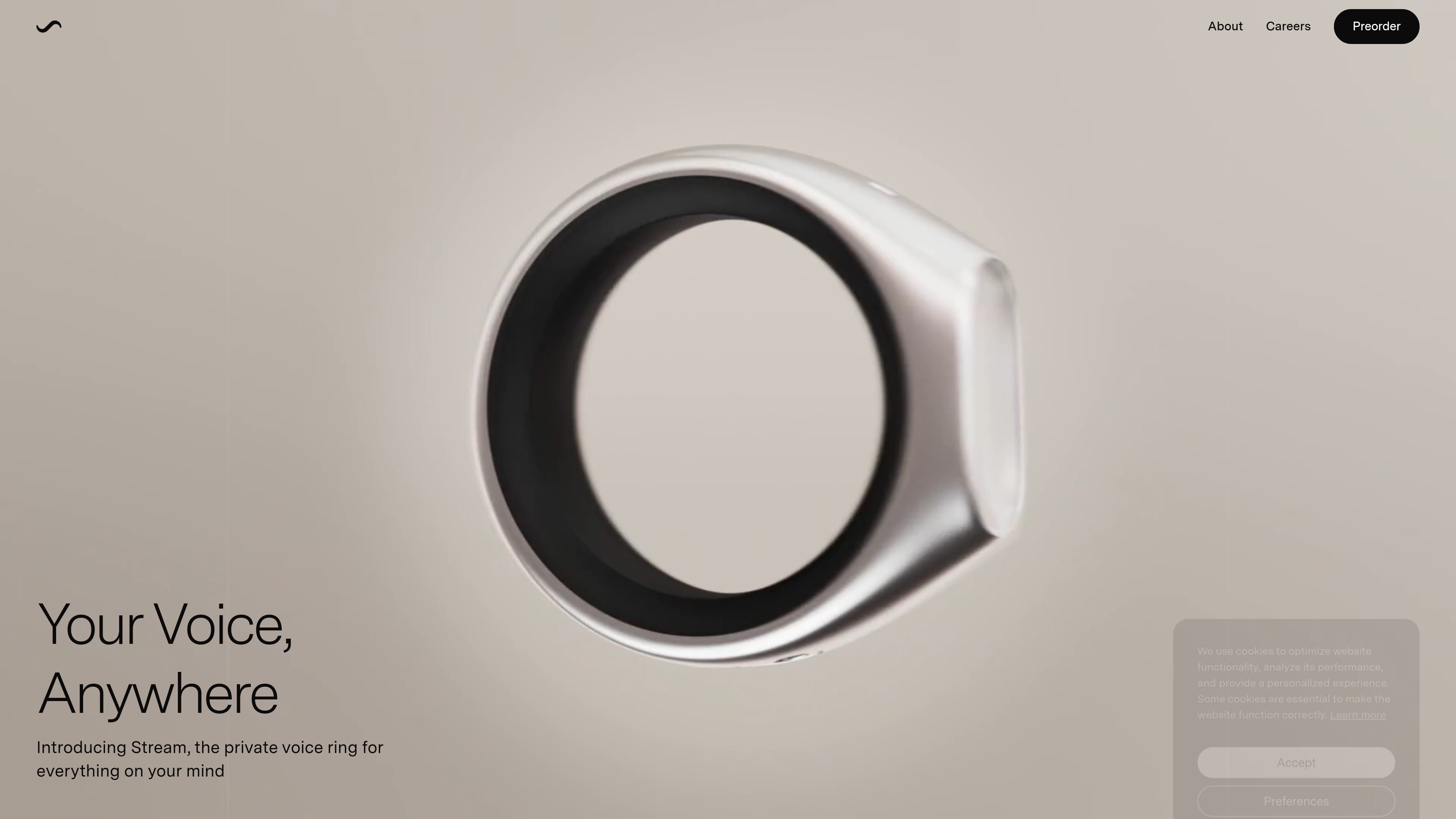
Stream is Sandbar’s private voice ring for capturing thoughts, notes, and conversational prompts hands-free. The homepage describes it as an “inner dialogue” and “memory keep” for people who want to speak, think aloud, and record ideas without pulling out a phone.
The product combines a wearable ring form factor with software features such as push-to-talk voice capture, haptic confirmation, and speech-to-text across any app. It is presented for use on iOS and Mac, with a focus on quick input, private recording, and turning spoken ideas into notes, dictation, and other text-based tasks.
Stream is presented as an inner dialogue and memory keep for people whose minds move quickly, combining voice capture with note-taking and conversational interaction.
The homepage says you can push to talk and release to send, with silent haptic feedback confirming the action.
Stream supports speech-to-text across any app, described as universal dictation for iOS and Mac.
The product can capture notes for reminders, todos, and copy, giving voice-driven input a place in everyday tasks.
The homepage says Stream can be used for chat, web, memory, and audio, suggesting it is meant to handle both spoken notes and conversational interactions.
The device is described as having a private mic, glass touchpad, powerful haptics, an aluminum-resin body, and a custom curved battery designed for all-day use.
Use Stream to capture ideas as they happen without stopping what you are doing. The product is framed for quick spoken notes and thinking aloud.
Use the ring to turn spoken input into reminders, todos, and copy when you want a hands-free way to draft text or save a task.
Use Stream’s speech-to-text in any app when you want to dictate into different writing or communication tools on iOS or Mac.
Use the device to control music while keeping your phone in your pocket, which the homepage calls out as one of its supported actions.
Use the private mic and haptic feedback when you want a quieter input method in public or shared spaces, without relying on visible typing.
Stream is described as a private voice ring and conversational notes app. The homepage presents it as a way to capture notes, ask questions, think aloud, and use speech-to-text across apps on iOS and Mac.
The homepage says Stream supports push-to-talk speech capture with silent haptic confirmation, universal dictation across any app, and quick switching between iOS and Mac.
The site says Stream can be used for notes, reminders, todos, copy, chat, web, memory, audio, and dictation. The homepage also notes it can resume and control music while keeping your phone in your pocket.
The source does not provide a setup guide or full platform compatibility list. It does state that Stream switches instantly between iOS and Mac and that dictation works across any app.
The privacy policy says the Stream Ring is designed to only record your voice and that users should only use it for their personal use to record their voice.

QuickQuill is a macOS dictation and transcription app that runs locally on the device. It helps users record meetings, transcribe audio, generate summaries, and export notes without using a cloud service.

Sanota is an app that turns spoken memories, reflections, and interviews into clear written stories. It supports personal storytelling, family history, and shared memories, with guided prompts and subscription pricing.

Carbon Voice is an asynchronous voice messaging app for teams and individuals, with transcripts, AI catch-up, and cross-device access. It helps people and agents communicate without needing a live call.

Speech to Text Converter is a browser-based transcription tool for live dictation and uploaded audio or video files. It offers a free tier for short tasks and a Pro plan for unlimited transcription, AI summaries, translation, speaker identification, and advanced exports.

Tavus is an AI video platform for building real-time, face-to-face agents, digital twins, and AI companions. It combines APIs, custom replicas, and multilingual conversational workflows for developers and teams.

recall is an AI flashcard app that turns reading and notes into study cards through Claude, ChatGPT, or another MCP client. It uses one-time lifetime access pricing and spaced repetition review.