
GitHub-based review
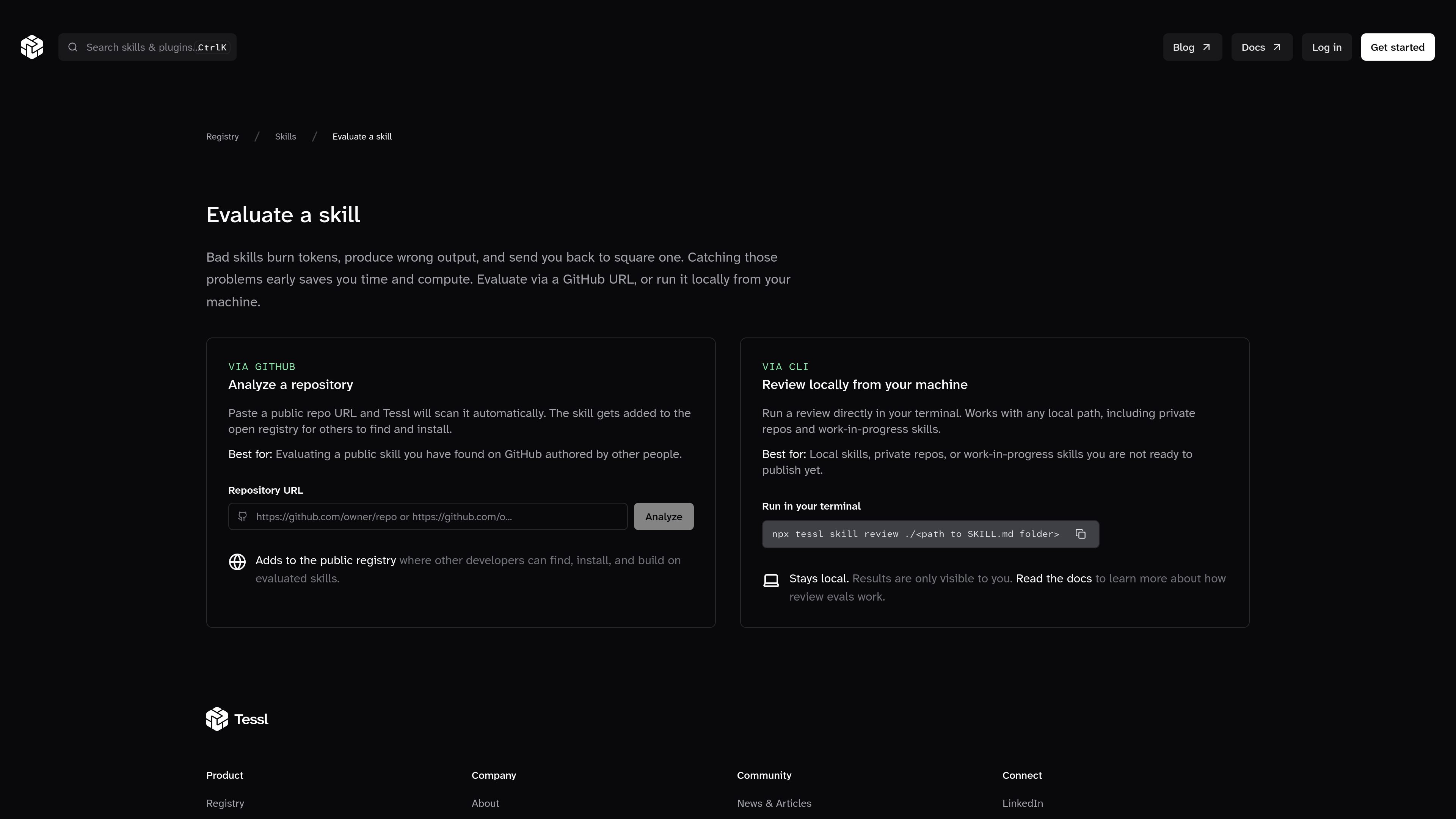
Submit a skill through a public GitHub repository URL and Tessl scans it automatically for evaluation.

Tessl is a registry and evaluator for agent skills, letting developers review skills from GitHub or locally in the terminal. It produces scored feedback, versioned entries, and a public registry listing for evaluated skills.
Tessl is a registry for agent skills that are versioned, evaluated, and discoverable. The product is positioned as a package manager for agent skills and as a way to give coding agents structured context for software development.
The “Evaluate a skill” flow lets you submit a skill either from a public GitHub repository or from your local machine. Tessl scans the skill, runs evaluation checks, and returns a score and improvement guidance; locally reviewed skills stay private, while GitHub submissions can be added to the public registry.
Submit a skill through a public GitHub repository URL and Tessl scans it automatically for evaluation.
Run `npx tessl skill review ./<path to SKILL.md folder>` from your terminal for local evaluation.
Local reviews work with private repos and work-in-progress skills, which keeps unpublished work out of the registry.
A successful submission adds the skill to the open registry so other developers can find and install it.
Evaluations produce a score plus actionable improvements, rather than just a pass/fail result.
Skills in the registry are presented as versioned, evaluated, and discoverable assets for agentic software development.
Check a skill you found on GitHub before relying on it in your own agent workflow. Tessl scans the repository and adds evaluated skills to the public registry.
Review a skill that lives in a private repository or an unfinished working tree. The local CLI path keeps the results visible only to you.
Publish an improved skill after responding to Tessl’s evaluation feedback. Each publish is versioned, so updates can be tracked over time.
Browse the registry when you need skills organized by use case, such as testing, security, documentation, or API development.
No. The page says you can evaluate a skill from a GitHub URL or by running a review locally from your machine.
Yes. The local CLI flow is intended for local paths, including private repositories and work-in-progress skills, and the result stays local.
A reviewed skill gets a score, actionable improvements, and a page in the registry when submitted through Tessl.
The source does not document specific integrations. It does show GitHub-based evaluation and a terminal CLI command for local review.

CreateOS Sandbox is an isolated compute environment for running code and agent workloads inside Firecracker micro-VMs. It is designed for workflows that need machine-level isolation, private networking between sandboxes, and programmatic control through SDK, CLI, or MCP.

AakarDev AI helps teams manage AI provider access, project-level setups, logs, and analytics from one dashboard. It supports BYOK workflows and lists providers including OpenAI, Google Gemini, Anthropic, Groq, Mistral AI, and Perplexity AI.

Trigger.dev chat agent is a durable AI chat backend for developers building stateful conversations that can survive refreshes, crashes, and long-running turns. It connects with the AI SDK `useChat` flow and runs on managed infrastructure with no timeout on a turn.

Arduino VENTUNO Q is an edge AI computer for AI and robotics applications. It combines AI inference and deterministic control on a single board and is designed to work with Arduino App Lab.

ByteAsk is a terminal-first AI coding agent for C and C++ that edits repositories and verifies changes with the real compiler, debugger, sanitizers, and tests before showing a diff. It offers a free tier plus paid plans, with editor connectors and zero-retention handling described in the source.

Codex Plugins bundle reusable skills, app integrations, and MCP servers into workflows you can install in the Codex app or use from Codex CLI. They help extend Codex with connected-service tasks, reusable instructions, and shared team workflows.