
Desktop companion overlay
CodeBreak sits on your desktop while Claude Code runs, so you can keep working in other apps without repeatedly checking the terminal or editor.

CodeBreak is a macOS companion app that watches Claude Code across Terminal, iTerm2, Claude Desktop, and VS Code, then alerts you when it is processing, needs input, finishes, or errors. It is sold as a one-time purchase with lifetime access.
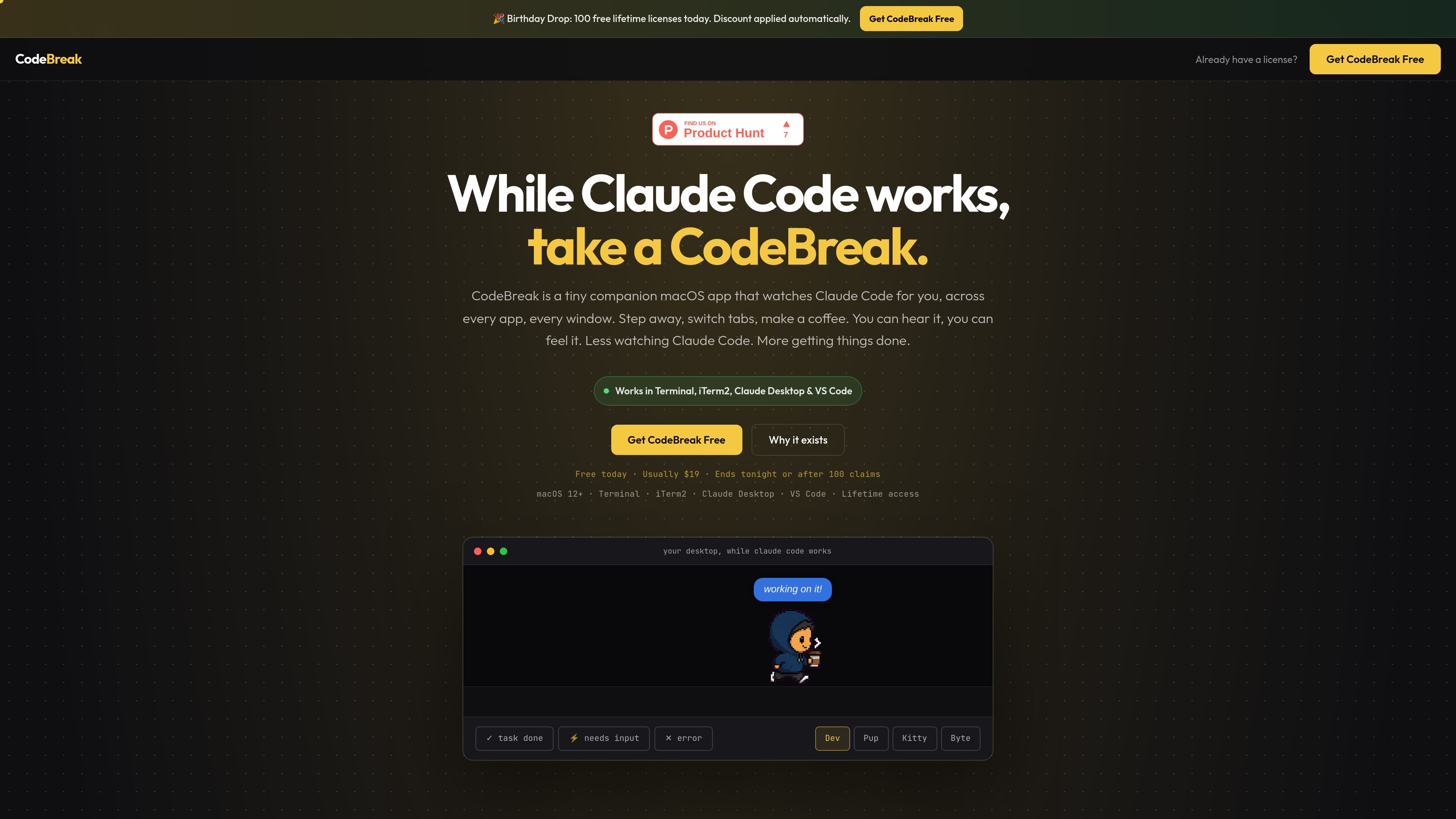
CodeBreak is a tiny macOS companion app for people running Claude Code in the background while they do something else. It watches the session across apps and windows, then surfaces status changes through an on-screen companion and audio cues so you do not need to keep checking for progress.
The product is positioned around a simple workflow: leave Claude Code running in Terminal, iTerm2, Claude Desktop, or VS Code, step away to another task, and use CodeBreak to notice when the session is processing, needs input, completes, or errors. The page describes it as a one-time purchase with lifetime access and support for macOS 12 and later.
CodeBreak sits on your desktop while Claude Code runs, so you can keep working in other apps without repeatedly checking the terminal or editor.
The app distinguishes at least five states: thinking, processing, needs input, task done, and error, so you can tell whether Claude is still working or waiting on you.
The page says the app uses distinct sounds for different events, including urgent alerts when Claude needs input and a separate cue when a task finishes.
CodeBreak can be moved anywhere on screen and is meant to stay out of the way while remaining visible across every app and window.
The current release supports Claude Code in Terminal, iTerm2, Claude Desktop, and the VS Code terminal.
The page lists four included companions and eight sound packs, with options ranging from animal mascots to novelty sound sets.
Keep Claude Code running while you answer messages, browse documentation, or work in another app, without needing to return to the terminal every few seconds.
Notice immediately when Claude Code stops for a decision or permission and needs your input, instead of finding out much later that the session was waiting.
See when a task finishes and return only when there is something to review, which is useful for builds, scripts, or other background work.
Use the companion as a persistent visual cue across windows so you can tell whether Claude Code is thinking, processing, done, or in error while you switch between tasks.
CodeBreak is a small companion macOS app that watches Claude Code while you work in other apps or windows. It shows status changes and plays sounds when Claude is processing, needs input, finishes, or hits an error.
The source says CodeBreak supports macOS 12 and later. It runs with Claude Code in Terminal, iTerm2, Claude Desktop, and VS Code.
Yes. The pricing section says CodeBreak is offered as a one-time purchase, and the page also says there is lifetime access.
The source says a license is for 2 Macs.
CodeBreak is designed for Claude Code sessions. The roadmap mentions future integrations for other tools, but the current supported surfaces listed on the page are Terminal, iTerm2, Claude Desktop, and VS Code.

Devin is an AI coding agent and software engineer that helps developers and engineering teams plan and execute complex software tasks. It is available through desktop, cloud, JetBrains, and CLI surfaces, with plans for individuals, teams, and enterprises.

ByteAsk is a terminal-first AI coding agent for C and C++ that edits repositories and verifies changes with the real compiler, debugger, sanitizers, and tests before showing a diff. It offers a free tier plus paid plans, with editor connectors and zero-retention handling described in the source.

CreateOS Sandbox is an isolated compute environment for running code and agent workloads inside Firecracker micro-VMs. It is designed for workflows that need machine-level isolation, private networking between sandboxes, and programmatic control through SDK, CLI, or MCP.

Codex Plugins bundle reusable skills, app integrations, and MCP servers into workflows you can install in the Codex app or use from Codex CLI. They help extend Codex with connected-service tasks, reusable instructions, and shared team workflows.

Wallie is an open-source AI streamer that watches your screen, hears chat, and generates live commentary in a configurable persona. It runs locally on your machine with your own keys and is aimed at faceless content, autonomous streams, and real-time reactions.

Ghost — терминальный AI-ассистент для чата, генерации кода и запуска задач в командной строке. Бесплатные модели, Linux, macOS, Windows, open source.