
One gateway for many agents
Add an MCP server once and reuse it across supported agents, so you do not have to paste the same server config and API key into each app separately.

Toolport is a free, open source local MCP gateway that lets you connect one set of MCP servers to multiple AI agents. It helps individuals and teams reduce repeated setup, keep secrets local, and manage tool access more consistently.
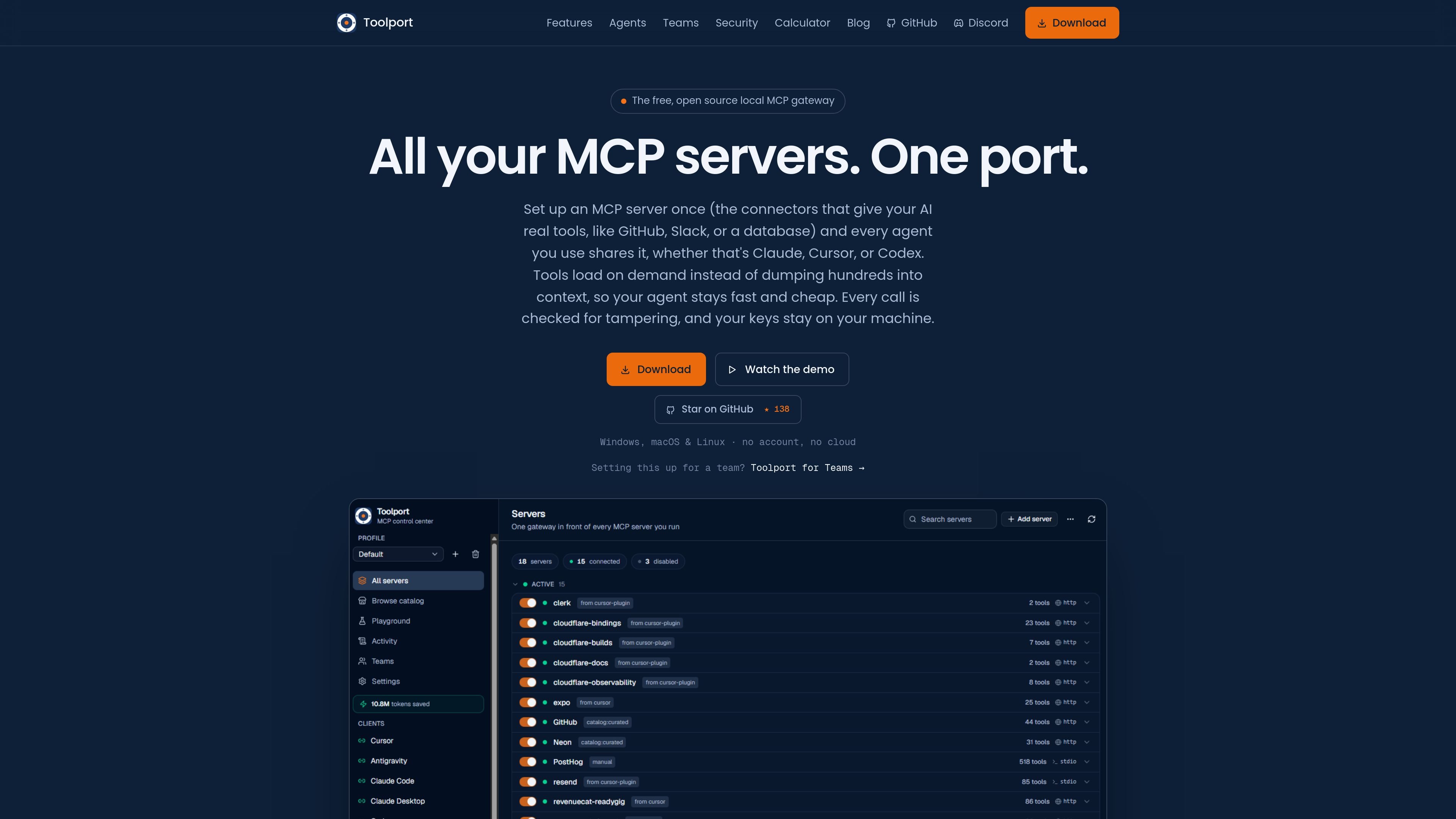
Toolport is a free, open source local MCP gateway that lets you connect multiple AI agents to the same set of MCP servers from one place. Instead of configuring GitHub, Slack, databases, or other tool servers separately in each agent, you add or import a server once in Toolport and then switch it on in the clients you use.
The product is aimed at people who work across several AI agents and want less duplicated setup, smaller tool context, and local handling of credentials. The site also positions Toolport for teams, where shared server sets, access control, and audit features are available through Toolport for Teams.
Add an MCP server once and reuse it across supported agents, so you do not have to paste the same server config and API key into each app separately.
Tools are discovered on demand through a small set of meta-tools rather than dumping an entire server's tool list into context, which keeps the working context smaller.
The app fingerprints tool definitions and flags changes that may indicate a rug pull, plus hidden instructions in descriptions that could poison an agent's behavior.
API keys are stored in your OS keychain and injected at runtime, so they do not need to live in a config file or cloud service.
Toolport can expose a server or tool to everyone on a team, with controls for per-server access, per-tool allow-lists, and tighten-only safety policy in the Teams offering.
The app shows per-server latency, error rates, and an audit trail of tool calls, giving users visibility into what happened inside the gateway.
A developer who moves between Claude, Cursor, and Codex can configure GitHub, Slack, or database servers once in Toolport and use the same servers in each agent without rebuilding configs by hand.
A user who cares about prompt efficiency can keep the agent context smaller by letting Toolport expose a few meta-tools and fetch server tools only when they are needed.
A team lead can share an approved MCP server set with teammates while keeping each person's credentials on their own machine and enforcing shared access rules.
An admin reviewing behavior can use the audit trail, latency, and error data to see how tool calls performed and whether a policy was enforced as expected.
A cautious operator can rely on integrity checks and local secret storage to reduce the risk of tampered tool definitions or exposed API keys.
Toolport installs as a local desktop app and then connects to your MCP servers once. After that, you toggle it into supported agents such as Claude, Cursor, or VS Code and reload the agent so it can search tools on demand.
The source describes Toolport as a free, open source, local MCP gateway for Windows, macOS, and Linux. The download page offers Windows x64, macOS Apple Silicon and Intel, and Linux AppImage or Debian/Ubuntu builds.
Toolport is designed for individual use and team use. The home page emphasizes one local hub for every AI agent, while the Teams page adds shared server sets, governance, and per-member local authentication for groups.
No. Toolport loads tools on demand instead of exposing every tool definition to the agent at once, and it uses lazy discovery to keep the tool context smaller. The site says this reduces token usage while maintaining task success.
Toolport includes integrity checks that fingerprint tools and flag rug pulls or tool poisoning, and it keeps API keys in the OS keychain. The product is described as local-first with no cloud account required for the core app.

CreateOS Sandbox is an isolated compute environment for running code and agent workloads inside Firecracker micro-VMs. It is designed for workflows that need machine-level isolation, private networking between sandboxes, and programmatic control through SDK, CLI, or MCP.

AakarDev AI helps teams manage AI provider access, project-level setups, logs, and analytics from one dashboard. It supports BYOK workflows and lists providers including OpenAI, Google Gemini, Anthropic, Groq, Mistral AI, and Perplexity AI.

ByteAsk is a terminal-first AI coding agent for C and C++ that edits repositories and verifies changes with the real compiler, debugger, sanitizers, and tests before showing a diff. It offers a free tier plus paid plans, with editor connectors and zero-retention handling described in the source.

Goldfish is an AI memory app for macOS that helps you reply, write, summarize, and continue using the context already on your Mac. It stores memory locally and writes in your tone.

ArtDeck is a visual reference board app for iPhone, iPad, and Mac that lets artists collect mixed reference material on one canvas and study it with ToolBox lenses. It works offline, supports optional iCloud sync, and is sold as a one-time purchase with no account required.

Biji - это универсальная платформа, разработанная для повышения продуктивности с помощью инновационных инструментов и функций.