UStackUStack
Oz icon

Oz

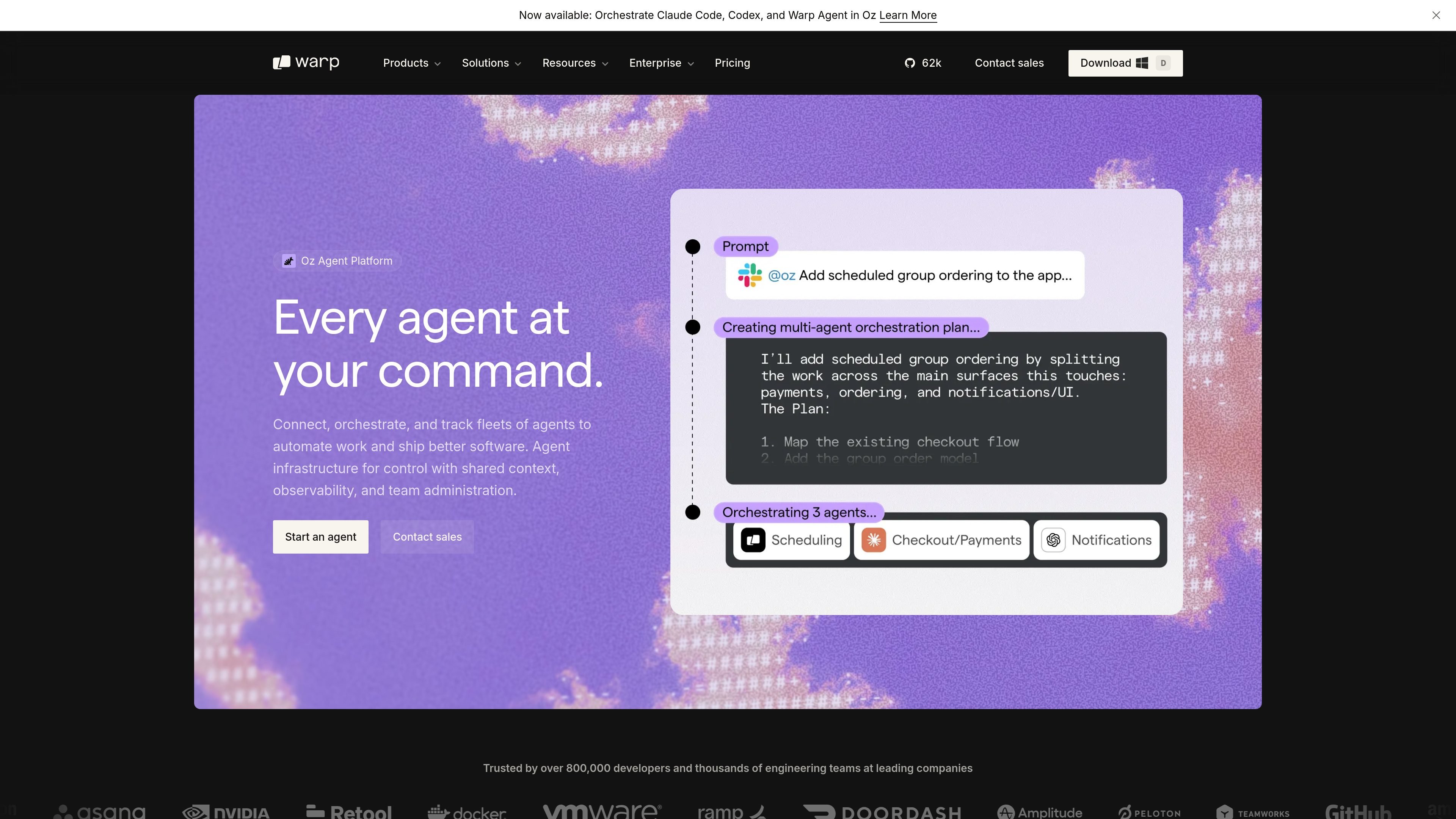
Oz is Warp’s cloud agent platform for orchestrating, observing, and scaling agent fleets across harnesses, environments, and teams. It supports local-to-cloud handoff, shared context, and team administration for agent-driven software work.

Oz

What Oz is

Oz is Warp’s cloud agent platform for coordinating, observing, and scaling agent fleets across harnesses, environments, and teams. It combines an execution layer, a shared data plane, and a control plane so teams can delegate work to agents and follow the same session across surfaces.

The product is centered on a handoff workflow: start a task locally, move it to the cloud when it needs more time or compute, and then resume the same session to verify or refine the result. Warp positions Oz for complex coding work, long-running tasks, multi-agent workflows, and team use cases that need shared context and administrative control.

Core capabilities

Multi-agent orchestration

Orchestrate multiple agents across harnesses such as Warp Agent, Claude Code, and Codex, with support for parallel subagents and broader orchestration patterns like swarm, supervisor/worker, fan-out/fan-in, and critic/verifier.

Local-to-cloud handoff

Move a session from a local terminal into the cloud when a task needs more compute, more time, or parallel execution, then resume the same work from terminal, web, or phone.

Shared context and memory

Keep conversation history, artifacts, skills, rules, and Agent Memory available across sessions so context carries forward instead of being recopied manually.

Observability and session tracing

Track agent runs in real time with observability, steerability, tracing, and network logs, with cloud sessions visible across surfaces and teams.

Broad workflow access

Trigger and manage agents from Warp Terminal, Web, Mobile, Slack, Linear, GitHub, CLI, API, or SDK so agents can fit into existing workflows.

Team and admin controls

Apply workspace and team controls such as sandboxed execution, permission settings, data controls, SSO, SCIM, and admin features on higher-tier plans.

Common ways teams use Oz

  • Long-running coding work

    Start an agent in Warp Terminal, then move it to the cloud when the task needs more time, more compute, or parallel execution. Resume the same session later without restating the prompt.

  • Multi-agent project coordination

    Coordinate multiple agents on a larger build or release task, using orchestration patterns such as swarm, supervisor/worker, fan-out/fan-in, or critic/verifier when parallel review is useful.

  • Cross-harness engineering workflows

    Run code migrations or release coordination tasks with Codex, or use Claude Code and Warp Agent for investigation and UI work, while keeping the same shared context across sessions.

  • Shared team operations

    Allow teams to observe, steer, and review cloud agent runs in real time, with data controls and admin features available on team and enterprise plans.

  • Persistent organizational context

    Store transcripts, artifacts, skills, rules, and memory so agents can reuse prior decisions and avoid repeating the same mistakes on similar future tasks.

Pros and Cons

Pros

  • Supports orchestration across multiple harnesses, not just a single agent.
  • Lets users hand off work from local terminal sessions to cloud execution without losing context.
  • Includes shared context, memory, and artifacts so sessions can continue across surfaces.
  • Provides real-time observability and tracing for agent runs.
  • Offers team and enterprise controls, including SSO, SCIM, admin features, and self-hosting options on higher tiers.

Cons

  • Some capabilities are still in preview or beta, including Agent Memory research preview and the pricing-page mention of using any harness in the cloud (beta).
  • The source does not publish a complete integration list or detailed setup guidance for every harness and environment.
  • Enterprise-focused controls and self-hosting are described on the pricing page, so smaller teams may not need the full platform surface area.

FAQ

What is Oz used for?

Oz is Warp’s cloud agent platform for orchestrating, observing, and scaling agent fleets. It is designed for teams that want to coordinate agents across harnesses, environments, and surfaces such as terminal, web, mobile, CLI, API, and SDK.

Which agent harnesses does Oz support?

The source shows Oz working with Warp Agent, Claude Code, and Codex. Warp also mentions support for “any harness in the cloud” on the pricing page, but the most explicit examples in the product pages are those three agents.

How does handoff work in Oz?

Warp describes a local-to-cloud handoff flow: start in the terminal, move an agent to the cloud when it needs more compute or time, and then pick up the session again from terminal, web, or phone.

Is Oz meant for individual use or team use?

Oz is presented as a platform for teams, not just individual developers. The pricing page includes a Business plan for teams and an Enterprise plan with unlimited seats, shared credit pools, admin controls, and self-hosting options for cloud agents.

What pricing options are available?

The pricing page shows a Free plan and paid plans for expanded AI access, plus Business and Enterprise options for team and organizational controls. Enterprise is listed as custom and requires contacting sales.

Quick Facts

Category
Cloud agent platform
Primary product
Oz
Vendor
Warp
Platform access
Terminal, web, mobile, CLI, API, SDK
Pricing shape
Free plan, paid plans, and custom Enterprise sales
Supported usage
Individual developers, teams, and enterprise organizations

Альтернативы Oz

CreateOS Sandbox icon

CreateOS Sandbox

CreateOS Sandbox is an isolated compute environment for running code and agent workloads inside Firecracker micro-VMs. It is designed for workflows that need machine-level isolation, private networking between sandboxes, and programmatic control through SDK, CLI, or MCP.

GitBot icon

GitBot

GitBot is a local browser-based workspace for creating reusable coding bots powered by Claude Code, Codex, or OpenCode. It helps developers run those agents across repository folders with persistent threads and configurable permissions.

Codex Plugins icon

Codex Plugins

Codex Plugins bundle reusable skills, app integrations, and MCP servers into workflows you can install in the Codex app or use from Codex CLI. They help extend Codex with connected-service tasks, reusable instructions, and shared team workflows.

AakarDev AI icon

AakarDev AI

AakarDev AI helps teams manage AI provider access, project-level setups, logs, and analytics from one dashboard. It supports BYOK workflows and lists providers including OpenAI, Google Gemini, Anthropic, Groq, Mistral AI, and Perplexity AI.

Trigger.dev chat agent icon

Trigger.dev chat agent

Trigger.dev chat agent is a durable AI chat backend for developers building stateful conversations that can survive refreshes, crashes, and long-running turns. It connects with the AI SDK `useChat` flow and runs on managed infrastructure with no timeout on a turn.

ByteAsk icon

ByteAsk

ByteAsk is a terminal-first AI coding agent for C and C++ that edits repositories and verifies changes with the real compiler, debugger, sanitizers, and tests before showing a diff. It offers a free tier plus paid plans, with editor connectors and zero-retention handling described in the source.

Oz - AI Tool, Features, Use Cases & Alternatives | UStack