
Now playing controls
See the current track, scrub the timeline, and control playback without leaving the window you are working in.
ZenithBar is a Windows utility that puts media controls, calendar events, notifications, files, shortcuts, and clipboard history in a compact bar at the top of the screen. It is built for people who want quick access to active tasks without switching away from the window they are using.
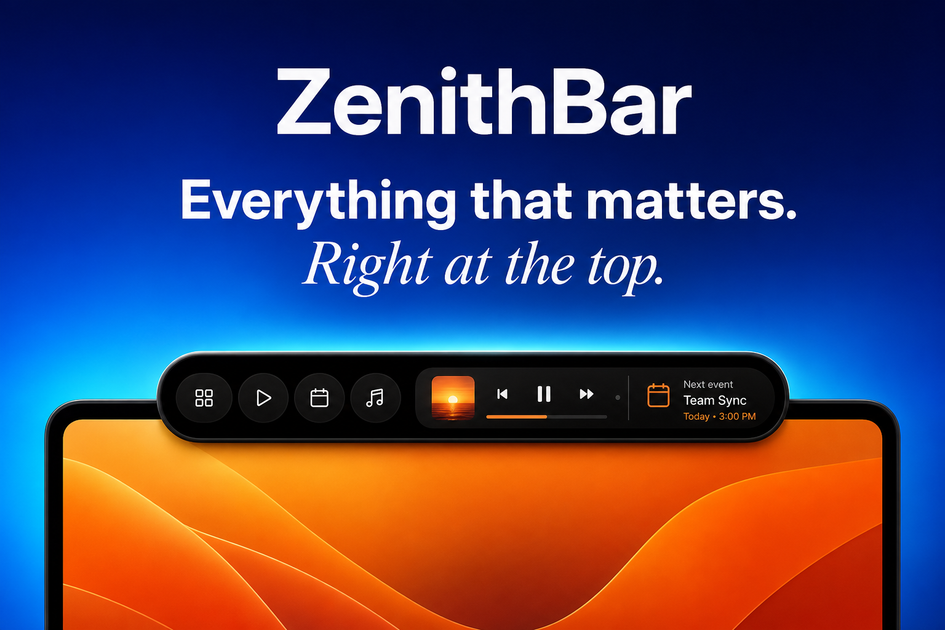
ZenithBar is a Windows utility that places a compact activity island at the top of the screen. It gathers media controls, calendar events, notifications, files, shortcuts, and clipboard history into a single surface that appears when needed and can stay hidden when not in use.
The product is designed to reduce switching between apps and windows. It supports 64-bit Windows 10 and Windows 11, works with multiple monitors, and uses a local-first approach for clipboard data and files unless you choose an explicit Google Drive backup.
See the current track, scrub the timeline, and control playback without leaving the window you are working in.
Keep upcoming events visible at the top edge of the screen. The product can connect to more than one Google account and merge calendars into a single labeled list.
Search, filter, and drag documents, images, and folders directly from the island into other apps.
Browse copied text, links, images, and colors by type, with clipboard data stored on-device.
Pin URLs for quick access, and use built-in Pomodoro and stopwatch timers that continue running while the surface is hidden.
Write a formatted note and have it saved into clipboard history under Notes.
Keep playback visible while you work in another app, so you can check the current track and scrub without switching windows.
Track upcoming meetings from multiple Google accounts in one place, with calendars merged into a single labeled list.
Pull files, folders, or images from the island and drag them directly into the app you are using.
Review copied text, links, colors, and images from clipboard history when you need to reuse something you copied earlier.
Pin URLs, write quick notes, or run short timers from the widget dock while keeping the main surface available for other tasks.
ZenithBar is a compact activity center for Windows that brings media, calendar, notifications, shortcuts, files, and clipboard history into a bar at the top of the screen.
Clipboard history is stored locally on your computer. The site says copied items are never sent to ZenithBar's servers.
No. Files and shortcuts stay on your PC unless you explicitly start a Google Drive backup.
Yes. The site says it works with multiple monitors, and you can choose the monitor and exact position where the island appears.
ZenithBar supports 64-bit versions of Windows 10 and Windows 11.

Gemma AI is a phone call reminder app that calls you with scheduled reminders instead of push notifications. It helps people who want a more direct way to stay on schedule, with Google Calendar sync and conversational call interactions.
MealTime — это ваш личный помощник по рецептам, работающий в первую очередь в автономном режиме, который поможет вам сохранять, упорядочивать, планировать блюда и генерировать умные списки покупок, сохраняя при этом конфиденциальность ваших данных.

Goldfish is an AI memory app for macOS that helps you reply, write, summarize, and continue using the context already on your Mac. It stores memory locally and writes in your tone.

Biji - это универсальная платформа, разработанная для повышения продуктивности с помощью инновационных инструментов и функций.

Liam is an AI copilot for managing inboxes, writing replies, prioritizing email, and scheduling meetings. It is offered free for individuals, with custom pricing for teams and enterprise.

ClawTick is an AI agent automation platform for scheduling jobs from the CLI, dashboard, or REST API. It is aimed at developers and teams running LangChain, CrewAI, webhook, or custom agent workflows that need monitoring, alerts, and logs.