
One-command deploys
Deploy an image with a single command. Zero detects the port, assigns a domain, provisions TLS, and routes traffic without requiring a web UI or YAML configuration.

Zero is a self-hosted CLI for deploying Docker images to your own server with automatic HTTPS, health-checked releases, previews, rollback, and terminal-based logs and metrics. It also supports Docker Compose deployments for multi-container apps.
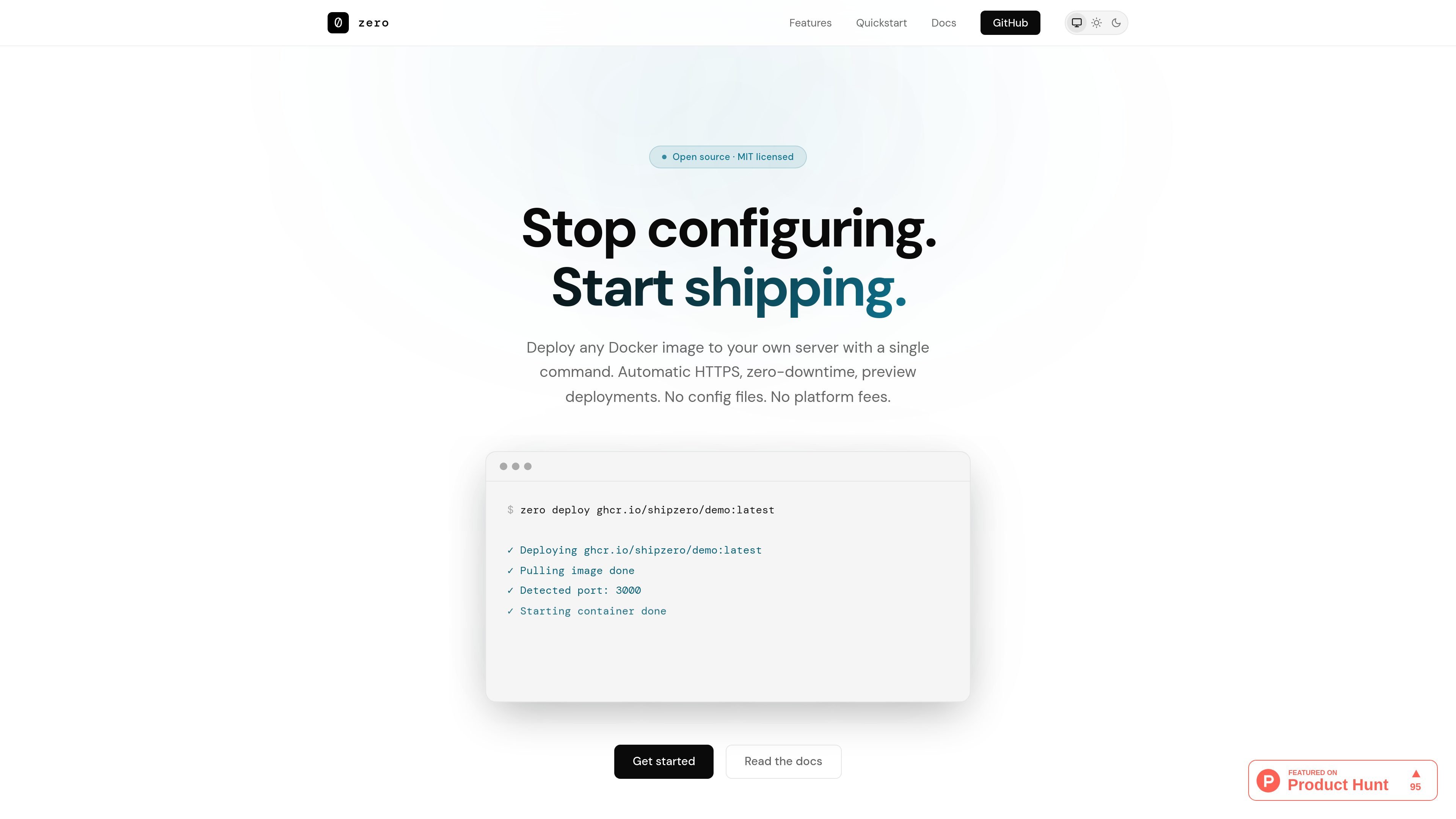
Zero is a single-server deployment tool for shipping Docker containers to your own VPS. It is open source and MIT licensed, and it is built around a terminal workflow rather than a hosted platform or web dashboard.
The product’s core job is to turn an image into a live app with minimal setup. According to the docs, zero can infer the app name, detect the container port, provision HTTPS, and route traffic after a successful health check. It also supports preview deployments, rollbacks, logs, metrics, and Docker Compose-based apps.
Deploy an image with a single command. Zero detects the port, assigns a domain, provisions TLS, and routes traffic without requiring a web UI or YAML configuration.
Each deployment is health-checked before traffic switches. If the check fails, the new container is discarded and the previous version keeps serving.
Create temporary deployments with `--preview` for review and sharing. Preview URLs use their own subdomains and expire automatically.
Roll back to the previous image with one command. Zero starts the prior version, checks it, and swaps traffic only after it is healthy.
Stream CPU, memory, and network usage in the terminal with `zero metrics`, and tail app or server logs with `zero logs`.
Deploy from a Docker Compose file for multi-container apps. Zero pulls images, starts services, and health-checks the entry service before routing traffic.
Install zero on a Linux VPS, connect from your local machine over SSH, and deploy a Docker image to a server you control.
Use `--preview` to create a temporary deployment for a pull request, then share the preview URL with reviewers before merge.
Redeploy a previous image or roll back after a problem, with traffic only switching once the replacement passes health checks.
Run `zero metrics` and `zero logs` from the terminal when you want lightweight operational visibility without setting up separate monitoring tools.
Deploy a Compose file when an app depends on multiple containers and you want zero to pull images, start services, and route traffic for the entry service.
Zero deploys Docker images to your own server over SSH. The quickstart in the docs shows installing the server component on a Linux VPS, installing the CLI locally, logging in with `zero login`, and then running `zero deploy` against an image.
Zero supports Docker images by default, and the docs also describe a Docker Compose workflow for multi-container apps. For Compose deployments, you specify the entry service and can use an image prefix so tags and preview deployments continue to work.
Yes. The docs say zero supports preview deployments with `--preview`, gives them a unique subdomain, and sets a time to live so they expire automatically.
Zero supports rollback to the previous deployment. The docs say it starts a new container from the previous image, health-checks it, and only swaps traffic if the check passes.
The docs say zero is designed for a single server. If you need multi-node orchestration, team RBAC, or a web dashboard, it is not the right tool.

Speculos is a deployment tool for Claude Code that publishes what you built to a shareable URL. It supports private, org-wide, or public apps and adds team controls for company domains, data connections, and customer-cloud deployments.

MakerLoft is a chat-first AI app builder for non-developers who want to create static sites or full-stack apps from a GitHub repository. It supports a free GitHub Pages path and a DigitalOcean-backed app path with sign-ins, payments, and an admin dashboard.

CreateOS Sandbox is an isolated compute environment for running code and agent workloads inside Firecracker micro-VMs. It is designed for workflows that need machine-level isolation, private networking between sandboxes, and programmatic control through SDK, CLI, or MCP.

Codex Plugins bundle reusable skills, app integrations, and MCP servers into workflows you can install in the Codex app or use from Codex CLI. They help extend Codex with connected-service tasks, reusable instructions, and shared team workflows.

Wallie is an open-source AI streamer that watches your screen, hears chat, and generates live commentary in a configurable persona. It runs locally on your machine with your own keys and is aimed at faceless content, autonomous streams, and real-time reactions.

ClawTick is an AI agent automation platform for scheduling jobs from the CLI, dashboard, or REST API. It is aimed at developers and teams running LangChain, CrewAI, webhook, or custom agent workflows that need monitoring, alerts, and logs.