
Browser-based cloud computer
Matrix provides a persistent cloud computer where files, apps, terminals, previews, and agent sessions live together in one workspace.

Matrix OS is a cloud computer and AI workspace for running coding agents and development tasks in the browser or from the CLI. It helps teams and individual developers keep work running after a laptop sleeps, with managed cloud and manual VPS setup options.
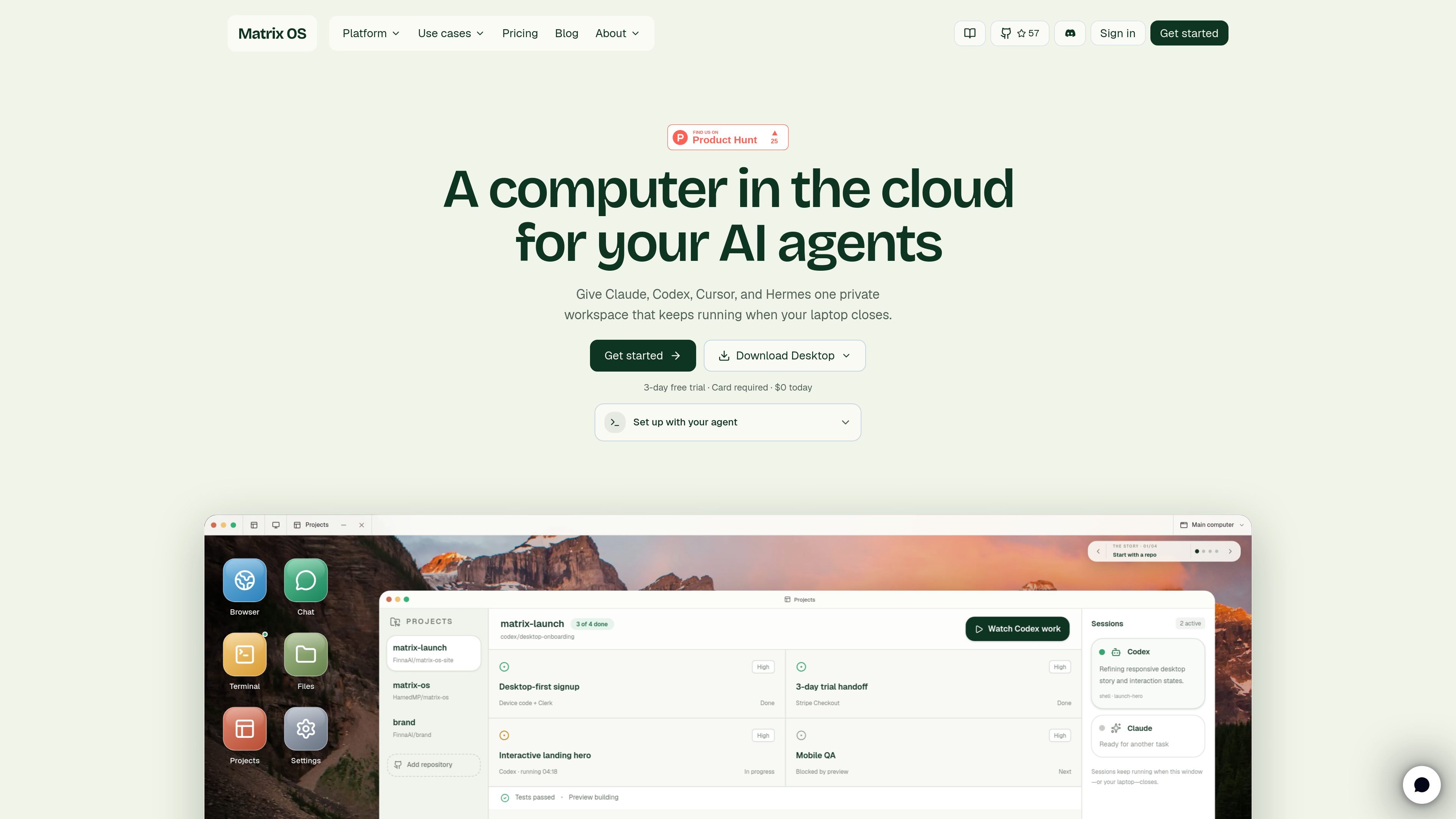
Matrix OS is a cloud computer and AI workspace built for background agents and persistent development work. It brings files, apps, terminals, previews, and agent sessions into one private workspace that you can open in a browser or attach to from the command line.
The product is positioned around work that continues after you close your laptop. Matrix can run coding agents side by side, keep sessions alive across disconnects and reboots, and provide a review workflow where you inspect the changes that survive before merging or moving on. The docs also describe Hermes, a Matrix-native agent for workflows, notifications, approvals, and everyday connected-tool tasks.
Matrix Cloud is the recommended managed setup for teams, pilots, and daily work, while a manual VPS install is available for users who want to operate the server themselves. The site also shows a web shell, a CLI, a native macOS app in progress, and mobile browser access already working.
Matrix provides a persistent cloud computer where files, apps, terminals, previews, and agent sessions live together in one workspace.
Tasks can run in the background while the laptop is closed, with sessions that survive disconnects, reboots, and lid closes.
The platform is built to work with coding agents already in use, including Claude Code, Codex, Cursor, OpenCode, Pi, and Gemini CLI.
Matrix includes a Matrix-native agent called Hermes for connected tools, scheduled workflows, notifications, approvals, and memory.
The product supports running multiple agents in parallel and tracking what each one is reading, editing, testing, previewing, and waiting on.
Matrix can be installed through a managed cloud flow or on your own Linux VPS, with different responsibilities depending on the path you choose.
Assign coding work to agents and let them continue while you are away, then review the diff, tests, and preview when the task is done.
Use Matrix Cloud for a managed setup when you want the platform to handle routing, auth, updates, backups, billing, and integrations.
Run a manual VPS installation when you want to control the server, DNS, TLS, backups, upgrades, and security yourself.
Move between browser, terminal, and agent sessions without losing context, especially when working from different devices or when a laptop sleeps.
Use Hermes and connected tools to schedule recurring workflows, route notifications, and handle approvals outside of pure coding tasks.
Matrix OS offers a managed cloud setup and a manual VPS install. The quickstart recommends the managed path for daily work, teams, and pilots, while the manual path is for operators who want to control their own Linux server.
The source documents the CLI, web shell, and a native macOS app in progress. The web shell works in any browser, and the CLI can attach from a terminal session; mobile web access is already available.
Matrix OS is designed to keep work running in a cloud computer that persists after you close your laptop. It supports persistent sessions, background agents, and review of changes after the task is complete.
The docs describe Matrix Cloud as the recommended option because Matrix handles routing, auth, updates, backups, billing, and integrations. The manual VPS path is available if you want to manage those parts yourself.
The source shows a 3-day free trial for the first primary computer, with a card required at checkout. The pricing page itself was not available, so plan details beyond the trial and the starter plan on the homepage should be treated as limited evidence.

ByteAsk 是面向 C 和 C++ 的终端优先 AI 编码 agent,可直接编辑仓库,并在展示 diff 前用真实编译器、调试器、sanitizers 和测试验证修改。提供免费版与付费方案。

CreateOS Sandbox 是基于 Firecracker 微型虚拟机的隔离计算环境,用于运行代码和 agent 工作负载,支持私有网络、SDK、CLI 和 MCP 程序化控制。

hob 是面向编码 agent 的独立工作区,可将 agent 会话、终端、历史记录和后续工作围绕你已在用的工具与提供商有序管理,适合重视本地路由、历史和工作区结构控制的开发者。

Manta AI 是面向团队的自治式网页应用测试工具,可从 URL 自动探索应用、映射行为、捕捉回归,并用自然语言生成测试,无需脚本或维护选择器。

SonOf 连接你的代码仓库和 PM 工具,审计代码库与产品上下文,将已批准工作转为可交付工单,并由资深工程复审,适合缺少完整团队的创始人和技术负责人。

Ghost 是一款基于终端的 AI 助手,可在命令行中聊天、生成代码并运行任务。内置免费模型,支持 Linux、macOS 和 Windows,且为开源项目。