
Menu bar system monitoring
Shows live memory pressure, storage, and CPU details from the menu bar, with the monitoring view refreshed every few seconds. Monitoring remains free after the trial.

WTMemory is a lightweight macOS menu bar utility that monitors system resources and identifies storage used by local AI models, developer caches, app leftovers, and background processes. Free inspection remains available after the trial, while Pro adds cleanup and process-control actions.
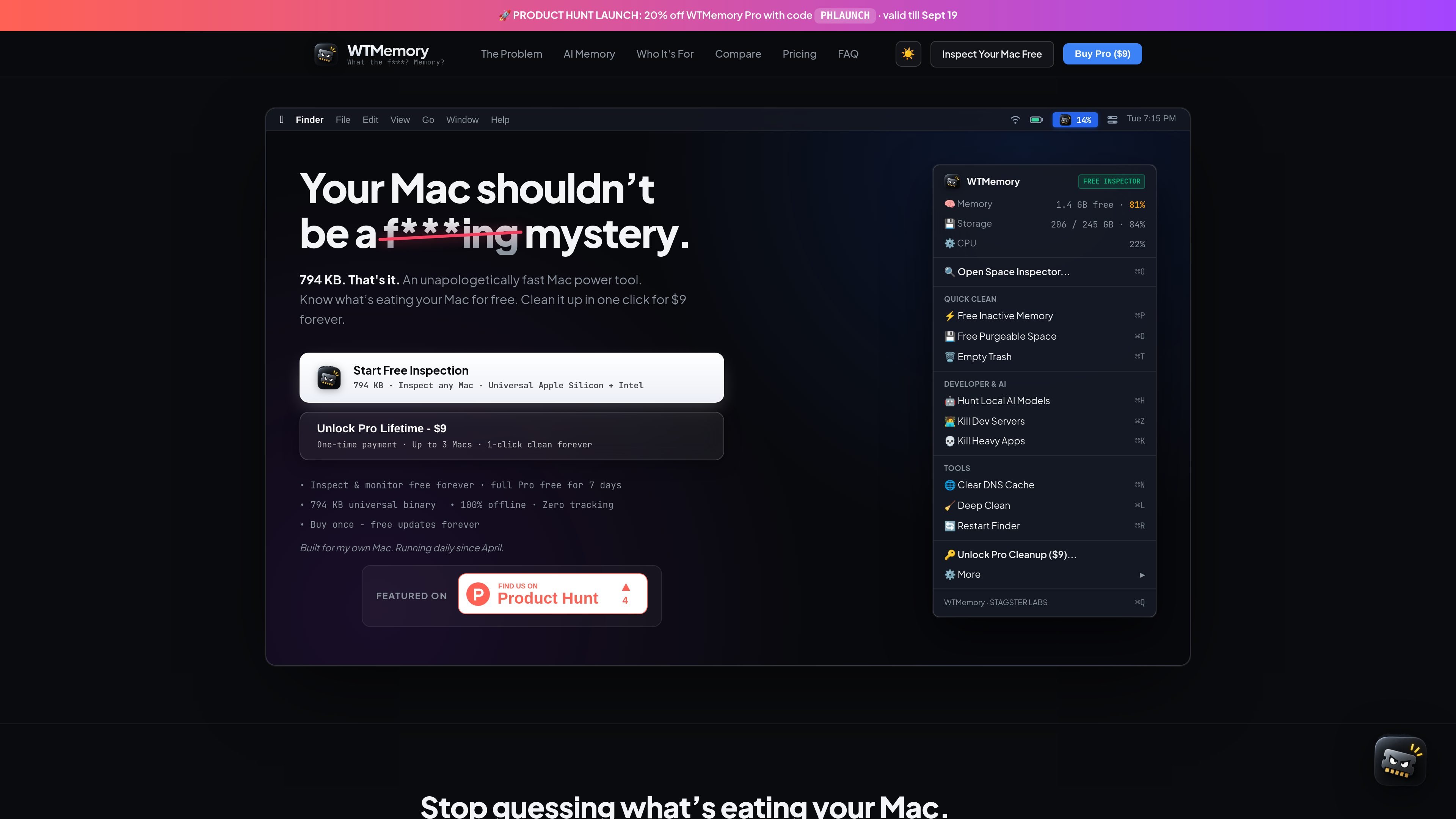
WTMemory is a lightweight macOS menu bar utility for inspecting memory, CPU activity, and disk usage, with particular attention to the storage and background processes common on development machines. It helps users locate local AI model weights, build caches, app leftovers, and development servers instead of presenting only broad system-junk categories.
Monitoring and inspection are available free, including a seven-day full Pro trial on each installation. Pro adds cleanup, memory and storage reclaim actions, and process-killing tools. Cleanup is designed to be reviewable: Safe Mode moves selected items to the macOS Trash by default, while the utility states that documents, projects, and code are not modified.
Shows live memory pressure, storage, and CPU details from the menu bar, with the monitoring view refreshed every few seconds. Monitoring remains free after the trial.
Scans local AI and LLM storage, developer and build artifacts, system caches and logs, and leftovers from deleted applications. Results can be reviewed before any cleanup.
Targets forgotten local model data, including Ollama weights, Hugging Face downloads, LM Studio models, Cursor workspace data, and Claude Code caches.
Provides cleanup actions for selected storage categories and developer artifacts, including Xcode DerivedData, package-manager caches, Bun, Cargo, Gradle, Docker, and simulator data. Safe Mode moves items to Trash by default.
Offers one-click actions for runaway Vite, Next.js, nodemon, esbuild, Wrangler/workerd, and related development processes. It can also ask resource-heavy browsers, Electron apps, IDEs, and Docker to quit.
Includes macOS-focused actions such as inactive-memory purge, purgeable-space reclaim through local snapshot thinning, Trash emptying, DNS-cache flushing, Finder restart, and a combined Deep Clean workflow.
Run the Space Inspector to review large Ollama, Hugging Face, LM Studio, Cursor, or Claude Code directories before deciding what to remove. This is useful when local models and related caches have accumulated outside the folders users normally check.
Inspect Xcode DerivedData, simulator runtimes, Docker virtual disks, and npm, pnpm, Yarn, Bun, Cargo, or Gradle caches when a development Mac’s storage is unexpectedly full.
Use the process controls when a Vite, Next.js, nodemon, esbuild, Wrangler/workerd, or Python development process remains active after a project is closed or continues holding a port.
Open the menu bar monitor when the Mac feels slow or fans are active, then review memory pressure and CPU usage before using an available purge or quit action.
Use the app as a simpler alternative to a broad consumer cleaning suite when the priority is offline inspection and developer-oriented storage cleanup rather than malware, browser, or photo management.
WTMemory is a Mac menu bar utility. Install it and it begins with a seven-day full Pro trial; no email address or account is required. After the trial, monitoring and inspection remain available for free.
The Space Inspector scans AI and LLM storage, developer and build artifacts, system caches and logs, and leftovers from apps that have been deleted. Scanning and reviewing results are free; cleaning selected items requires Pro.
By default, cleanup moves selected items to the macOS Trash, making the action reversible. You can turn off Safe Mode for permanent deletion. WTMemory states that it does not modify documents, projects, or code.
The utility can identify local Ollama weights, Hugging Face downloads, LM Studio models, Cursor workspace data, and Claude Code caches, as well as caches and artifacts associated with tools such as Xcode, package managers, Bun, Cargo, and Docker.
WTMemory is designed for macOS users who want menu bar monitoring, storage inspection, and cleanup of developer or local-AI artifacts. It does not include malware scanning, browser privacy cleanup, or photo-duplicate detection, so it is not a full consumer security and media-management suite.

ByteAsk 是面向 C 和 C++ 的终端优先 AI 编码 agent,可直接编辑仓库,并在展示 diff 前用真实编译器、调试器、sanitizers 和测试验证修改。提供免费版与付费方案。

CreateOS Sandbox 是基于 Firecracker 微型虚拟机的隔离计算环境,用于运行代码和 agent 工作负载,支持私有网络、SDK、CLI 和 MCP 程序化控制。

hob 是面向编码 agent 的独立工作区,可将 agent 会话、终端、历史记录和后续工作围绕你已在用的工具与提供商有序管理,适合重视本地路由、历史和工作区结构控制的开发者。

Ably Chat 是用于构建自定义实时聊天应用的 chat API 平台,支持房间消息、输入指示、在线状态、表情回应与消息更新,并提供按使用量计费选项。

Manta AI 是面向团队的自治式网页应用测试工具,可从 URL 自动探索应用、映射行为、捕捉回归,并用自然语言生成测试,无需脚本或维护选择器。

SonOf 连接你的代码仓库和 PM 工具,审计代码库与产品上下文,将已批准工作转为可交付工单,并由资深工程复审,适合缺少完整团队的创始人和技术负责人。