

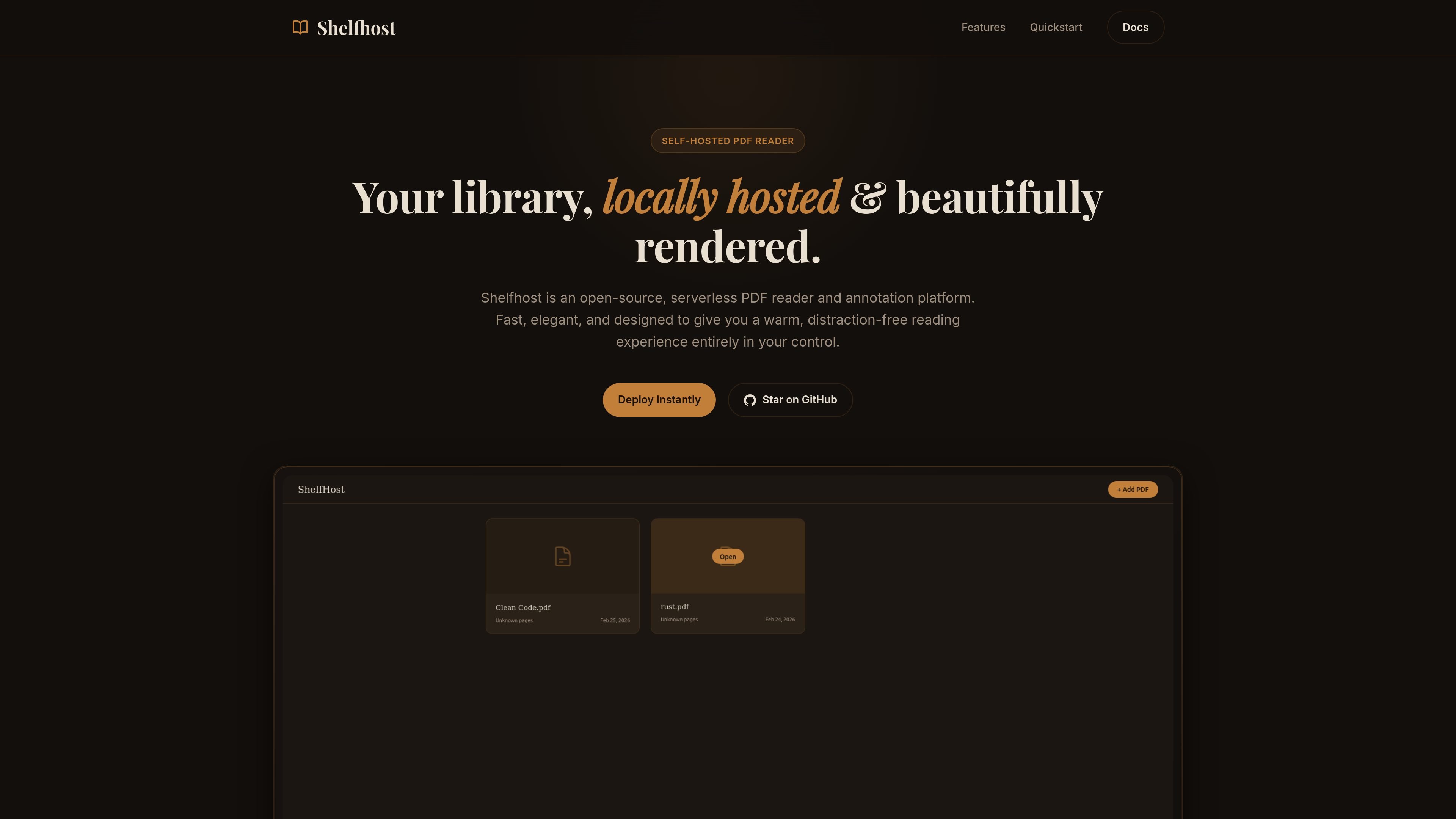
不受干擾的 PDF 閱讀
Shelfhost 提供以可讀性為核心的 PDF 閱讀介面,產品定位強調溫和、無干擾的體驗,並讓工具只在需要時出現。
Shelfhost 是一款開源、自架的 PDF 閱讀與註解平台,專為想將 PDF 書庫掌握在自己手中的使用者打造。它把閱讀、標註與書籤功能整合到一個本機託管的書庫介面中。
這個產品建立在 Cloudflare Pages、Workers、D1 與 R2 之上,並被描述為無伺服器且可全球部署。其設定指南以建立資料庫與儲存桶、套用遷移,並部署到 Cloudflare Pages 為核心。
Shelfhost 提供以可讀性為核心的 PDF 閱讀介面,產品定位強調溫和、無干擾的體驗,並讓工具只在需要時出現。
你可以用多種螢光標註顏色來標記選取文字,方便註解與之後在書庫中回顧。
書庫支援頁面書籤,讓你能在文件中保存閱讀進度,並從儀表板回到該處。
Shelfhost 透過 Nuxt Nitro 在 Cloudflare Pages 與 Workers 上以無伺服器函式形式執行,無需管理 Docker 容器或虛擬機。
PDF 檔案儲存在 Cloudflare R2,而 D1 提供以 SQLite 為基礎的資料庫層,用於快速查詢與書庫資料。
部署指南展示了一小組設定步驟:複製儲存庫、安裝相依性、登入 Cloudflare、建立資料庫與儲存桶、套用遷移,並在全球部署。
當你想要一個自己可控的私有 PDF 書庫,而不是把文件交給第三方閱讀服務時,使用 Shelfhost。
在閱讀論文、報告或長篇 PDF 時,使用標註與書籤工具來標記段落,並稍後從儀表板接續閱讀。
如果你想要一個不需要管理 Docker 容器或虛擬機的無伺服器部署,可使用這套 Cloudflare 架構。
當你偏好簡單且有文件記載的部署路徑,包括建立儲存、套用遷移與發布應用時,使用 Shelfhost。
Shelfhost 設計為在 Cloudflare Pages 與 Workers 上執行,並以 D1 作為其 SQLite 資料庫、以 R2 作為 PDF 儲存。部署指南說明了複製儲存庫、安裝套件、使用 Wrangler 登入、建立 D1 資料庫與 R2 儲存桶、套用遷移,以及執行部署腳本。
這個產品被定位為自架的 PDF 閱讀器、書庫與重點標註工具。來源特別描述了文字選取標註、儲存書籤,以及在本機託管的書庫中閱讀 PDF。
Shelfhost 被呈現為開源且自架,因此適合想將 PDF 書庫掌握在自己手中的讀者,而不是使用託管式閱讀服務的人。
來源指出 Shelfhost 可編譯為純 Cloudflare Pages 元件,個人書庫使用可在 Cloudflare 免費方案下使用。來源未提供完整的付費方案拆解或明確的方案限制。

Lasso is an ecommerce product data platform for enriching catalog records, processing supplier files, generating product content, and monitoring competitors. It combines a web app with a REST API, SDK, and MCP server for teams and developers.

Codex Plugins bundle reusable skills, app integrations, and MCP servers into workflows you can install in the Codex app or use from Codex CLI. They help extend Codex with connected-service tasks, reusable instructions, and shared team workflows.

Struere is an AI-native platform for turning spreadsheet data into structured operational software with dashboards, alerts, and automations. It is aimed at teams that want to replace manual spreadsheet workflows without building custom tools from scratch.

garden-md 是一款開源 Node.js CLI,可將會議逐字稿轉為本機公司 wiki,串接逐字稿來源、保留原文並建立可瀏覽的連結頁面。

Falconer is an AI-powered company brain that keeps internal documentation accurate, searchable, and up to date by syncing with tools like GitHub, Slack, and Linear. It helps engineering and cross-functional teams centralize knowledge and answer questions from a shared source of truth.

Snapmark is a VS Code extension that lets you annotate clipboard screenshots before pasting them into AI chats. It supports blur redaction, numbered callouts, and automatic resizing for large images.