
Location-based history map
View historical stories as pins on an interactive map tied to the streets where they happened. Each pin links to a Wikipedia article and is ranked by significance.

LocoPast is a location-based history app that maps geotagged Wikipedia stories to real-world streets and landmarks. It runs on iOS, Android and web, with free registration and a paid mobile app.
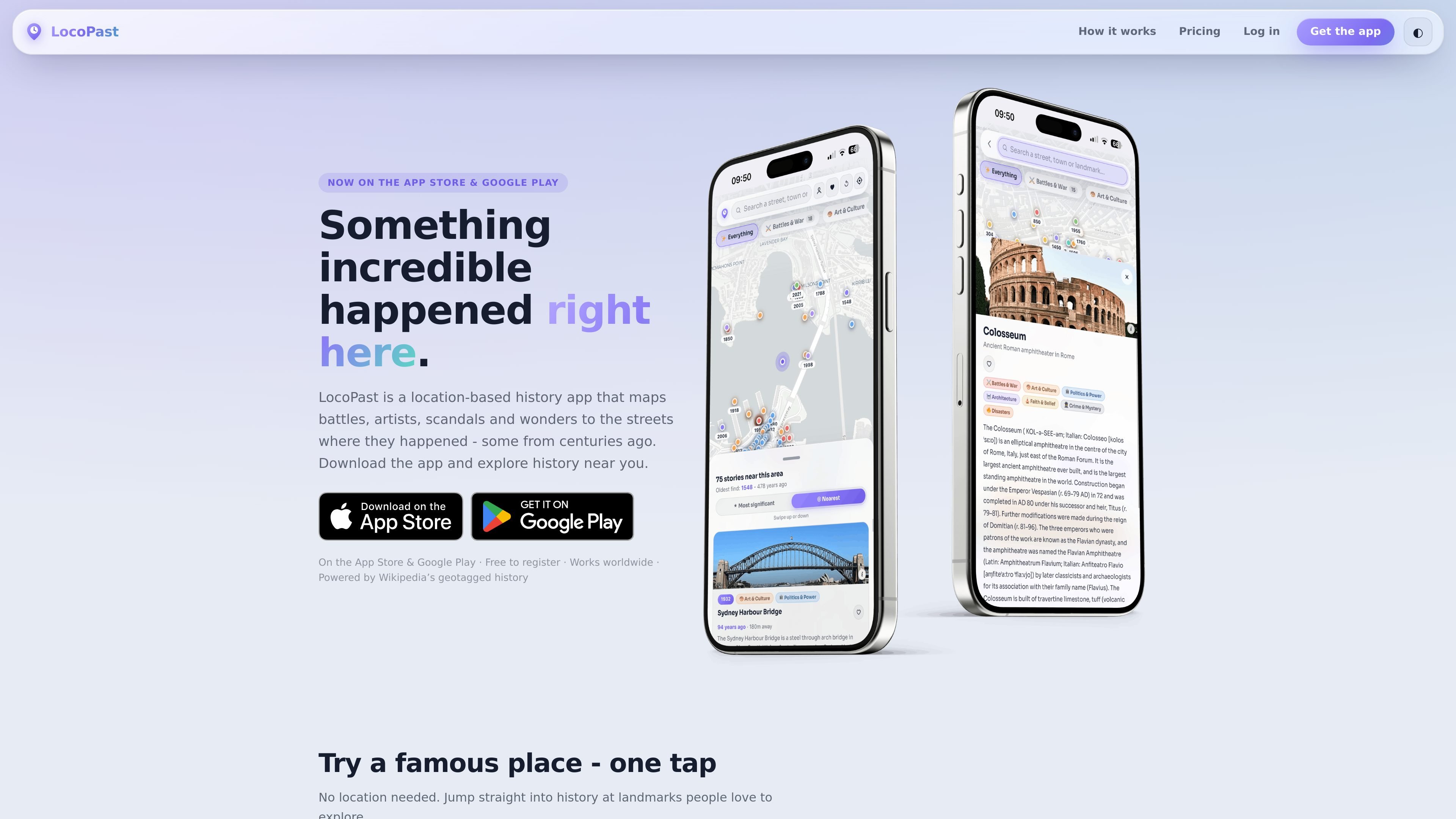
LocoPast is a location-based history app that maps Wikipedia’s geotagged stories to the streets, buildings and landmarks where they happened. It is designed for people who want to explore history from the place itself rather than from a timeline or textbook.
You can use it on iOS, Android or in a browser. The web version is free, while the mobile app is a one-time purchase of $4.99; registration is free and lets you save stories across devices.
View historical stories as pins on an interactive map tied to the streets where they happened. Each pin links to a Wikipedia article and is ranked by significance.
Use GPS to reveal what happened around you, or search any place worldwide if you are not standing there in person. The map rescans as you pan and zoom.
Focus the map with nine topic filters covering battles, art, politics, architecture, science, faith, crime, disasters and industry.
Open story cards with Wikipedia links, then save favourites with a free account. Saved stories can sync across phone, tablet, laptop and desktop browser.
Generate a shareable link for any spot so someone else can open the same map view. The site also says the browser experience can be installed as a PWA on phone or desktop.
Travelers can open a city or landmark and see nearby stories before or during a visit, which helps turn a walk, museum stop or hotel area into a history-focused route.
Walkers and local residents can scan their neighbourhood for battles, fires, artists, inventions and other events tied to familiar streets they pass every day.
Teachers and students can use the map to connect textbook topics with real locations, making events like Roman history, civil rights or city heritage easier to place geographically.
Anyone can search for a place anywhere in the world, then filter by topic or save notable stories to revisit later on another device.
Yes. You can explore LocoPast in any modern browser at locopast.com without downloading the mobile app. The web version is free, and registration is free if you want to save stories across devices.
The mobile app is a one-time purchase of $4.99 on the App Store or Google Play in the US. The site notes that Apple and Google may show a localized equivalent price in your country, and the app does not use a subscription model.
The app lets you reveal history near your current location or search for any street, town, or landmark worldwide. You can also jump directly to popular places from the welcome screen.
Yes. Free accounts let you save stories and sync them across devices. The site says registration is always free.
LocoPast uses geotagged Wikipedia articles, ranked and categorized by topic and significance, and the map works wherever Wikipedia has geotagged coverage. The site also says saved stories can sync when you sign in.

MacSpoof ist ein MAC-Adressenwechsler für macOS: WLAN-MAC ändern oder randomisieren, um Verbindungen zu erneuern und die Protokollierung auf öffentlichem WLAN zu reduzieren.

NomNak ist eine kostenlose Restaurant-Discovery-App für iPhone, mit der du Orte über Empfehlungen von Freunden statt über anonyme Bewertungen findest.

TyeGit ist ein nativer Git-Client auf Basis von Rust und Tauri für schnelle, präzise Kontrolle über Staging, Commits, Branches und Remotes unter Windows, macOS und Linux.

Loomal is a payments layer for agentic commerce that lets developers add paywalls to APIs, MCP tools, or hosted files. It settles agent payments in USDC on Base and is aimed at services that want per-request payment from AI agents.

idmly converts self-contained HTML designs into editable Adobe InDesign (.idml) files. It is built for designers and teams that need browser-made or AI-generated layouts turned into InDesign without rebuilding them by hand.

Rokoko is a motion capture software and hardware ecosystem for body, finger, and face animation. Rokoko Studio processes capture data, lets creators clean and retarget it, and streams or exports it to 3D tools.