
Plugin-based site connection
Install the WP Triage Agent plugin on each WordPress site and paste in a shared agent key. Each site registers automatically, which avoids manual setup per domain.

WP Triage is a WordPress risk scoring and prioritization tool for agencies, freelancers, and WooCommerce operators managing multiple sites. It scores connected installs, surfaces the top issues, and recommends what to fix first.
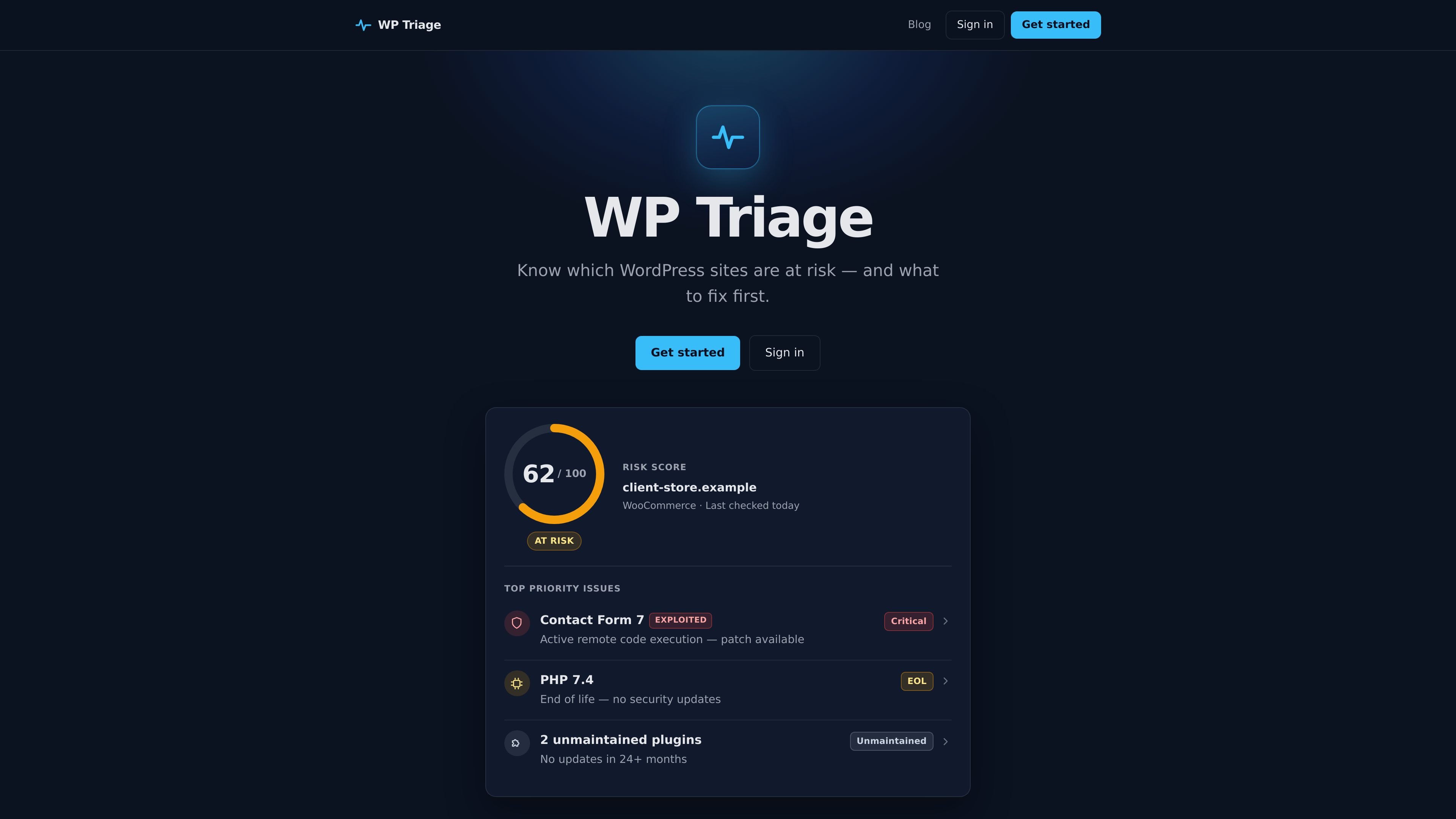
WP Triage is a WordPress risk scoring and prioritization tool for people who manage more than one site. It scans connected installs, tracks versions and vulnerabilities, and turns that data into a single risk score plus a ranked list of what to fix first.
The product is designed to reduce triage work across a portfolio. Instead of surfacing every issue equally, it highlights the top three problems per site, recommends a fix order, and sends alerts only when something is critical or changes sharply.
Install the WP Triage Agent plugin on each WordPress site and paste in a shared agent key. Each site registers automatically, which avoids manual setup per domain.
Daily snapshots capture plugins, themes, PHP, and WordPress versions across connected sites so the portfolio view stays current.
Installed plugins are matched against known CVEs, with severity and exploit status shown where available.
Every site receives a 0–100 score with labels for Safe, At risk, or Critical, helping you identify which sites need attention first.
The dashboard highlights each site’s top three issues and a recommended sequence for remediation instead of a long unsorted list.
Alerts are limited to critical vulnerabilities and sudden score drops, and a weekly summary shows what changed across the portfolio.
Agencies can use WP Triage to review many client sites in one place and see which installs need immediate attention without digging through separate dashboards.
Freelancers with a growing number of sites can keep a daily watch on versions, vulnerabilities, and stale plugins without building a manual audit routine.
WooCommerce operators can monitor for critical vulnerabilities and PHP end-of-life situations that may affect business-critical stores.
Teams can use the top-three issue list and recommended fix order to decide what to remediate first when several sites report problems at once.
WP Triage is a WordPress risk scoring and prioritization tool. It monitors connected sites, detects vulnerabilities and risky configurations, and shows what to fix first with a 0–100 score and a ranked fix order per site.
It is built for WordPress agencies managing multiple client sites, freelancers with growing portfolios, and WooCommerce operators who need to prioritize security work across several installs.
WP Triage is not positioned as a replacement for firewalls, backups, or remote site management. The site describes it as a decision engine that ranks risk across a portfolio, whereas Wordfence focuses on firewall and malware scanning and MainWP focuses on site management.
Each site includes a risk score from 0 to 100, a label such as Safe, At Risk, or Critical, the top three prioritized issues, a recommended fix order, and a ranked inventory on the site detail page.
Generate one agent key in WP Triage, install the WP Triage Agent plugin on each site, paste the same key in Settings → WP Triage, and save. The plugin registers the site and sends daily inventory snapshots automatically.

MacSpoof ist ein MAC-Adressenwechsler für macOS: WLAN-MAC ändern oder randomisieren, um Verbindungen zu erneuern und die Protokollierung auf öffentlichem WLAN zu reduzieren.

NomNak ist eine kostenlose Restaurant-Discovery-App für iPhone, mit der du Orte über Empfehlungen von Freunden statt über anonyme Bewertungen findest.

TyeGit ist ein nativer Git-Client auf Basis von Rust und Tauri für schnelle, präzise Kontrolle über Staging, Commits, Branches und Remotes unter Windows, macOS und Linux.

Loomal is a payments layer for agentic commerce that lets developers add paywalls to APIs, MCP tools, or hosted files. It settles agent payments in USDC on Base and is aimed at services that want per-request payment from AI agents.

idmly converts self-contained HTML designs into editable Adobe InDesign (.idml) files. It is built for designers and teams that need browser-made or AI-generated layouts turned into InDesign without rebuilding them by hand.

Rokoko is a motion capture software and hardware ecosystem for body, finger, and face animation. Rokoko Studio processes capture data, lets creators clean and retarget it, and streams or exports it to 3D tools.