
Unified agent workspace
Run supported agent CLIs side by side in one native Swift interface with a shared sidebar, conversation view, composer, and approval cards. Each agent keeps its own controls and available choices.

Yardlet is a free, open-source native Mac app that runs coding-agent CLIs such as Codex and Claude Code side by side. It adds shared task management, cross-agent coordination, approvals, code review, browser automation, MCP connectors, and account-limit visibility while using the agents' existing sign-ins.
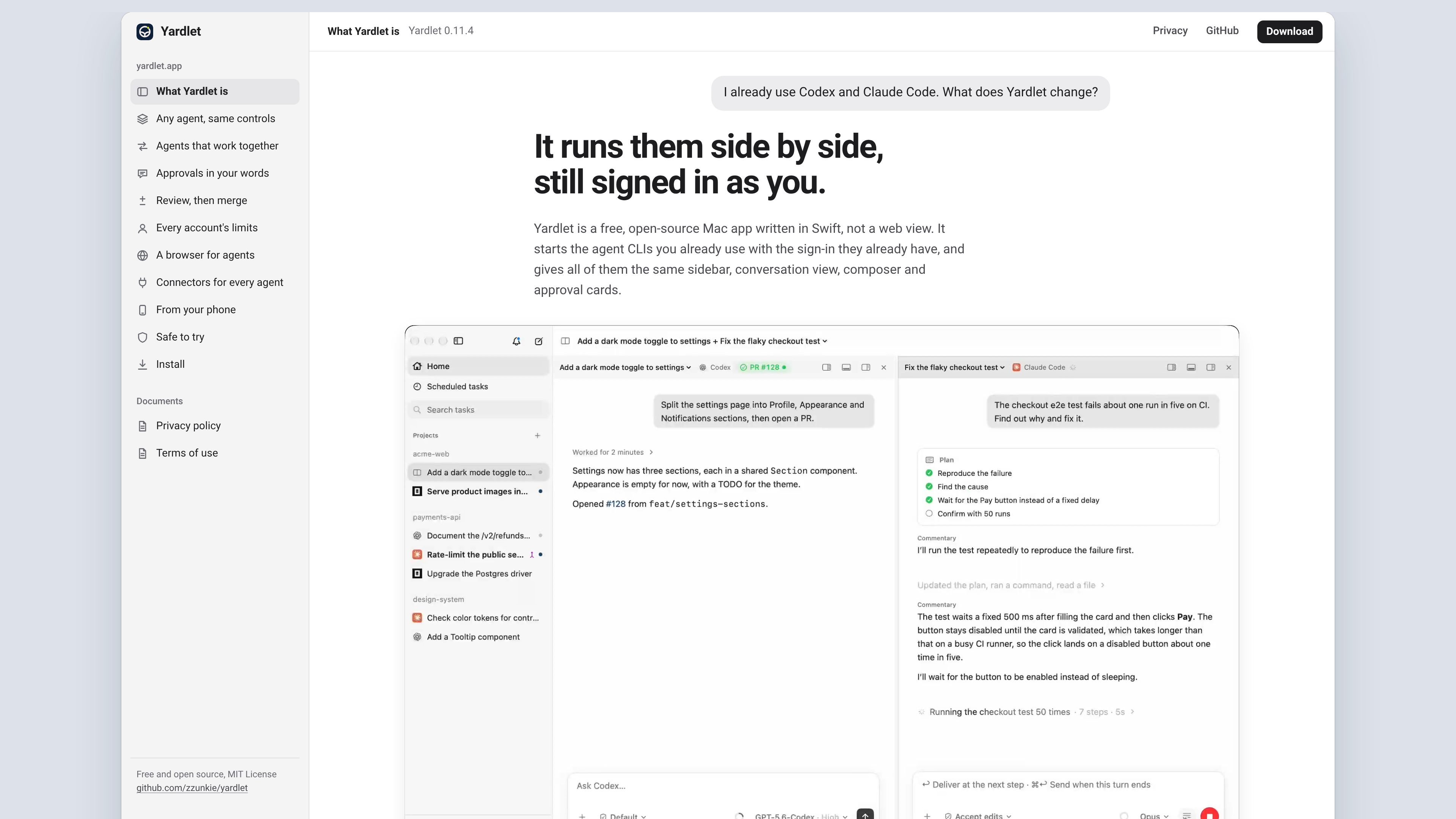
Yardlet is a native Mac application for running the coding-agent CLIs you already use side by side. Written in Swift rather than presented as a web view, it provides a shared sidebar, conversation view, composer, and approval-card interface while preserving each agent's existing sign-in and provider-specific choices.
The app is designed for workflows that span multiple agents and tasks: agents can exchange messages, start subtasks on another provider, wait for results, and schedule work. It also brings task review, pull-request checks, browser automation, MCP connectors, account-limit visibility, and optional phone-based approvals into the same workspace.
Run supported agent CLIs side by side in one native Swift interface with a shared sidebar, conversation view, composer, and approval cards. Each agent keeps its own controls and available choices.
Give agents access to task-level tools for reading or messaging other tasks, creating tasks, running subagents on another provider, waiting for results, and scheduling work while Yardlet remains open.
Review the last turn's diffs file by file, restore files or fork work, and use the terminal and files panes beside the conversation. Pull request cards follow checks and reviews through the user's own gh, with a Fix CI option when checks fail.
See each account's session and weekly limits, use more than one account per provider, and distribute concurrently started tasks across accounts with the most remaining room. Saved tasks retain the account they started on.
Let agents operate a Chromium panel beside the conversation using browser tools. Yardlet can fill saved sign-ins, two-step codes, and passkeys from its vault, while CAPTCHA or payment steps can be handed back to the user.
Set up connectors once for agents to use, including built-in Gmail, Google Calendar, and Google Drive support through Yardlet's local MCP server, plus GitHub, Slack, remote MCP services, registries, and imported servers.
Keep Codex, Claude Code, or another supported CLI visible in a shared workspace while retaining the sign-in, model choices, and permission behavior supplied by each agent.
Have one task inspect another task's latest turns, send it a message, create a subtask, or call a subagent from another provider when a workflow needs specialized agent handoffs.
Inspect changes beside the conversation, review files and pull-request checks, and use the user's own gh setup to merge when the review and checks are ready.
Use browser tools for an agent to work in a signed-in Chromium panel, then take over for CAPTCHA, passkey, or payment steps that require direct user action.
Connect email, calendar, storage, GitHub, Slack, or other MCP services once and make the selected connectors available to agent tasks, with per-task control to turn them off.
Yardlet starts the agent CLIs already installed and signed in on your Mac. Install Yardlet, then sign in to at least one supported agent before launching a task.
The home page lists Codex, Claude Code, OpenCode, Cursor Agent, Antigravity CLI, Kimi Code, Grok Build, Hermes Agent, Muse Code, and Pi. Yardlet's Settings > Harnesses list shows the agents it can start.
Each task has a composer for prompts and file attachments, a permission-mode selector, model and effort choices supplied by the selected agent, plan tracking, and usage indicators for context and account limits.
Yes. Agents can read and message other tasks, create tasks under themselves, run a subagent on another agent, wait for results, and schedule work while Yardlet is open. Messaging or starting a task in another project requires an approval.
Yardlet is a native Mac app written in Swift. The site specifies macOS 15 or later and Apple silicon, and says it is free and open source under the MIT License. The pricing page does not provide separate plan details.

CreateOS Sandbox is an isolated compute environment for running code and agent workloads inside Firecracker micro-VMs. It is designed for workflows that need machine-level isolation, private networking between sandboxes, and programmatic control through SDK, CLI, or MCP.

GitBot is a local browser-based workspace for creating reusable coding bots powered by Claude Code, Codex, or OpenCode. It helps developers run those agents across repository folders with persistent threads and configurable permissions.

ByteAsk is a terminal-first AI coding agent for C and C++ that edits repositories and verifies changes with the real compiler, debugger, sanitizers, and tests before showing a diff. It offers a free tier plus paid plans, with editor connectors and zero-retention handling described in the source.

hob is an independent workspace for coding agents that keeps agent sessions, terminals, history, and follow-up work organized around the tools and providers you already use. It is aimed at developers who want local control over routing, history, and workspace structure rather than a bundled model stack.

Manta AI is an autonomous web app testing tool for teams that want to map application behavior, catch regressions, and generate tests without writing scripts or maintaining selectors. It works from a URL and supports plain-English test flows, run results with screenshots, and scheduled or deployment-triggered checks.

SonOf connects to your repo and PM tool, audits the codebase and surrounding product context, and turns approved work into shipped tickets with senior engineering review. It is aimed at founders and engineering leaders who need backlog help without hiring a full team immediately.