

Chores
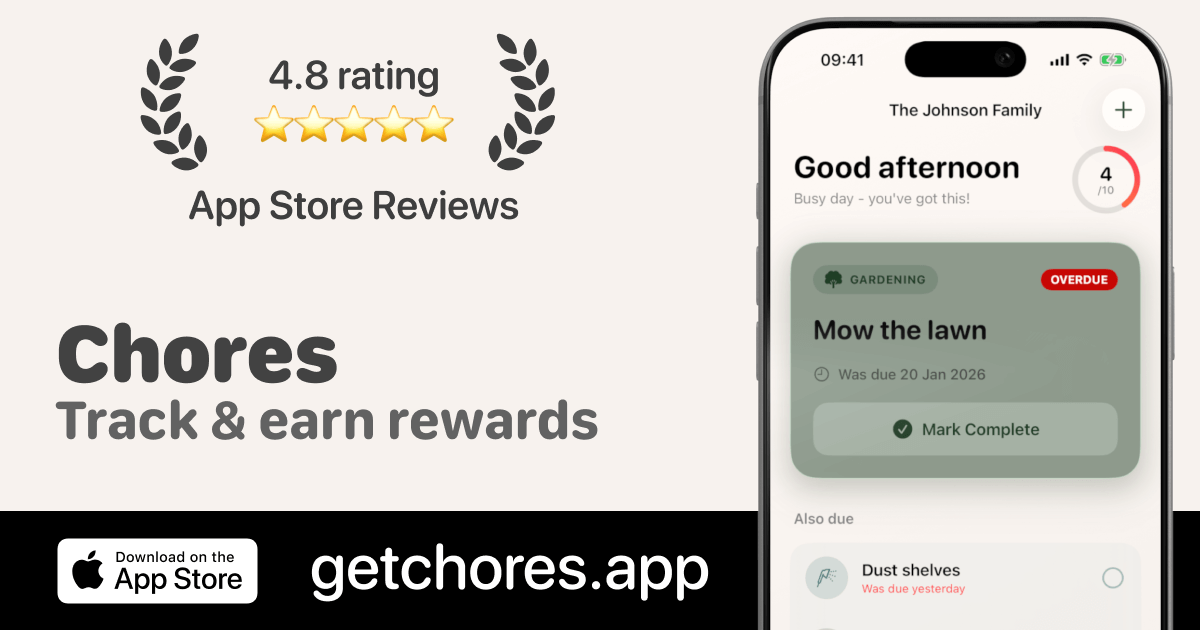
Chores is a free iOS app designed for couples, families, and roommates to collaboratively manage household tasks using smart scheduling, contribution tracking, and motivational rewards.
What is Chores?
What is Chores?
Chores is a specialized, free household task management application exclusively available for iOS and iPadOS (requiring iOS 17+). It moves beyond simple shared to-do lists by focusing entirely on the complexities of recurring household responsibilities shared among partners, family members, or roommates. The core mission of Chores is to eliminate friction, ambiguity, and arguments surrounding domestic labor by providing transparent tracking and automated scheduling.
Unlike generic organizational tools, Chores is built from the ground up to handle flexible recurrence patterns—whether a task is daily, weekly, every three days, or on a highly customized schedule. By automatically managing due dates and providing clear visual feedback on who has completed what, Chores ensures accountability and fairness, fostering a more harmonious living environment. The integration of a motivational rewards system further encourages consistent participation from all household members.
Key Features
- Smart Scheduling & Flexible Recurrence: Set tasks to repeat based on any interval needed, including daily, weekly, monthly, or custom durations (e.g., every 5 days or every 2 weeks). The system automatically calculates and updates due dates.
- Fair Contribution Tracking: Visualize household effort through beautiful, easy-to-read charts. This feature provides objective data on task completion, effectively ending debates about who is contributing more.
- Motivating Rewards System: Attach tangible or intangible rewards to specific chores. Once an individual or the household collectively completes the required number of repetitions, the designated reward is unlocked, boosting motivation.
- Real-Time Household Sharing: Seamlessly invite partners, children, or roommates to join the household space. All members can view, assign, complete, and track chores simultaneously, ensuring everyone is always up-to-date.
- Platform Specificity: Optimized performance and design specifically for the Apple ecosystem, supporting iPhone and iPad running iOS 17 or newer.
How to Use Chores
Getting started with Chores is straightforward, focusing on quick setup to immediately start organizing responsibilities:
- Download and Setup: Download the free app from the App Store onto your iPhone or iPad (iOS 17+ required).
- Create Your Household: Establish your household profile and invite other members (partners, family, roommates) via invitation links or codes.
- Define Tasks and Schedules: Input recurring household chores (e.g., "Take out trash," "Clean bathroom," "Walk dog"). For each task, set the appropriate flexible recurrence schedule.
- Assign and Track: Tasks can be assigned to specific individuals or left open for anyone in the household to claim. As members complete tasks, they mark them as done within the app, instantly updating the contribution charts.
- Implement Rewards (Optional): For tasks requiring extra motivation (especially useful for children), attach a reward that unlocks after a set number of completions, encouraging long-term consistency.
Use Cases
- Managing Shared Living with Roommates: Roommates can use Chores to establish clear, rotating schedules for communal areas like the kitchen and living room. The contribution tracking ensures that cleaning duties are split equitably, preventing passive-aggressive tension.
- Co-Parenting and Family Chore Delegation: Parents can assign age-appropriate chores to children. By attaching rewards (e.g., screen time, allowance milestones) to chore completion, nagging is minimized, and children learn responsibility through positive reinforcement.
- Partnership Chore Balancing: Couples can use the objective tracking charts to ensure workload parity. If one partner consistently handles weekly deep cleaning while the other handles daily tasks, the charts clearly illustrate the balance, allowing for constructive discussions rather than assumptions.
- Tracking Irregular Maintenance: For tasks that don't fit a neat weekly schedule (like deep cleaning the oven every 6 weeks or washing windows twice a year), the custom recurrence interval ensures these important but infrequent chores are never forgotten.
FAQ
Is Chores completely free to use? Chores is free to download and use for essential chore tracking, scheduling, and basic household sharing. Advanced features, such as detailed contribution statistics and the full rewards system functionality, require an optional premium subscription.
What devices are supported? Currently, Chores is available exclusively for Apple devices, supporting the iPhone and iPad running iOS 17 or a later version. There is no Android version available at this time.
How does Chores prevent arguments about fairness? Fairness is addressed through objective data visualization. The app tracks every completed task and displays contribution metrics in clear charts. This shifts the conversation from subjective feelings ("I do everything") to verifiable facts ("Here is the data on task completion this month").
Can I set a task to repeat only when it's convenient? Yes. Chores excels at custom scheduling. You are not limited to standard intervals; you can define tasks to repeat based on specific custom intervals, such as every 10 days or every 4 weeks, providing maximum flexibility for unique household rhythms.
Are rewards only for individuals? No. Rewards can be configured to unlock for an individual upon their completion milestones, or they can be set as a collective household goal, encouraging teamwork toward a shared benefit.
Alternatives

Planndu: Daily Task Planner
Planndu is an intuitive productivity application designed to help users organize tasks, manage projects, build routines, and enhance focus using tools like AI generation and a built-in Pomodoro timer.

Biji
Biji is a versatile platform designed to enhance productivity through innovative tools and features.

GitBoard
GitBoard is a native macOS menu bar application designed to provide seamless, in-workflow access to GitHub Projects Kanban boards, allowing users to manage tasks without leaving their current application.

Gemma AI
Gemma AI is a smart application that calls you directly with personalized, intelligent voice reminders to ensure you never miss important tasks, appointments, or deadlines.

Prompty Town
Prompty Town is an innovative platform that allows users to transform their links into virtual buildings, creating a unique and engaging way to share and interact with content.
MealTime
MealTime is your personal, offline-first recipe companion designed to help you save, organize, plan meals, and generate smart grocery lists, all while keeping your data private.