

TrendWidget
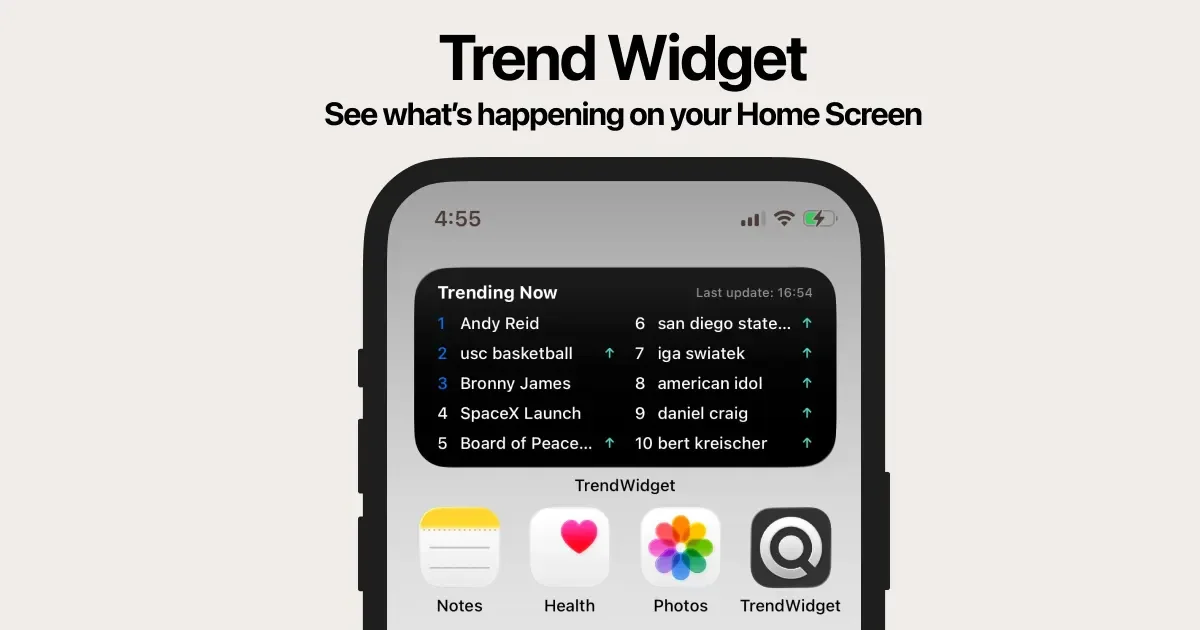
TrendWidget provides real-time trending keywords and AI search summaries, accessible instantly via a home screen widget on mobile and desktop.
What is TrendWidget?
What is TrendWidget?
TrendWidget is an innovative application designed to bring the pulse of the internet directly to your fingertips, whether you are on a mobile device or a desktop computer. Its core purpose is to deliver real-time trending keywords from major search engines like Google and Yahoo directly onto your home screen via a convenient widget. This allows users to stay informed about the hottest topics and breaking news without needing to actively open a browser or search application.
More than just a list of popular terms, TrendWidget integrates powerful AI capabilities. When a user clicks on a trending keyword, the application instantly generates comprehensive AI summaries, pulling together relevant news articles, videos, websites, and image results. This transforms a simple trend tracker into an immediate content consumption tool, explaining why a topic is trending with minimal effort required from the user.
Key Features
- Real-Time Trend Monitoring: Instantly access the hottest trending keywords from Google and Yahoo directly on your home screen.
- AI Search Summaries: Click any keyword to receive an instant, AI-generated summary explaining the context, along with curated links to news, videos, and images.
- Cross-Platform Availability: Seamlessly use the service as a mobile widget or as a WebApp directly in your desktop web browser.
- User-Centric Design: Features a smooth UI with adjustable widget sizes, ensuring it fits perfectly into your existing home screen layout.
- Lightweight Performance: Optimized for low power consumption, ensuring fast operation without draining your device's battery life.
- Beyond Basic Trends: Provides deep context by summarizing the underlying news and information driving the trend, moving past simple keyword display.
How to Use TrendWidget
Getting started with TrendWidget is designed to be quick and intuitive, ensuring you can monitor trends immediately:
- Installation/Access: For mobile users, download the TrendWidget application from your respective app store. For desktop users, access the WebApp directly through your preferred web browser (e.g., Chrome, Edge).
- Widget Setup (Mobile): Navigate to your device's home screen settings and add the TrendWidget. Customize the size to fit your layout preferences.
- Monitoring: Glance at the widget periodically to see the current top trending keywords.
- Deep Dive: When a keyword catches your attention, tap or click it. The integrated AI engine will immediately display a summary panel containing synthesized information, top news sources, and multimedia links related to that trend.
- Desktop Usage: Utilize the WebApp for quick checks throughout your workday, leveraging the same instant summary functionality without needing a dedicated mobile app.
Use Cases
- Social Media Managers & Content Creators: Quickly identify viral topics and breaking news to inform timely content creation, ensuring posts are relevant to current public interest.
- Journalists and Researchers: Use the tool for rapid initial topic discovery and to gather immediate context (via AI summaries) on developing stories before conducting deeper research.
- Busy Professionals: Professionals who need to stay generally informed about market shifts or major global events but lack time for extensive news browsing can get essential updates at a glance.
- Investors and Traders: Monitor rapidly emerging keywords that might signal market volatility or new investment opportunities in real-time.
- General Knowledge Enthusiasts: Anyone curious about what the world is talking about right now can satisfy their curiosity instantly, turning downtime into informed downtime.
FAQ
Q: Is TrendWidget free to use? A: TrendWidget typically offers a free tier with core functionality. For advanced features, unlimited AI summaries, or an ad-free experience, users may need to subscribe to a premium plan. Please check the official app store listing for the most current pricing structure.
Q: Does the widget drain my phone battery significantly? A: No. The application is specifically designed with a low-power optimized architecture. It prioritizes efficiency to ensure the widget operates quickly without causing noticeable battery drain concerns.
Q: Can I customize which search engine trends are shown (e.g., only Google or only Yahoo)? A: The application generally aggregates trends from major sources like Google and Yahoo. Specific settings for filtering sources might be available within the application's settings menu, allowing users to tailor the displayed results to their preference.
Q: Is the AI summary feature available on the desktop WebApp? A: Yes, the core functionality, including the ability to click a keyword and receive an instant AI search summary, is fully supported on the desktop WebApp version.
Q: How frequently does the widget update its trending keywords? A: The keywords are updated in real-time or near real-time to reflect the most current search interest, ensuring you are always viewing the latest popular topics.
Alternatives

Biji
Biji is a versatile platform designed to enhance productivity through innovative tools and features.

Prompty Town
Prompty Town is an innovative platform that allows users to transform their links into virtual buildings, creating a unique and engaging way to share and interact with content.

Grok AI Assistant
Grok is a free AI assistant developed by xAI, engineered to prioritize truth and objectivity while offering advanced capabilities like real-time information access and image generation.

Planndu: Daily Task Planner
Planndu is an intuitive productivity application designed to help users organize tasks, manage projects, build routines, and enhance focus using tools like AI generation and a built-in Pomodoro timer.
MealTime
MealTime is your personal, offline-first recipe companion designed to help you save, organize, plan meals, and generate smart grocery lists, all while keeping your data private.

GitBoard
GitBoard is a native macOS menu bar application designed to provide seamless, in-workflow access to GitHub Projects Kanban boards, allowing users to manage tasks without leaving their current application.