
Plan once, then hand off the loop
You define the finish line once, then AgentLoop routes work through a planner, fresh worker, and independent critic instead of asking you to relay every message.

AgentLoop is a local coding loop tool that sends work to fresh workers, reviews each cycle with an independent critic, and repeats until your project meets the standards you set. It is aimed at developers who want unattended progress on bounded coding tasks without losing visibility into the result.
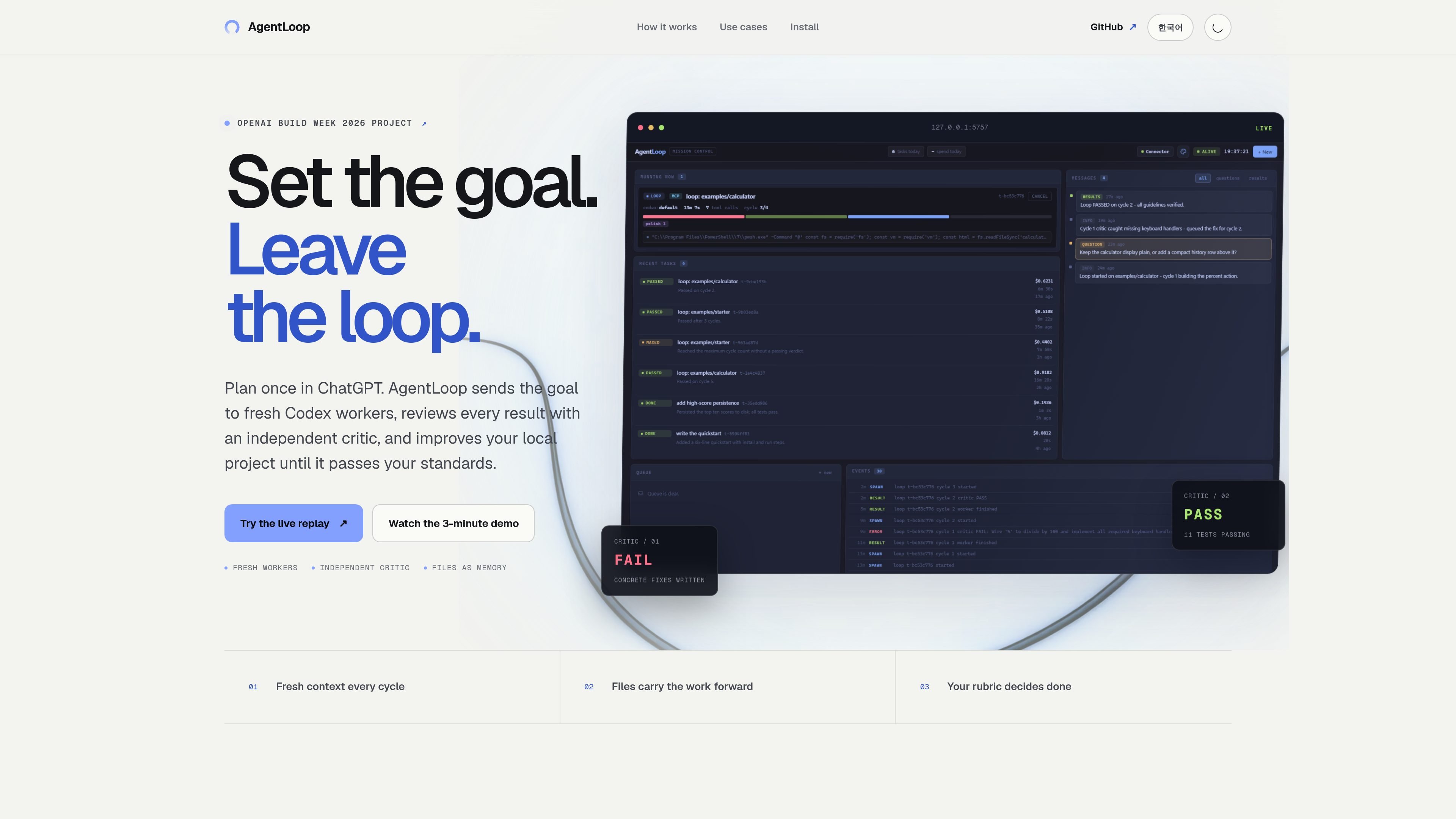
AgentLoop is a local coding loop tool that runs unattended on your machine. It is built around a simple handoff model: you set the goal, define the standards, and AgentLoop sends work to fresh Codex workers, reviews the results with an independent critic, and repeats until the project meets your rubric.
The site positions the product for tasks where you would otherwise babysit the work: feature builds, migrations, hardening passes, and product polish. Rather than relying on one long-running context, it uses fresh processes and project files to carry evidence forward between cycles.
You define the finish line once, then AgentLoop routes work through a planner, fresh worker, and independent critic instead of asking you to relay every message.
Each cycle starts with a clean worker process so the next attempt does not inherit stale context from the previous one.
A separate critic evaluates the result using your rubric, so success is based on the product's standards rather than only on test status.
Project files serve as the working memory between cycles, with evidence carried forward through files such as GUIDELINES.md and cycle logs.
The product runs on your machine where the code lives, with local execution and no hosted workspace required.
The dashboard and replay views expose cycle-by-cycle output, verdicts, transcripts, costs, and file handoffs for review and control.
Use AgentLoop when you have a well-scoped feature and acceptance criteria, and you want the tool to carry the implementation through several edit-and-review cycles.
Use it for migration work that needs repeated verification, especially when the changes touch multiple files or require regression coverage.
Use it for hardening passes where you want an independent critic to catch issues that tests might miss and then ask for a follow-up fix.
Use it for product polish tasks where the code needs to be brought up to a defined standard rather than simply made to pass tests.
Use it when you want unattended progress but still need visibility into what changed, why a critic approved it, and what evidence was carried forward.
AgentLoop is designed to run against a local project and requires Node.js 18+, Git, and an authenticated Codex CLI. The source says there is no npm install and no hosted workspace.
The page describes a loop where you define the goal and standards in ChatGPT and GUIDELINES.md, AgentLoop sends work to fresh workers, an independent critic reviews each result, and the next cycle carries the evidence forward.
The source shows it can be used for feature work, migrations, hardening passes, and product polish, especially when you want a bounded goal and clear acceptance criteria.
The page says the critic runs in a separate fresh process, passing tests are only evidence, and the system can watch every cycle, verdict, transcript, cost, and file handoff. It also mentions cancelling from the dashboard or asking ChatGPT for status through MCP.
The site states that Codex ships first and that the engine boundary stays pluggable. It also says MCP keeps planning separate from local execution, with future support mentioned for more engines, two-way agent questions, and research loops.

ByteAsk is a terminal-first AI coding agent for C and C++ that edits repositories and verifies changes with the real compiler, debugger, sanitizers, and tests before showing a diff. It offers a free tier plus paid plans, with editor connectors and zero-retention handling described in the source.

Ghost es un asistente de IA para terminal para chatear, generar código y ejecutar tareas en la línea de comandos. Incluye modelos gratuitos, es compatible con Linux, macOS y Windows, y es de código abierto.

CreateOS Sandbox is an isolated compute environment for running code and agent workloads inside Firecracker micro-VMs. It is designed for workflows that need machine-level isolation, private networking between sandboxes, and programmatic control through SDK, CLI, or MCP.

hob is an independent workspace for coding agents that keeps agent sessions, terminals, history, and follow-up work organized around the tools and providers you already use. It is aimed at developers who want local control over routing, history, and workspace structure rather than a bundled model stack.

Manta AI is an autonomous web app testing tool for teams that want to map application behavior, catch regressions, and generate tests without writing scripts or maintaining selectors. It works from a URL and supports plain-English test flows, run results with screenshots, and scheduled or deployment-triggered checks.

SonOf connects to your repo and PM tool, audits the codebase and surrounding product context, and turns approved work into shipped tickets with senior engineering review. It is aimed at founders and engineering leaders who need backlog help without hiring a full team immediately.