
Visual change detection
Capture screenshots and compare them against a baseline so PRs surface only the visual changes that matter.

Argos is a developer tool for visual and snapshot testing, collaborative reviews, and deployment previews. It helps teams and AI agents review screenshots, structured files, and UI changes before merge.
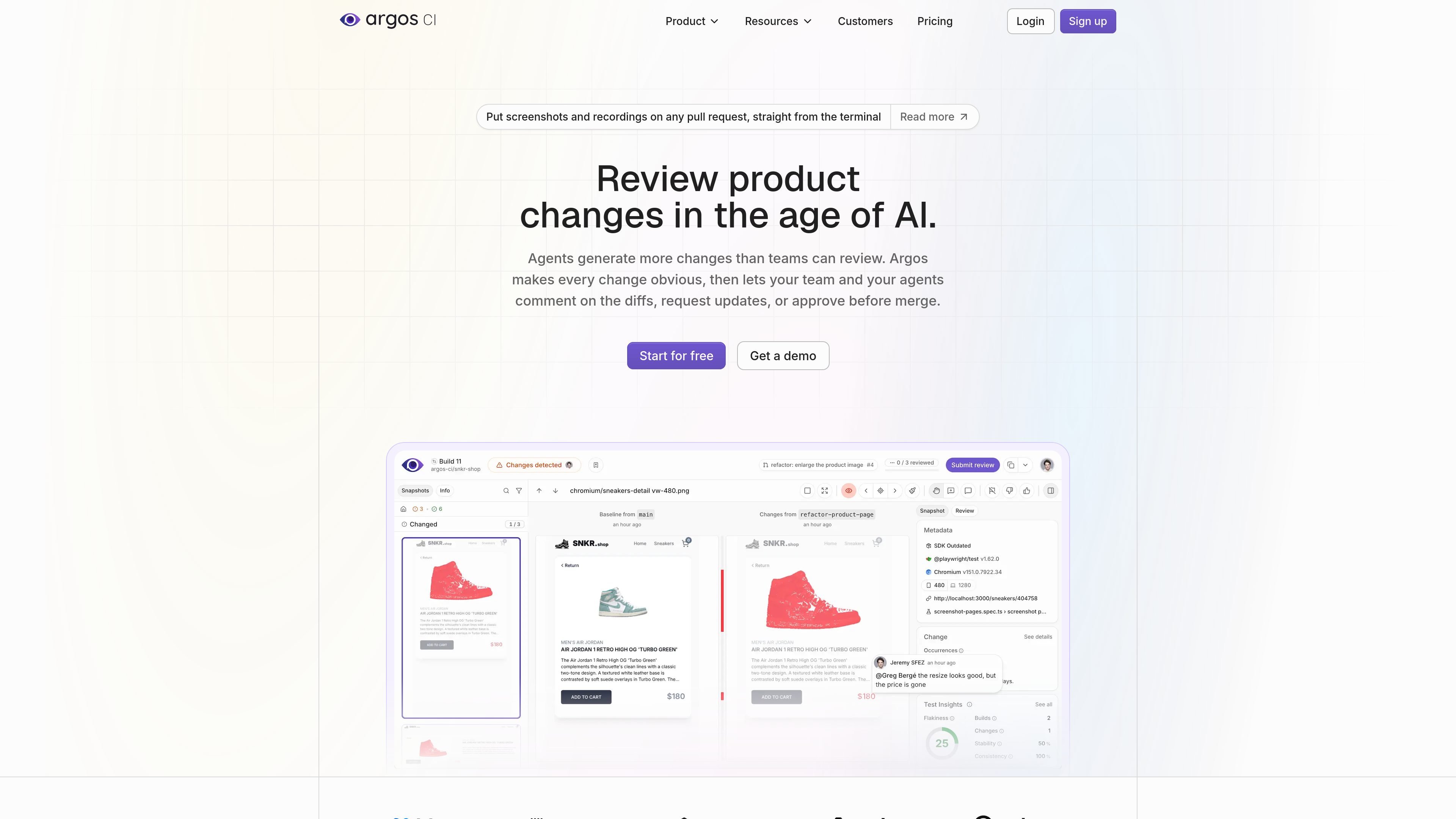
Argos is a developer tool for visual and snapshot testing, review, and deployment previews. It is positioned around product quality for teams and AI agents that ship changes quickly, especially when those changes show up as screenshots, structured text, or rendered UI output.
The product covers change detection in CI, collaborative review of diffs, flaky test handling, and debugging context for failed tests. The site also shows workflows for Storybook, Playwright, deployment previews, and AI-generated code, with support for GitHub and GitLab integrations plus Slack and Microsoft Teams notifications on paid plans.
Capture screenshots and compare them against a baseline so PRs surface only the visual changes that matter.
Review Markdown, JSON, HTML, CSS, XML, YAML, and plain text alongside screenshots, so non-visual output can be checked in the same workflow.
Group related diffs, use synchronized zoom, highlighters, keyboard shortcuts, and side-by-side or overlay views to inspect changes quickly.
Pin comments to a specific pixel or text line, mention teammates, and resolve threads in the review itself.
Track flaky behavior, instability over time, and build-level stability metrics, then ignore flaky changes when needed.
Attach traces, replay information, and failure screenshots to help explain why an end-to-end test failed.
Use Argos to compare screenshots and rendered output on pull requests so design or layout regressions are caught before merge.
Run Storybook stories in CI and capture screenshots for different states, themes, viewports, or locales without duplicating stories.
Let reviewers comment on a specific pixel or line, then bring in designers, engineers, or AI agents to resolve the thread together.
Track instability across builds, identify flaky snapshots, and ignore noisy changes when a test is not reliable.
Attach traces and failure screenshots to failed runs so engineers can inspect what happened and debug end-to-end issues faster.
Argos is aimed at teams that want to review visual and snapshot changes in CI, including screenshots, Markdown, JSON, HTML, CSS, and other text-based artifacts. The site also describes workflows for Storybook, Playwright, deployment previews, and AI-generated code changes.
The pricing page says Argos is free to start with no credit card required, and it offers a Hobby plan and paid Pro and Enterprise options. The Hobby plan is listed at $0 forever, while Pro starts at $100 per month billed monthly based on usage.
Yes. The site explicitly describes Argos for AI agents and says agents can see diffs as structured data, fix what they broke, and show their work before a human reviews what remains.
Argos supports collaborative reviews where multiple people can comment on the exact pixel or line that changed, mention teammates, react, and resolve threads together.
The site highlights visual and snapshot testing for Playwright and Storybook, and it also shows deployment previews for Storybook, Vite, Next.js exports, or plain HTML. That suggests Argos is focused on front-end and app output review rather than general-purpose test management.

ByteAsk is a terminal-first AI coding agent for C and C++ that edits repositories and verifies changes with the real compiler, debugger, sanitizers, and tests before showing a diff. It offers a free tier plus paid plans, with editor connectors and zero-retention handling described in the source.

hob is an independent workspace for coding agents that keeps agent sessions, terminals, history, and follow-up work organized around the tools and providers you already use. It is aimed at developers who want local control over routing, history, and workspace structure rather than a bundled model stack.

Manta AI is an autonomous web app testing tool for teams that want to map application behavior, catch regressions, and generate tests without writing scripts or maintaining selectors. It works from a URL and supports plain-English test flows, run results with screenshots, and scheduled or deployment-triggered checks.

CreateOS Sandbox is an isolated compute environment for running code and agent workloads inside Firecracker micro-VMs. It is designed for workflows that need machine-level isolation, private networking between sandboxes, and programmatic control through SDK, CLI, or MCP.

Biji es una plataforma versátil diseñada para mejorar la productividad a través de herramientas y características innovadoras.

Ably Chat is a chat API platform for building custom realtime chat applications. It supports room-based messaging, typing indicators, presence, reactions, and message updates, with usage-based pricing options for different deployment stages.