
Conversational app building
Describe an app in plain language, review the generated plan, and publish a real app to your workspace. The builder supports continued refinements by chat after launch.

Assembly Studio is an AI app builder for professional services firms that need production-ready client-facing apps and internal tools. It combines plain-language app creation with a branded client experience, built-in authentication, and platform components such as CRM and workflows.
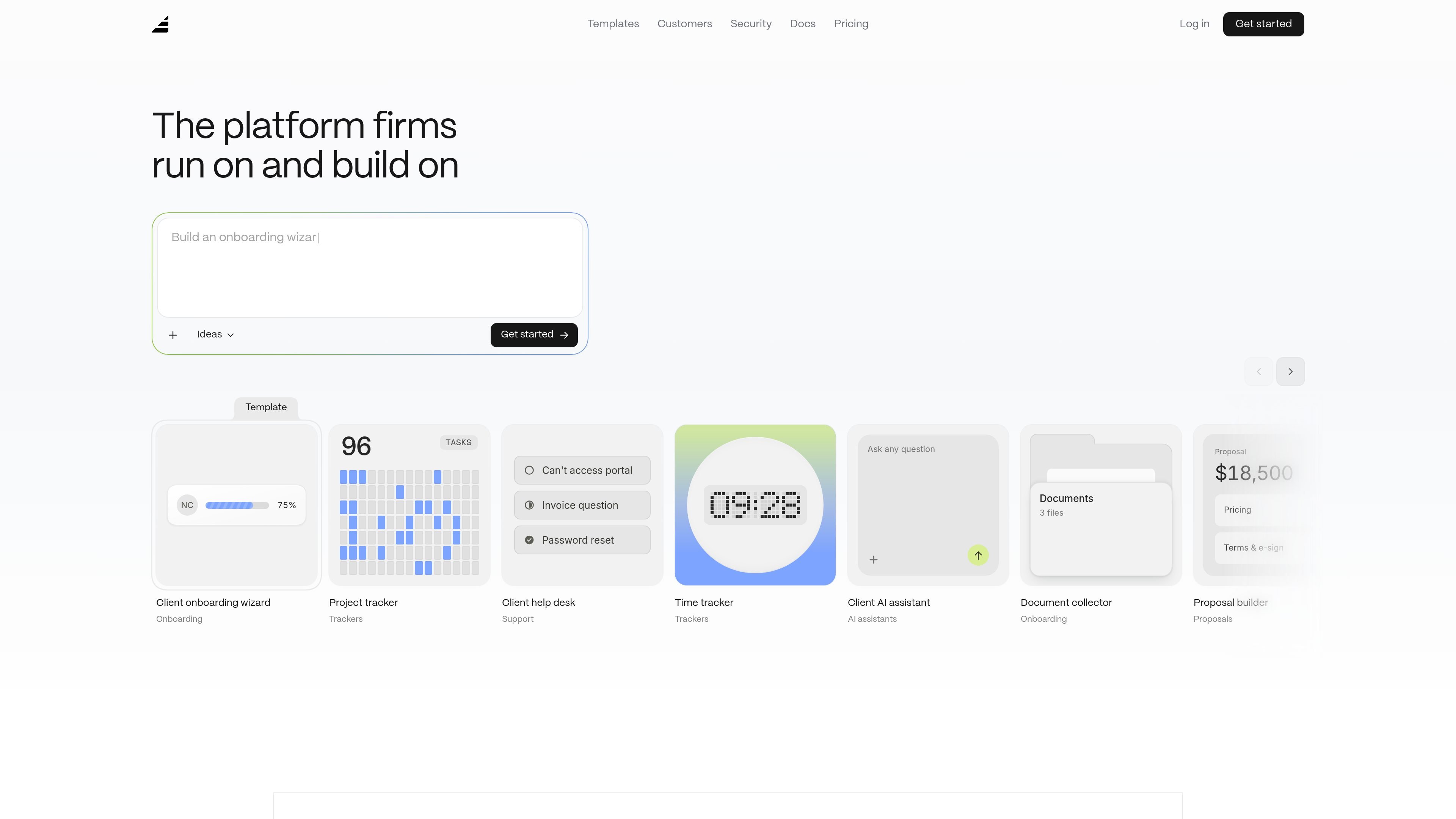
Assembly Studio is an AI app builder for professional services firms that need client-facing apps and internal tools without assembling a stack of separate products. It turns a plain-language description into a working app, then places that app inside a branded client experience with built-in authentication, CRM, workflows, and other platform components.
The product is positioned for firms that want to publish production-ready applications rather than temporary prototypes. Source materials show use cases such as client onboarding, document collection, time tracking, project tracking, approval workflows, proposal building, client dashboards, and AI assistants that answer questions from a firm’s own documents.
Describe an app in plain language, review the generated plan, and publish a real app to your workspace. The builder supports continued refinements by chat after launch.
Apps ship inside a branded client experience on your own domain, with client sign-in, sidebar navigation, and no separate hosting setup for the end user.
The platform includes a CRM foundation, workflows, notifications, roles and permissions, authentication, and integrated payments so apps do not start from a blank slate.
Pre-made templates cover onboarding, trackers, approvals, proposals, AI assistants, support, and internal resources, giving teams a starting point they can reshape by chat.
Paid plans introduce controls such as custom domains, removal of Assembly branding, app visibility, automation builder, AI model selection, audit logs, client access permissions, enforced MFA, and custom SSO at higher tiers.
The pricing model uses build credits for app creation and edits, while live apps continue running without consuming credits. Extra build credits and extra apps can be added as needed on paid plans.
Create a client portal for onboarding, document collection, status updates, or support so clients can complete tasks and see progress in one branded place.
Build an internal tracker for hours, project milestones, approvals, or case status when the team needs a structured tool that is separate from the client-facing view.
Generate proposal, pricing, or e-sign flows that let a firm present work, collect approvals, and keep the process inside the client experience.
Use the built-in templates as a starting point, then adapt the app by chat to match an agency, accounting, or consulting workflow without rebuilding the basics.
Add an AI assistant that answers client questions from the firm’s own documents, or build other document-driven apps such as resource libraries and data rooms.
Assembly Studio is designed to turn a plain-language app idea into a working app through a describe-plan-publish-iterate flow. The builder asks product questions, shows a plan for approval, then builds the app and lets you refine it by chat.
The source materials show client-facing apps and internal tools, including onboarding wizards, document collection, project trackers, approval workflows, client dashboards, and AI assistants that answer questions from your firm’s documents.
Assembly Studio’s pricing page says there is a Free plan with 5 active contacts, 1 internal user, 50 build credits per month, and 3 apps. Paid plans add more contacts, users, build credits, and options such as custom domains and white-labeling.
No. The product description and FAQ say you describe what you want in plain English, answer a few questions, approve or edit the plan, and the system builds the app. Changes are also made by conversation.
The product is built for professional services firms and emphasizes a branded client experience, authentication, roles and permissions, workflows, messaging, and payments. The source does not list a fixed connector catalog beyond an API and MCP connector on the Starter plan.

GenMB is an AI web app builder that creates full-stack web apps with frontend, backend, database, authentication, and automations included. It is aimed at individuals and teams that want to build and publish working apps from a plain-language prompt.

Make Real is a Next.js app that turns hand-drawn wireframes into working HTML prototypes using the tldraw SDK and AI models. It helps users sketch on a canvas, generate code, and review the result in an embedded preview.

Speculos is a deployment tool for Claude Code that publishes what you built to a shareable URL. It supports private, org-wide, or public apps and adds team controls for company domains, data connections, and customer-cloud deployments.

FigPrompt is an AI tool for creating production-ready Figma plugins from a written description. It helps Figma users move from idea to plugin logic without writing code.

Capacity is a no-code, AI-assisted app builder that turns plain-language ideas into working apps. It helps people ship apps with accounts, payments, and custom domains without writing code.

Prompty Town is a web product that turns a link into a building in a small internet city. It appears to let users buy a tile, add a prompt, and publish the result alongside other buildings.