BeadPattern icon

BeadPattern

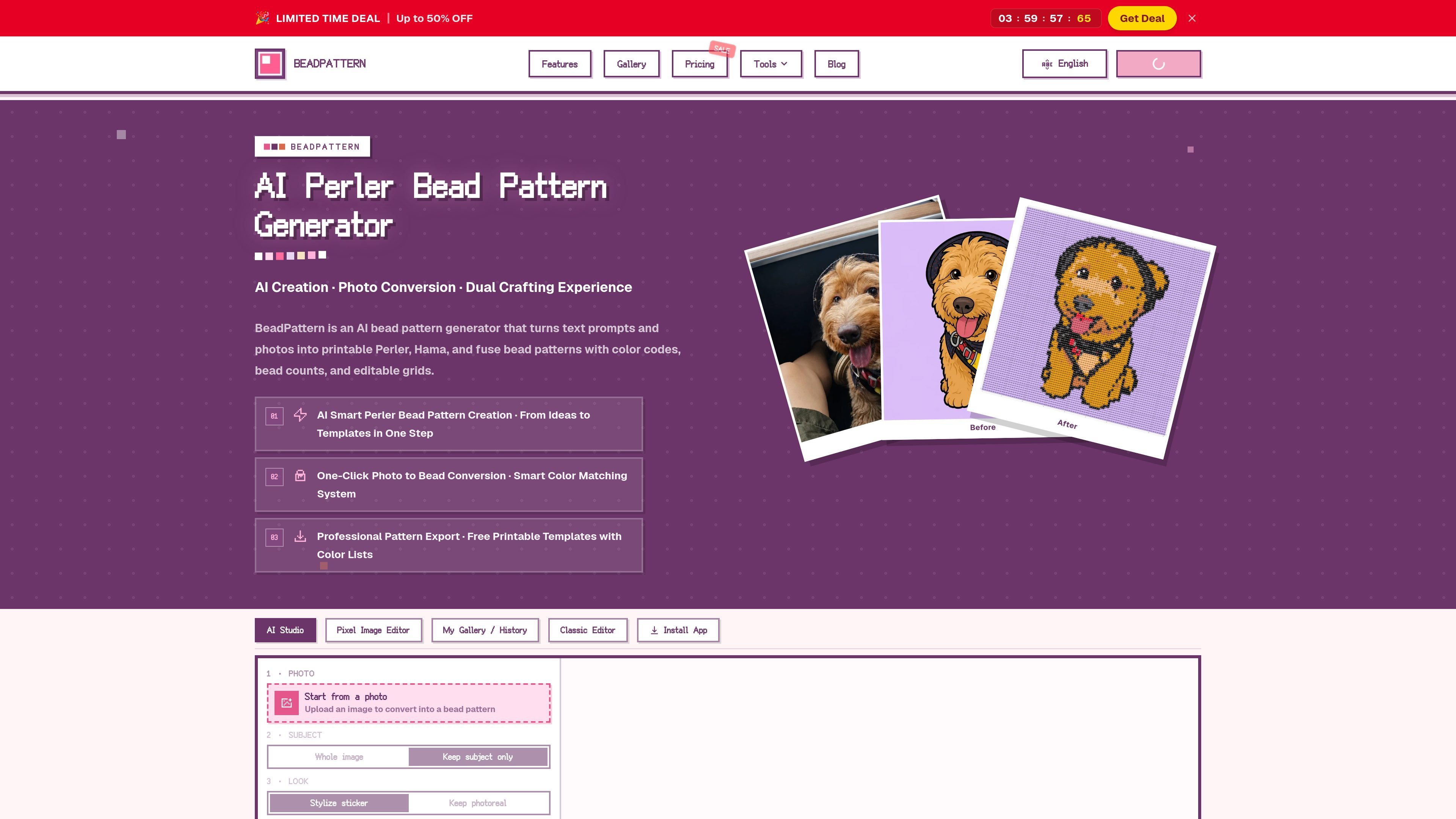
BeadPattern is an online bead pattern maker that turns text prompts and photos into printable Perler, Hama, and fuse bead templates. It helps crafters create patterns with color codes, bead counts, and exportable PDF or PNG files.

BeadPattern

What BeadPattern does

BeadPattern is an online bead pattern maker that converts text prompts and photos into printable craft templates for Perler, Hama, and fuse beads. It pairs AI-generated concepts with photo conversion, then adds color codes, bead counts, and editable grids so users can move from idea to pattern in one workflow.

The site positions the product for hobby crafters, pixel artists, and shop owners who need patterns they can actually build. Published pages emphasize practical controls such as color-system selection, custom palettes, grid editing, gallery browsing, and export options for PDF or PNG templates.

Core features

AI pattern generation from prompts

Turn a text prompt into a bead pattern, with the site describing multiple style options such as cute, illustration, and pixel art. The generator is meant to create pattern options without requiring a reference image.

Photo-to-pattern conversion

Upload JPG, PNG, or WebP images and convert them into bead charts. The site says it uses smart color matching and a dominant-color approach to avoid harsh black edges and improve clarity.

Color-system and palette control

Choose from Perler, Hama, and Artkal color systems, or apply a custom palette based on the beads you own. This helps the output stay aligned with real-world crafting materials.

Editable grid workflow

Edit bead positions directly in an online grid editor and use undo/redo while refining the pattern. This is positioned as a way to make small corrections before exporting.

Printable exports and download options

Export printable PDF or PNG templates with color codes and bead counts. The pricing page also says some paid plans remove watermarks, support unlimited downloads, and add cloud sync.

Gallery and project history

Browse featured and community gallery examples, and use the original image from a gallery entry as a starting point for conversion. The site also surfaces “My Gallery / History” for saved work.

Common use cases

  • Starting a project from scratch

    A beginner can describe a character or idea, let the AI generate options, and then export a printable pattern without needing to hand-draw a grid.

  • Turning photos into bead patterns

    Someone with a photo of a pet, person, or artwork can upload the image and convert it into a bead chart with matched colors and bead counts.

  • Working with a limited bead inventory

    A crafter who owns a specific bead brand can choose a matching color system or apply a custom palette so the pattern fits available materials.

  • Refining and reusing patterns

    An Etsy seller, classroom teacher, or repeat pattern maker can use the editing grid, history, and download/export workflow to iterate on designs more efficiently.

  • Creating printable templates for sharing or production

    Users who want a cleaner final handout can export PDF or PNG templates, with paid options for watermark-free downloads and cloud sync.

Pros and Cons

Pros

  • Supports both prompt-based generation and photo conversion, so users can start from an idea or an existing image.
  • Includes color codes, bead counts, and printable PDF or PNG output, which makes the patterns more practical for physical crafting.
  • Offers smart color matching plus custom palette control, which is useful when working with specific bead brands or an owned color set.
  • Provides online editing, undo/redo, and gallery/history features for refining and reusing patterns.
  • Some paid plans add watermark-free exports, unlimited downloads, and cloud sync.

Cons

  • The free plan is limited to three watermarked downloads per month, based on the homepage copy.
  • Some exports and no-watermark access are tied to paid credit balances or export packs.
  • The pricing page shows that AI and photo-to-pattern tools share a credit wallet, so heavy AI use can reduce the balance available for pattern conversions.

FAQ

How do I get started with BeadPattern?

The site describes BeadPattern as a free online bead pattern maker, so you can start in the browser without installing desktop software. The published workflow is to enter a text idea or upload a photo, generate a pattern, then export it as a printable template.

Who is BeadPattern best suited for?

The site says BeadPattern supports perler beads, fuse beads, and Hama beads. It is positioned for DIY crafters, pixel artists, beginners, and shop owners who need printable bead charts with color codes.

What export formats does BeadPattern offer?

The site says output can be exported as printable PDF or PNG templates with color codes and bead counts. The pricing page also notes watermark-free exports for active credit balances or export packs, while free users get limited watermarked downloads per month.

How does pricing work?

The pricing page shows paid options for AI credits, plus photo-to-bead pattern plans that include no watermark, unlimited downloads, custom palettes, and cloud sync. It also states that failed AI generations are not charged and that adjusting grid or palette settings on the same image is free.

Does BeadPattern list any integrations?

The site does not mention third-party integrations. The published product pages focus on the web app itself, gallery browsing, and export features rather than connecting to external tools.

Quick Facts

Category
AI bead pattern maker
Primary output
Printable bead patterns with color codes and bead counts
Supported craft types
Perler beads, Hama beads, and fuse beads
Input methods
Text prompts and uploaded images
Platform
Web app
Pricing model
Free tier plus paid credit and export plans

Alternativas a BeadPattern

Pixelcut icon

Pixelcut

Pixelcut is an AI photo editor for creating and editing product images, social content, and video assets. It offers free and paid plans, plus mobile app and browser access for individual users and teams.

Petalica Paint icon

Petalica Paint

Petalica Paint is a web service for automatically coloring line art and tracing line drawings from photographed images. The home page says it can be used under the stated terms for commercial and noncommercial work, but it is scheduled to end on 2025-07-31 at 16:00 JST.

PixelDrive icon

PixelDrive

PixelDrive is a bulk image generation API for creating many on-brand images from one template through a browser editor, REST API, CSV batch, or MCP. It suits teams that need repeatable image output with cacheable renders and usage-based pricing.

Wearvue AI icon

Wearvue AI

Wearvue AI generates personalized outfit previews from a photo, lets users refine the style for an occasion, and surfaces similar real products to shop. It is aimed at people who want to preview outfit ideas before buying and compare them with shoppable alternatives.

Upscale.media icon

Upscale.media

Upscale.media is an AI image upscaling and enhancement tool from Pixelbin that enlarges low-resolution or pixelated images and improves clarity in the browser. It offers free individual image use, paid credit plans, and team-oriented workflows such as bulk processing and API integration.

图像大厨imgcook icon

图像大厨imgcook

imgcook is a design-to-code tool that converts design drafts into front-end code. It supports plugin-based and developer workflows for Sketch, Photoshop, VS Code, and CLI usage.