
Multi-agent session overview
Run Claude Code, Codex, or other terminal-based agents in separate sessions and see whether each is working, waiting, done, or idle.
Farol is a native macOS terminal for supervising Claude Code, Codex, and other terminal-based AI coding agents. It runs sessions in isolated git worktrees, surfaces agent status and notifications, and provides tools to review, resolve, commit, push, and open pull requests for the resulting changes.
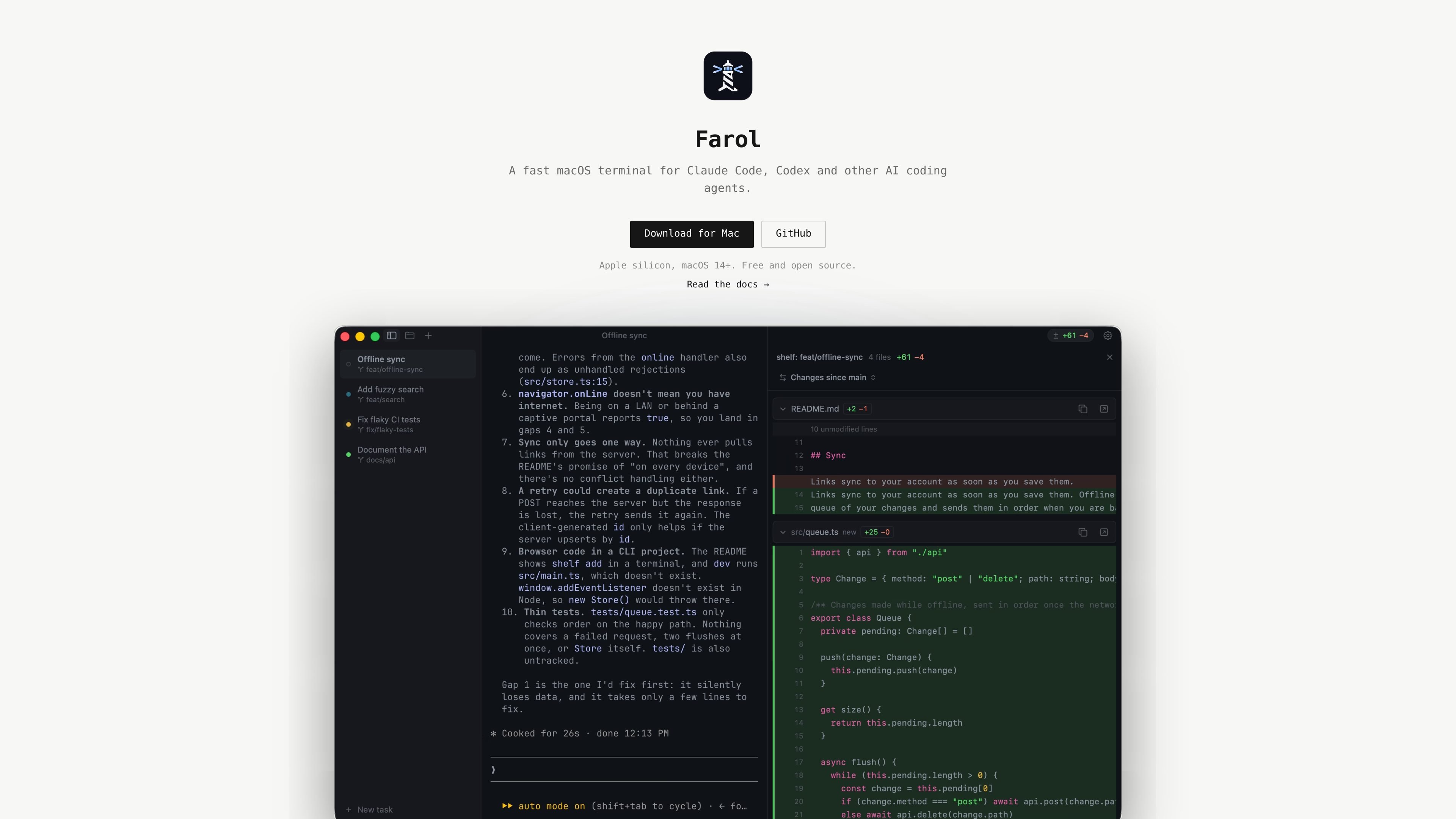
Farol is a native macOS terminal for agentic coding: it lets developers run Claude Code, Codex, and other terminal-based AI coding agents while supervising their sessions. Its sidebar and status indicators show which sessions are working, waiting for input or approval, done, or idle.
The app combines terminal sessions with task setup, isolated git worktrees, code review, and Git operations. A user can describe a task, assign it to an agent, review the resulting changes, resolve conflicts when needed, and commit, push, or open a pull request without leaving Farol. It is built on libghostty and reads Ghostty configuration and themes.
Run Claude Code, Codex, or other terminal-based agents in separate sessions and see whether each is working, waiting, done, or idle.
From any application, use the menu bar lighthouse or a panel positioned at the notch or screen edge to monitor sessions. macOS notifications and the Dock count waiting sessions.
Start a task with ⇧⌘N and Farol creates a new branch and git worktree before sending the task to the selected agent, preventing parallel sessions from sharing files.
Browse changed files, inspect diffs, make quick edits in the built-in editor, and selectively commit, push, or open a pull request on GitHub or GitLab.
Inspect branches and commits with the git graph, including checkout, create, rebase, delete, cherry-pick, and revert operations.
Handle merge, rebase, cherry-pick, and revert conflicts in a three-column view, decide changes interactively, edit the result, and continue or abort the operation.
Assign separate tasks to Claude Code or Codex and let each agent work on its own branch and checkout, reducing interference between concurrent changes.
Keep coding agents running while working in an editor, browser, or other application, then respond when Farol signals that a session needs approval or has finished.
Inspect changed files and branch history, make targeted edits, select which files to commit, and open a pull request after an agent completes its work.
Use the built-in three-column resolver when an agent's branch encounters merge, rebase, cherry-pick, or revert conflicts, then continue the Git operation after deciding each change.
Connect multiple Claude or Codex accounts and select the appropriate account when starting a task, while preserving each tool's existing settings.
Farol is a free, open-source macOS terminal application for supervising AI coding agents. It provides a session for each agent, status indicators, notifications, and review tools before code is shipped.
Farol requires a Mac with Apple silicon and macOS 14 or later. It can be installed by downloading the signed and notarized Farol.dmg or with Homebrew using brew install --cask snowztech/tap/farol.
Open Settings → Agents and connect Claude Code or Codex. Claude Code receives Farol status hooks, while Codex reports status through terminal titles for interactive sessions; Codex hooks for non-interactive and background runs require version 0.159.2 or later. Existing sessions may need to be restarted after connecting hooks.
Press ⇧⌘N, describe the task, choose an agent and account, and select a branch name. Farol creates a git worktree on a new branch and sends the task as the agent's first prompt, keeping parallel agent checkouts separate.
Yes. Farol works with any agent that runs in a terminal. Agents can report state through Farol's CLI exposed as $FAROL_CLI, or an agent that rings the terminal bell appears as waiting without additional setup.

ByteAsk is a terminal-first AI coding agent for C and C++ that edits repositories and verifies changes with the real compiler, debugger, sanitizers, and tests before showing a diff. It offers a free tier plus paid plans, with editor connectors and zero-retention handling described in the source.

GitBot is a local browser-based workspace for creating reusable coding bots powered by Claude Code, Codex, or OpenCode. It helps developers run those agents across repository folders with persistent threads and configurable permissions.

Ghost es un asistente de IA para terminal para chatear, generar código y ejecutar tareas en la línea de comandos. Incluye modelos gratuitos, es compatible con Linux, macOS y Windows, y es de código abierto.

Vi3ecode is a maintained development environment for working with AI coding agents. It keeps project context, terminal, Git, memory, flows, review, and communication connected around the agent you already use.

Lucid Train is a local-first AI coding harness that turns repository code into architecture diagrams and uses those diagrams as specifications for coding agents. It is available as a desktop app and a lightweight Rust CLI, and it can run with local models or your own API keys.

CreateOS Sandbox is an isolated compute environment for running code and agent workloads inside Firecracker micro-VMs. It is designed for workflows that need machine-level isolation, private networking between sandboxes, and programmatic control through SDK, CLI, or MCP.