
Purchase-button detection
When you click a purchase button such as "Buy Now," "Add to Cart," or "Checkout," Buy Blocker interrupts the flow with a popup so you can decide whether to continue.

Buy Blocker is a free Chrome extension that pauses online shopping before checkout so users can decide whether a purchase is intentional. It also supports whitelists, custom keywords, and save-for-later reminders.
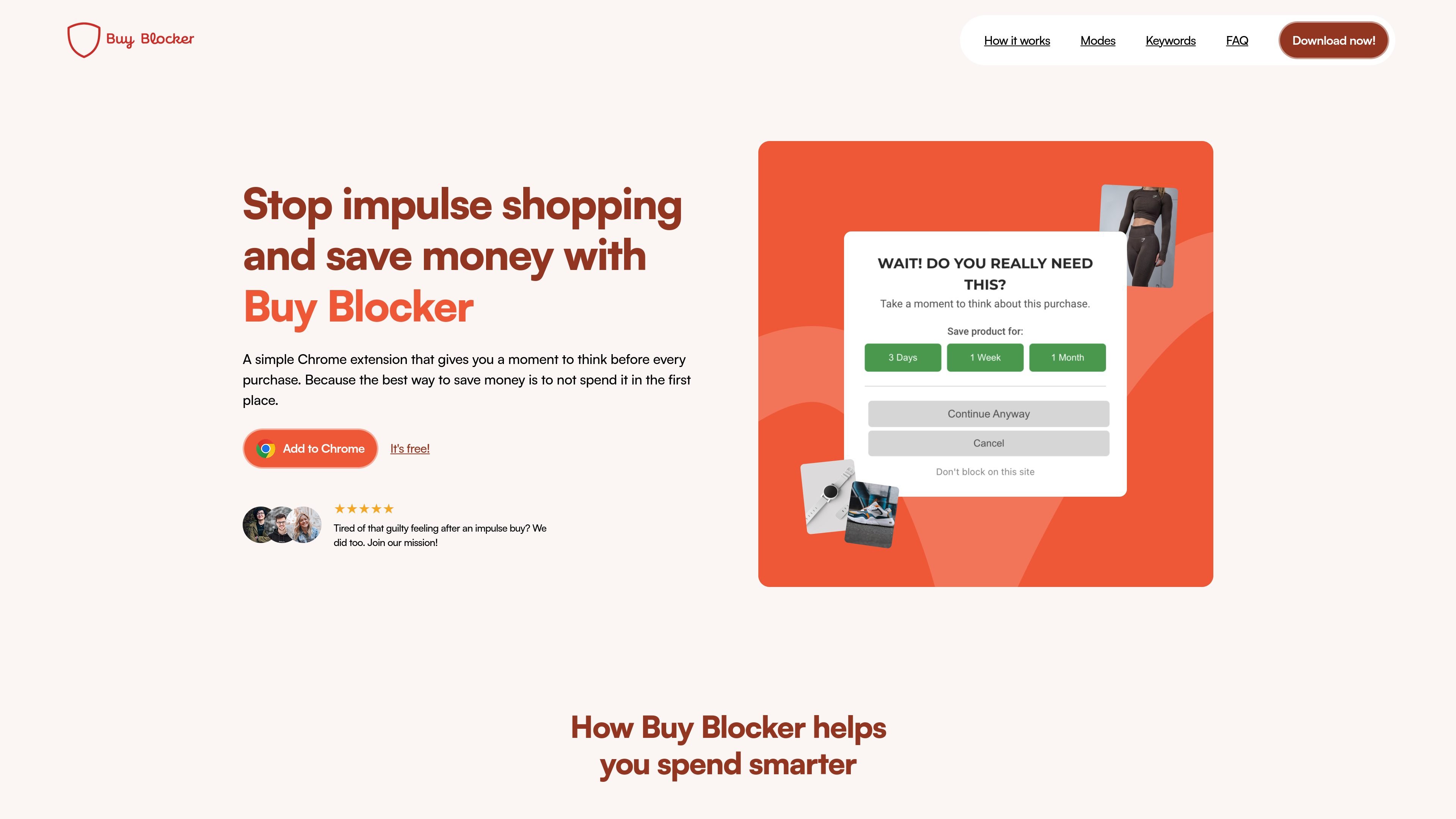
Buy Blocker is a Chrome extension that adds a pause before online purchases. It watches for common shopping actions such as clicking "Buy Now" or "Add to Cart" and shows a prompt that asks whether you really want to continue.
The extension is designed to reduce impulse shopping by creating a small moment of friction. Users can continue right away, save an item for later, whitelist trusted sites, or choose a more deliberate mode such as box breathing or a simple math check.
When you click a purchase button such as "Buy Now," "Add to Cart," or "Checkout," Buy Blocker interrupts the flow with a popup so you can decide whether to continue.
Choose a simple confirmation, a 16-second box breathing exercise, or a short math question before proceeding to checkout.
Save items for 3 days, a week, or a month, then revisit them later from the extension instead of buying immediately.
Add trusted sites to a whitelist, or switch the extension off temporarily when interruptions would be inconvenient.
Use built-in purchase keywords or add and remove your own trigger words in any language from the settings tab.
Use Buy Blocker while browsing shopping sites when you want a brief pause before clicking purchase buttons and prefer to decide intentionally instead of on autopilot.
Add trusted merchants like grocery or utility sites to the whitelist so routine payments and errands are not interrupted by the extension.
Switch to Box Breathing or Math Mode when a stronger pause would help you slow down before checking out.
Customize trigger words for local shops or non-English purchase buttons so the extension can respond to the wording used on the sites you visit.
Save items for later when you are not ready to buy, then return after the chosen delay to reconsider the purchase.
Buy Blocker detects purchase-related buttons on shopping websites and shows a popup before you continue. You can continue immediately, save the item for later, or cancel.
No. It gives you a choice each time, and you can click "Continue Anyway" to proceed right away. You can also whitelist trusted sites such as grocery stores or utility companies.
There are three modes: Normal, Box Breathing, and Math Mode. You can switch modes anytime in the extension settings.
Yes. You can add your own trigger words or phrases in any language and remove default keywords you do not need.
Yes. The extension is completely free, with no hidden costs, premium features, or subscriptions mentioned on the site.

Lasso is an ecommerce product data platform for enriching catalog records, processing supplier files, generating product content, and monitoring competitors. It combines a web app with a REST API, SDK, and MCP server for teams and developers.

DailyPlay.ai is a behavioral growth platform that uses AI site scanning and micro-games to help brands improve engagement and conversion. It supports web, mobile, and other digital touchpoints, with a one-line script setup and a free engagement scan.

Teloframe is an AI-powered football coaching platform for building tactics, editing drills, planning sessions, and managing player development in one workspace. It includes a Free tier plus Pro and Club plans for coaches and analysts who need more collaboration and team features.

LeanUp is an AI calorie tracker and meal-planning app for logging meals, tracking macros, and getting personalized nutrition guidance. It supports barcode scanning, photo-based food recognition, manual search, and recipe reuse.

TrakMac is a voice-first macro tracking app for fitness-focused users on iOS. It estimates calories and macros from spoken meal descriptions, then helps users log food and stay aligned with their training goals.

EchoTik es una plataforma de análisis de datos de comercio electrónico de TikTok diseñada para ayudar a los vendedores y creadores de comercio electrónico a tomar decisiones basadas en datos para la selección de productos y el análisis de mercado.