
Cross-app workspace search
Search across connected workspace apps from one place instead of switching between separate tabs or tools.

Contrive is a desktop search and command-bar app for connecting workspace tools like Slack and Notion, then finding answers or taking actions from one place. It is built for macOS and Windows users who want keyboard-driven access to workspace content outside the browser.
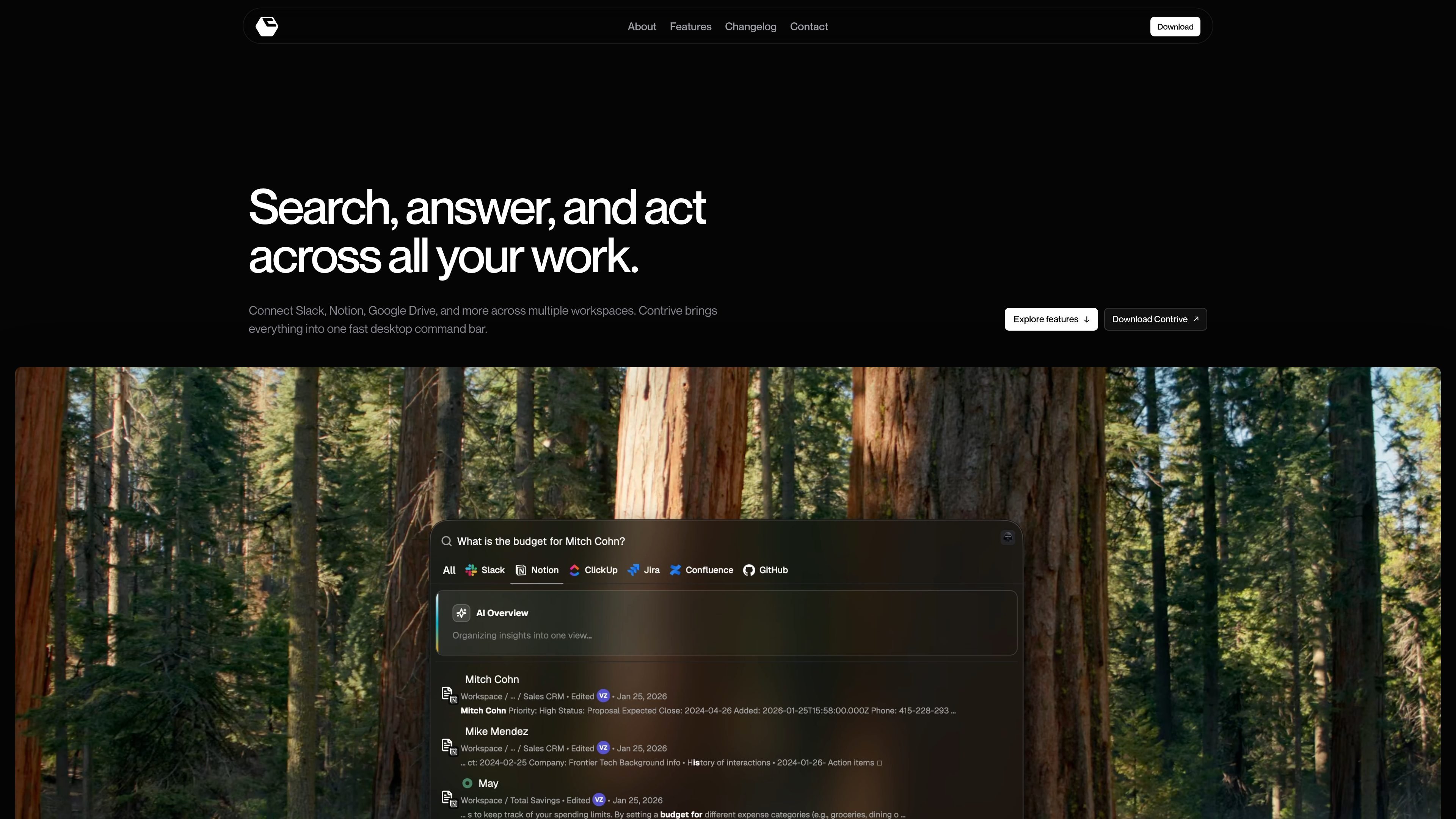
Contrive is a desktop app for searching across connected workspace apps from a single command bar. The site positions it as a way to search Slack, Notion, Google Drive, and related tools without moving between multiple browser tabs or app-specific search boxes.
It combines search, AI answers, and workspace actions in one interface. The sources show the app running on macOS and Windows, with command search as the main interaction model and backend indexing designed to keep searchable workspace content current.
Search across connected workspace apps from one place instead of switching between separate tabs or tools.
Ask questions in natural language and get AI answers grounded in permitted workspace sources and related context.
Use the command bar to open the app, run queries, and navigate quickly with keyboard-driven interactions.
Stay in a standalone desktop app on macOS and Windows so workspace search remains outside the browser.
Run supported write actions from search, including Notion item creation and appending text, with backend handling for those actions.
Track indexing status in the app while sources are being processed and updated.
Find information that may live across Slack threads and Notion pages without checking each app separately. Contrive is positioned for users who need one place to search across connected workspace sources.
Ask a natural-language question and use the returned context to move from discovery to an answer more quickly than manual browsing. This is useful when you know the topic but not the exact location of the source material.
Open the app, search, and navigate with keyboard shortcuts from a desktop command bar. The product is designed for people who prefer command-palette style workflows over mouse-driven tab switching.
Trigger supported write actions, such as creating a Notion item or appending text, after finding the right context. This fits workflows that need both search and follow-up edits from the same interface.
Contrive is a desktop app that lets you search across connected workspace apps such as Slack and Notion, then use AI to get answers or take actions from the same command bar.
The source shows Contrive available for macOS and Windows. The download page lists macOS support for Apple silicon and Intel, and a separate Windows download.
The homepage and changelog show Contrive connecting Slack and Notion, and the site description also mentions Google Drive and other workspace apps. The available sources do not provide a complete integration list.
The product is centered on a desktop command bar and command search. From the sources, the app opens with a shortcut, supports search and AI answers, and can trigger write actions such as creating items in Notion or appending text.

Goldfish is an AI memory app for macOS that helps you reply, write, summarize, and continue using the context already on your Mac. It stores memory locally and writes in your tone.

ArtDeck is a visual reference board app for iPhone, iPad, and Mac that lets artists collect mixed reference material on one canvas and study it with ToolBox lenses. It works offline, supports optional iCloud sync, and is sold as a one-time purchase with no account required.

Dcyde is a decision log for product teams that captures what was decided, the reasoning behind it, and the source in one shared place. It supports pinning decisions from Slack, Figma, or inside Dcyde and keeps the record searchable over time.

Contextbergは、画面・入力・ブラウザ・AIエージェントの利用履歴をローカルで記録し、MCP経由でClaude CodeやCursorなどに作業コンテキストを渡すデスクトップアプリです。中断した作業の再開、過去ログの検索、日次レビューに利用できます。

Lasso is an ecommerce product data platform for enriching catalog records, processing supplier files, generating product content, and monitoring competitors. It combines a web app with a REST API, SDK, and MCP server for teams and developers.

Biji es una plataforma versátil diseñada para mejorar la productividad a través de herramientas y características innovadoras.