
Multiple integration paths
Install Corlen as a Shopify app, a WooCommerce/WordPress plugin, or connect through the REST API for a custom storefront.

Corlen is an AI virtual try-on product for fashion stores that lets shoppers preview clothing on their own body from product pages, kiosks, or custom integrations. It supports Shopify, WooCommerce, and a REST API, with automatic photo deletion and a short free trial.
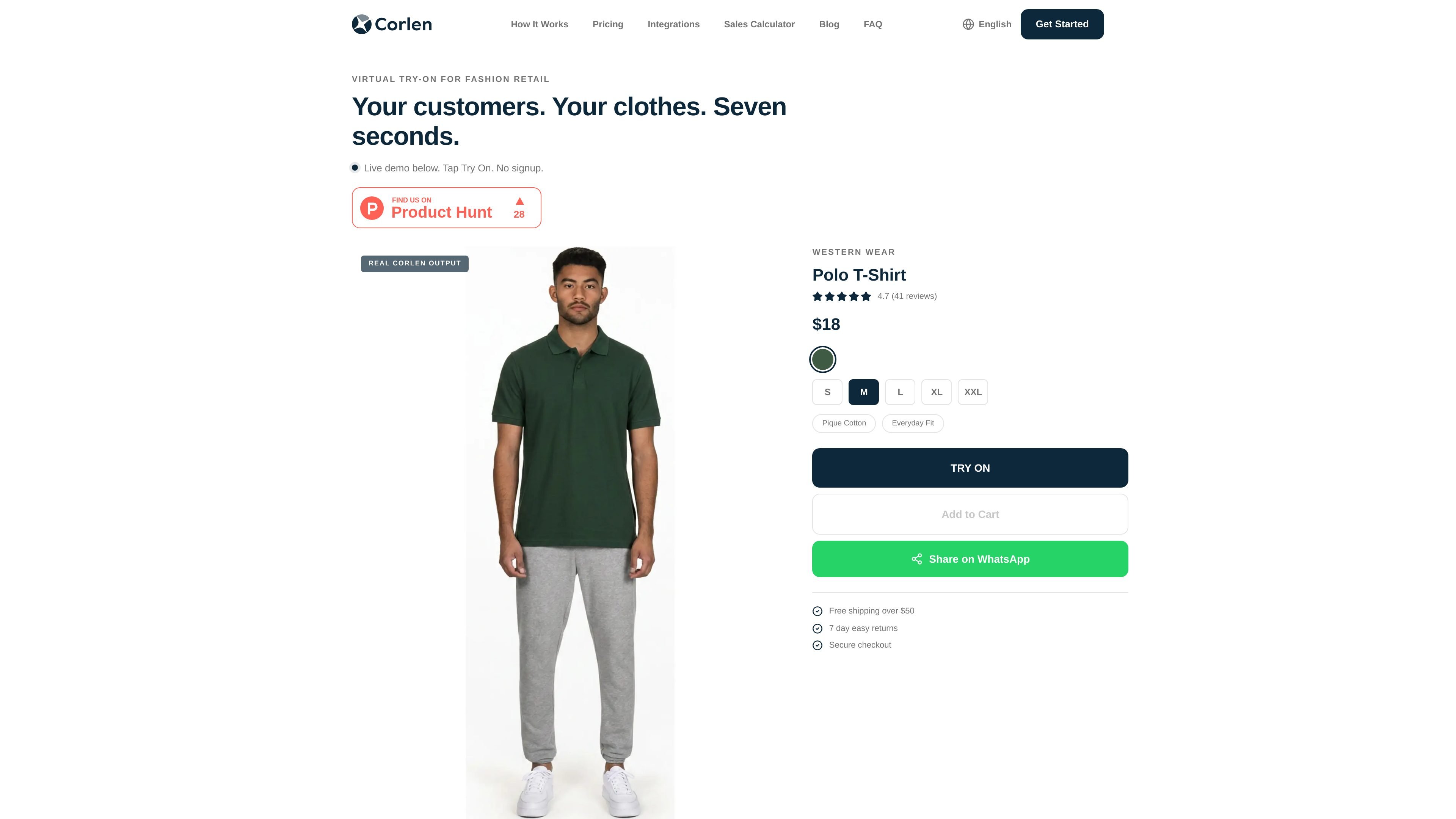
Corlen is an AI virtual try-on product for fashion stores. It lets shoppers preview clothing on their own body from a product page, a kiosk, or a custom integration, so they can see how an item looks before buying it.
The site positions Corlen for Shopify, WooCommerce, and custom storefronts through an API. It also emphasizes short generation times, no theme edits for the standard integrations, and automatic deletion of customer photos after a limited period.
Install Corlen as a Shopify app, a WooCommerce/WordPress plugin, or connect through the REST API for a custom storefront.
Customers can upload or capture a photo, choose a body size, and see a try-on result generated from the garment on the product page.
The platform supports single garments, combo looks with 2 to 4 garments, and fields for upper body, lower body, and full body use cases.
Shoppers can share results through WhatsApp, and the Shopify plan pages also mention social sharing integration.
Customer photos are deleted automatically on a fixed schedule, with a manual delete option available to the shopper.
The API uses asynchronous jobs, with a POST request to start a generation and a GET request to poll for completion.
Add a Try On button to fashion product pages so shoppers can preview an item before checkout without leaving the listing.
Use the same try-on flow on a tablet or kiosk for walk-in customers who want to shortlist looks in a physical store.
Connect the REST API to a custom storefront or internal workflow when you need control over the integration surface.
Let customers share a try-on result through WhatsApp from the product page when they want a second opinion before buying.
Use the WooCommerce plugin or Shopify app to add virtual try-on without rebuilding the theme or editing product templates.
Corlen offers a 7-day free trial. The homepage says the trial includes 50 try-ons and does not require a credit card; the developer page separately mentions a free trial with 10 generations for API access.
Yes. The homepage says Corlen installs as a Shopify app that adds a Try On button to product pages. The site also says it works with WooCommerce and custom sites through an API.
For single-garment generation, the developer docs say results typically take about 10 to 15 seconds. The homepage also describes the consumer experience as seeing the result in roughly seven seconds, while the API page explains that generation is asynchronous.
The site says customer photos are automatically deleted within 2 hours, and shoppers can also tap Delete My Photos to remove them immediately. The WooCommerce page says the photo is processed in memory and is never written to storage by that plugin or by Corlen's API.
The Shopify page says Corlen adds a Try On button directly to product pages and reads the existing product catalog without re-uploading images. The WooCommerce page says the plugin is enabled on a product and the button appears on the storefront automatically.

Lasso is an ecommerce product data platform for enriching catalog records, processing supplier files, generating product content, and monitoring competitors. It combines a web app with a REST API, SDK, and MCP server for teams and developers.

DailyPlay.ai is a behavioral growth platform that uses AI site scanning and micro-games to help brands improve engagement and conversion. It supports web, mobile, and other digital touchpoints, with a one-line script setup and a free engagement scan.

Snapmark is a VS Code extension that lets you annotate clipboard screenshots before pasting them into AI chats. It supports blur redaction, numbered callouts, and automatic resizing for large images.

Wearvue AI generates personalized outfit previews from a photo, lets users refine the style for an occasion, and surfaces similar real products to shop. It is aimed at people who want to preview outfit ideas before buying and compare them with shoppable alternatives.

EchoTik es una plataforma de análisis de datos de comercio electrónico de TikTok diseñada para ayudar a los vendedores y creadores de comercio electrónico a tomar decisiones basadas en datos para la selección de productos y el análisis de mercado.

Arduino VENTUNO Q is an edge AI computer for AI and robotics applications. It combines AI inference and deterministic control on a single board and is designed to work with Arduino App Lab.