
Environment drift checks
Compare a local .env file against .env.example to surface missing variables and empty values, then guide the user toward a fix.

envfix is a zero-dependency Node.js CLI that checks .env files against .env.example, helps repair missing keys, and can generate or sync example files. It is designed for local development and CI workflows where environment configuration needs to stay consistent.
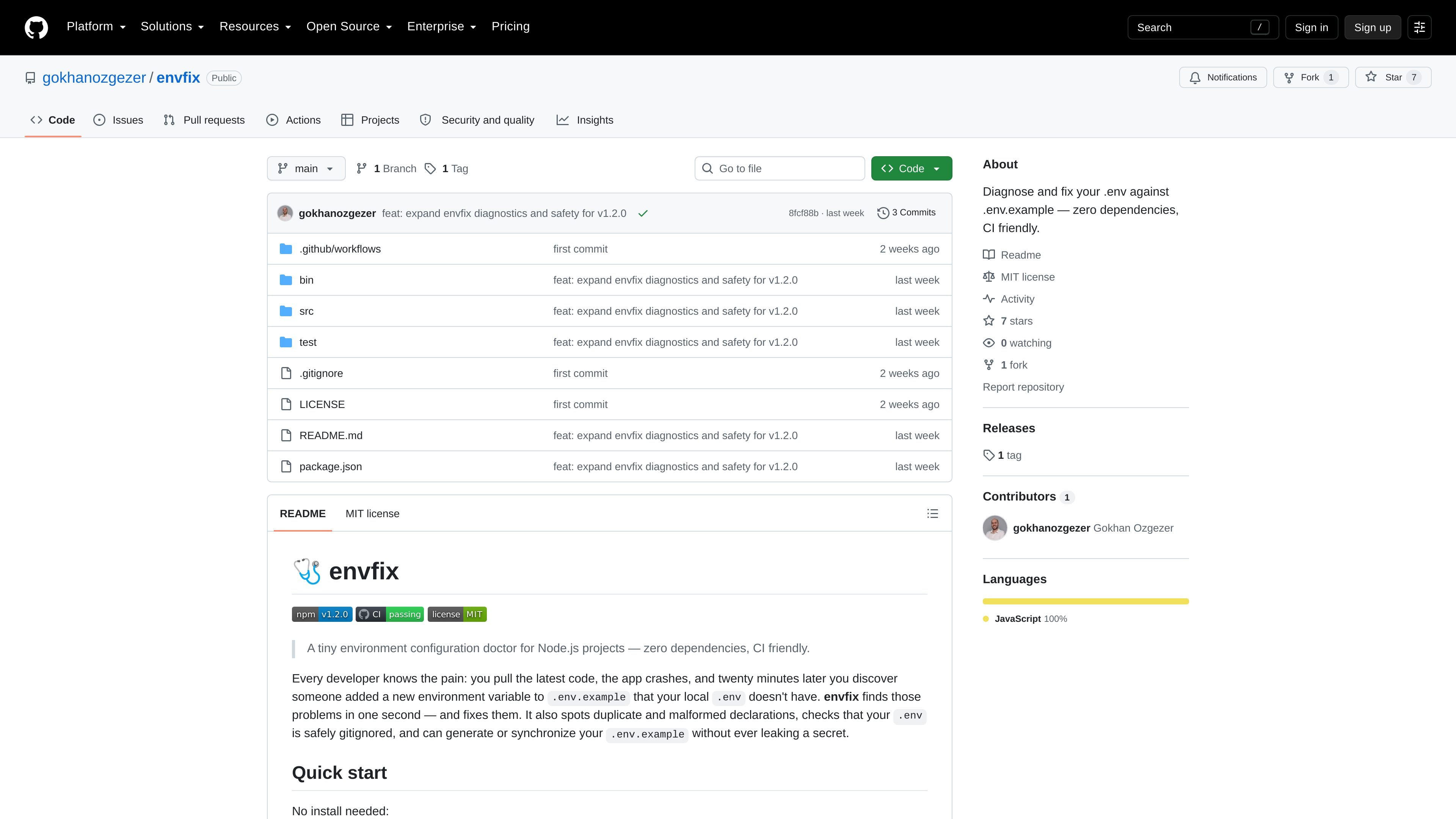
envfix is a small Node.js command-line tool for checking and repairing environment file drift. Its primary job is to compare .env against .env.example, identify missing or malformed configuration, and help keep the two files aligned without leaking secrets.
The README presents it as zero-dependency and CI friendly. Beyond the basic check-and-fix flow, it can generate or sync example files, inspect Git safety around .env, and scan multiple environment file pairs in a project directory.
Compare a local .env file against .env.example to surface missing variables and empty values, then guide the user toward a fix.
Append missing keys to .env without overwriting existing lines or values; the file is created if it does not exist.
Generate a .env.example from .env, or sync new keys into an existing example file while reporting stale entries.
Run a broader health check that covers file presence, syntax, consistency, and Git safety, including whether .env is ignored or tracked.
Scan every .env*.example ↔ env pair in a directory with --all so multiple environment files can be checked in one run.
Use flags such as --dry-run, --json, --strict, and GitHub annotation controls to fit local review and CI workflows.
Use envfix after pulling a repository or merging changes to find environment variables that were added to .env.example but are missing from your local .env.
Run the doctor command in a CI job to check file presence, syntax, consistency, and whether .env is tracked or ignored by Git before code is merged.
Use fix when you want to add only the missing keys to .env, or use example / example --sync when maintaining an example file for teammates.
Enable --all in projects with several environment variants so one command can inspect each .env*.example pair in the directory.
Use --json or GitHub annotation flags when the output needs to be consumed by automation rather than read manually.
Yes. The README shows envfix as a Node.js command-line tool that can be run with npx, including on GitHub Actions where annotations are automatically enabled.
envfix can compare .env with .env.example, append missing keys to .env, run a broader doctor check, generate an example file from .env, or sync an example file with new keys.
The README says envfix has zero dependencies and is meant for Node.js projects. It is distributed through npm and can be run without a local install using npx envfix.
The README describes a --json option for a single JSON document, and a doctor mode that reports files, syntax, consistency, and Git safety. It also notes GitHub annotations can be forced on or off.
The source only shows envfix as a public GitHub repository and does not describe paid tiers or licensing terms beyond the repository contents provided here.

ByteAsk is a terminal-first AI coding agent for C and C++ that edits repositories and verifies changes with the real compiler, debugger, sanitizers, and tests before showing a diff. It offers a free tier plus paid plans, with editor connectors and zero-retention handling described in the source.

CreateOS Sandbox is an isolated compute environment for running code and agent workloads inside Firecracker micro-VMs. It is designed for workflows that need machine-level isolation, private networking between sandboxes, and programmatic control through SDK, CLI, or MCP.

hob is an independent workspace for coding agents that keeps agent sessions, terminals, history, and follow-up work organized around the tools and providers you already use. It is aimed at developers who want local control over routing, history, and workspace structure rather than a bundled model stack.

Ably Chat is a chat API platform for building custom realtime chat applications. It supports room-based messaging, typing indicators, presence, reactions, and message updates, with usage-based pricing options for different deployment stages.

MacSpoof es un cambiador de MAC para macOS: cambia o aleatoriza tu MAC Wi‑Fi para reconectar y reducir el registro de identidad en redes públicas.

Manta AI is an autonomous web app testing tool for teams that want to map application behavior, catch regressions, and generate tests without writing scripts or maintaining selectors. It works from a URL and supports plain-English test flows, run results with screenshots, and scheduled or deployment-triggered checks.