
Frame-accurate annotation
Drawings are tied to the exact frame being viewed, with the video and canvas using the same frame clock so marks do not drift while scrubbing.

FrameSketch is browser-based video annotation software for animators who need to draw, add notes, and review footage frame by frame. It keeps video files on the user’s device, with optional syncing for annotations and project metadata.
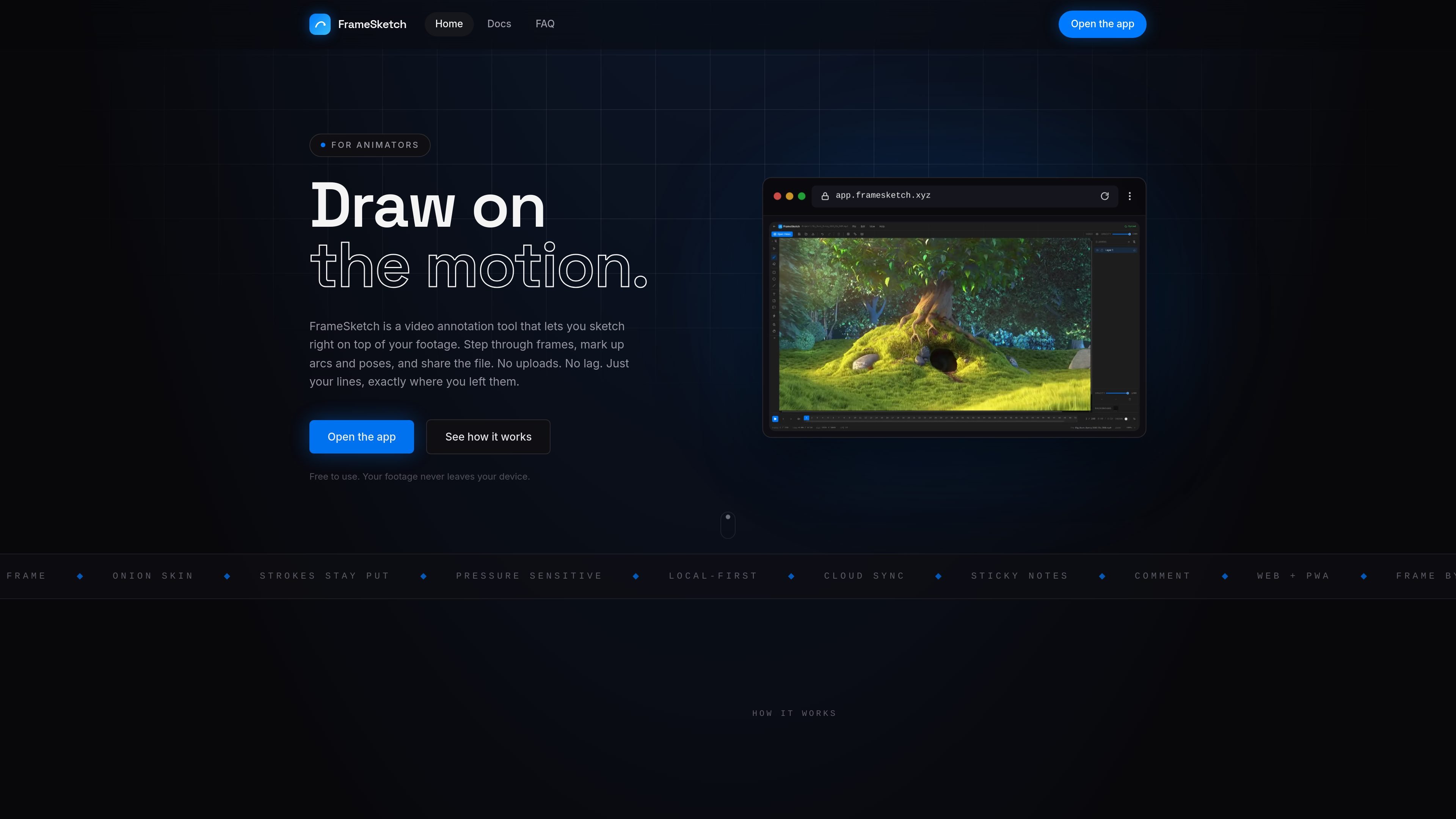
FrameSketch is browser-based video annotation software for animators. It places a drawing canvas over locally loaded footage so users can step through frames, mark arcs and poses, add notes, and review a selected range without moving the video to a server.
The app supports projects with multiple scenes, layers, comments, guides, grids, and adjustable video visibility. Work is saved locally as it is created and can be exported as a compact .fsk project file. Optional cloud sync transfers annotations and project metadata between devices, but requires the video to be selected locally on each device.
Drawings are tied to the exact frame being viewed, with the video and canvas using the same frame clock so marks do not drift while scrubbing.
See frames before and after the current frame through adjustable ghosting, helping you assess movement, arcs, and poses.
Organize brush strokes, shapes, and notes into layers that can be reordered, renamed, recolored, hidden, or adjusted for opacity.
Use brush presets, an eraser, laser pointer, geometric shapes, text labels, sticky notes, and comment markers. Pen pressure is supported when the device provides it.
A project stores scenes, drawings, notes, comments, and settings in one compact .fsk file. Projects can be exported, emailed, stored, or optionally password-protected.
Work locally in the browser or PWA. Optional cloud sync carries annotations and project metadata across devices, while the video remains on the original machine.
Step through a shot, draw motion arcs and breakdown marks directly over the footage, and use onion skin to compare neighboring frames.
Pin notes, labels, and comment markers to exact frames so feedback remains attached to the relevant pose or action.
Use layers, grids, rulers, guides, and adjustable video visibility to inspect composition, alignment, staging, or key details in a scene.
Export a compact .fsk file containing the annotation work, then email or store it for another person to open and continue editing.
Load footage locally, work offline through the PWA, and keep annotations on the device when projects contain sensitive or private video.
No installation is required. FrameSketch runs in modern Chrome, Edge, Firefox, or Safari. It can also be installed as a progressive web app for offline, app-like use after the app has been opened once.
Yes. An account is required to use the app. You can sign up with an email address and password or continue with Google; email sign-up requires verification.
Create a project and scene, load a video file from your computer, choose a drawing tool, and annotate the footage frame by frame. Use the arrow keys to move between frames and enable onion skin to see surrounding frames.
FrameSketch reads local video files through the browser and does not upload or re-encode them. It supports formats the browser can decode, including MP4 with H.264, MOV, M4V, and WebM. H.264 MP4 is recommended when a file does not play.
You can export a project as a single .fsk file containing its scenes, layers, strokes, shapes, notes, comments, and settings. Exports can optionally be password-protected, and the file can be sent to another person to continue editing.

Video Effects SDK adds real-time webcam effects such as background blur, background replacement or removal, denoising, framing, beautification, and color grading. It is built for teams shipping live video experiences on web, desktop, and mobile platforms.

DeepMotion is a web-based AI motion capture and 3D animation platform with Animate 3D for video-to-animation and SayMotion for text-to-animation. It helps creators and teams generate motion in a browser and export results in common production formats.

Zella is a screen recorder and on-device AI video editor for Mac and iPhone. It helps creators record screens or cameras, automatically clean up footage, add captions, reframe clips, and export videos without uploading the core project to the cloud.

Agentic video understanding is a Gemini video analysis mode that helps developers inspect video more selectively for better accuracy and lower token usage. It is available through the Gemini API in Google AI Studio and the Gemini Enterprise Agent Platform.

Jupitrr Cut is a free iOS and Android teleprompter and recording app for scripted talking-head videos. It records scenes separately, lets users retake individual lines, trims pauses, and stitches the takes into a jump-cut video.

Optimo is a free, open-source CLI for optimizing and converting images and videos with format-specific commands built on ImageMagick and FFmpeg. It helps developers prepare web assets, batch process media, and automate compression from the shell or a Node.js script.