
Agents with memory and a workspace
Build agents with memory, a persistent workspace, files, bash access, and code execution so they can keep context and complete work across runs.

Keystroke is a platform for building internal agents and AI systems in one place. It helps teams author agents, connect tools, run workflows, and deploy automations across chat, APIs, and connected apps.
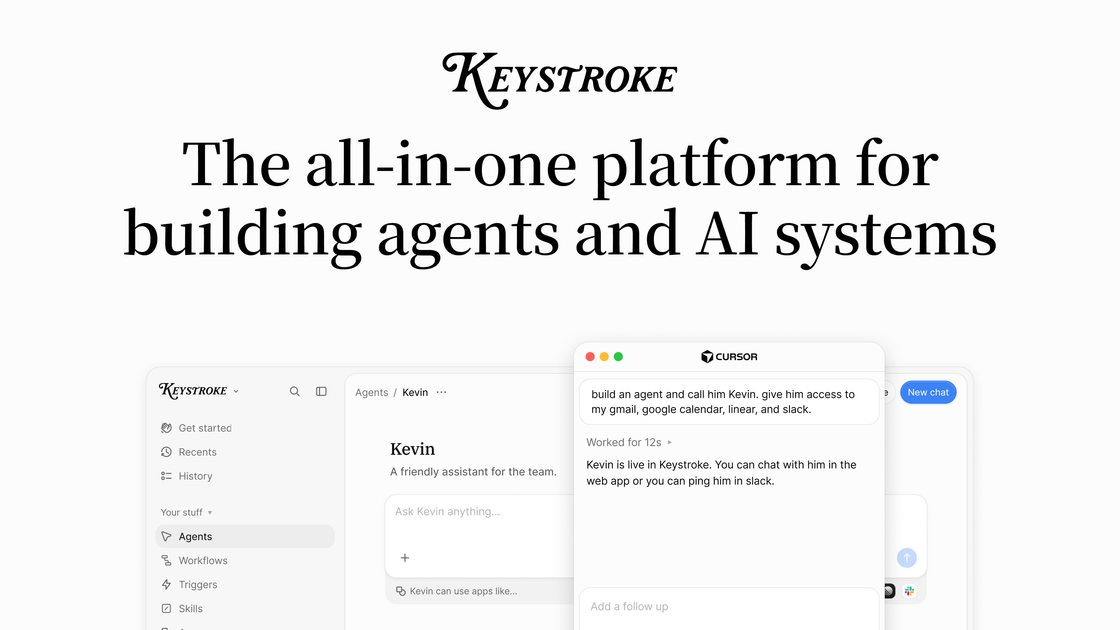
Keystroke is a platform for building internal agents and AI systems. The site positions it as a single place to author agents, connect tools and apps, run workflows, and deploy automations that can act across chat, APIs, and connected systems.
The product combines agent memory, a persistent filesystem, code execution, triggers, approvals, and run tracing. Its pricing page shows a self-serve Hobby tier, a Pro tier with included usage credit, and an Organization tier with enterprise controls such as role-based access controls, advanced limits, and support.
Build agents with memory, a persistent workspace, files, bash access, and code execution so they can keep context and complete work across runs.
Create durable workflows with typed input and output, action/agent/LLM steps, replay, sleeps, approval hooks, and trigger-driven runs.
Run agents through external channels such as Slack, Microsoft Teams, Telegram, Discord, Linear, WhatsApp, the Keystroke interface, or an API.
Connect agents to tools and data sources using APIs, MCP servers, app integrations, web search, browser use, and built-in capabilities listed on the site.
Track runs with logs and history, inspect traces, and use limits and alerts to monitor usage and control spend.
Choose from AI gateway models, bring your own keys, or proxy model access; the pricing page notes a 1.1x markup on gateway model pricing and no charge for bring-your-own-keys.
Build agents that retain context, use files and code execution, and carry out multi-step tasks across sessions.
Automate repeatable business processes with workflows that can wait for events, replay steps, and pause for approval before continuing.
Expose agents in Slack, Microsoft Teams, Telegram, Discord, WhatsApp, or through an API so teams can request work from familiar tools.
Connect agents to company data and external tools through APIs, MCP servers, apps, web search, and browser use to complete work across systems.
Monitor and govern usage with logs, run history, limits, alerts, role-based access controls, and enterprise security features.
Keystroke is built for teams that need to create internal agents and AI systems in one platform. The homepage emphasizes agents, workflows, triggers, approvals, memory, tools, and integrations.
The pricing page shows a Hobby plan, a Pro plan with included usage credit and usage-based charges, and an Organization tier with enterprise controls and support. The contact page also invites teams to request a demo or talk to the team.
Keystroke supports agents, durable workflows, triggers, human approval hooks, logs and run history, and external channels such as Slack, Microsoft Teams, Telegram, Discord, Linear, and WhatsApp.
The pricing page lists build-time and runtime controls such as usage limits, spend tracking, alerts, concurrency limits, log retention, role-based access controls, agent guardrails, and enterprise security for higher tiers.

CreateOS Sandbox is an isolated compute environment for running code and agent workloads inside Firecracker micro-VMs. It is designed for workflows that need machine-level isolation, private networking between sandboxes, and programmatic control through SDK, CLI, or MCP.

ByteAsk is a terminal-first AI coding agent for C and C++ that edits repositories and verifies changes with the real compiler, debugger, sanitizers, and tests before showing a diff. It offers a free tier plus paid plans, with editor connectors and zero-retention handling described in the source.

hob is an independent workspace for coding agents that keeps agent sessions, terminals, history, and follow-up work organized around the tools and providers you already use. It is aimed at developers who want local control over routing, history, and workspace structure rather than a bundled model stack.

Manta AI is an autonomous web app testing tool for teams that want to map application behavior, catch regressions, and generate tests without writing scripts or maintaining selectors. It works from a URL and supports plain-English test flows, run results with screenshots, and scheduled or deployment-triggered checks.

SonOf connects to your repo and PM tool, audits the codebase and surrounding product context, and turns approved work into shipped tickets with senior engineering review. It is aimed at founders and engineering leaders who need backlog help without hiring a full team immediately.

Ghost es un asistente de IA para terminal para chatear, generar código y ejecutar tareas en la línea de comandos. Incluye modelos gratuitos, es compatible con Linux, macOS y Windows, y es de código abierto.