
AI screenshot story planning
Lappka AI uses app context and product screens to help decide what to communicate, how to order the screenshot story, and how to make each line of copy clearer.

Lappka is an AI-assisted tool for turning app screens into structured App Store screenshot stories. It helps developers plan screenshot copy and order, edit templates, localize listings, preview the sequence, and export App Store-ready assets.
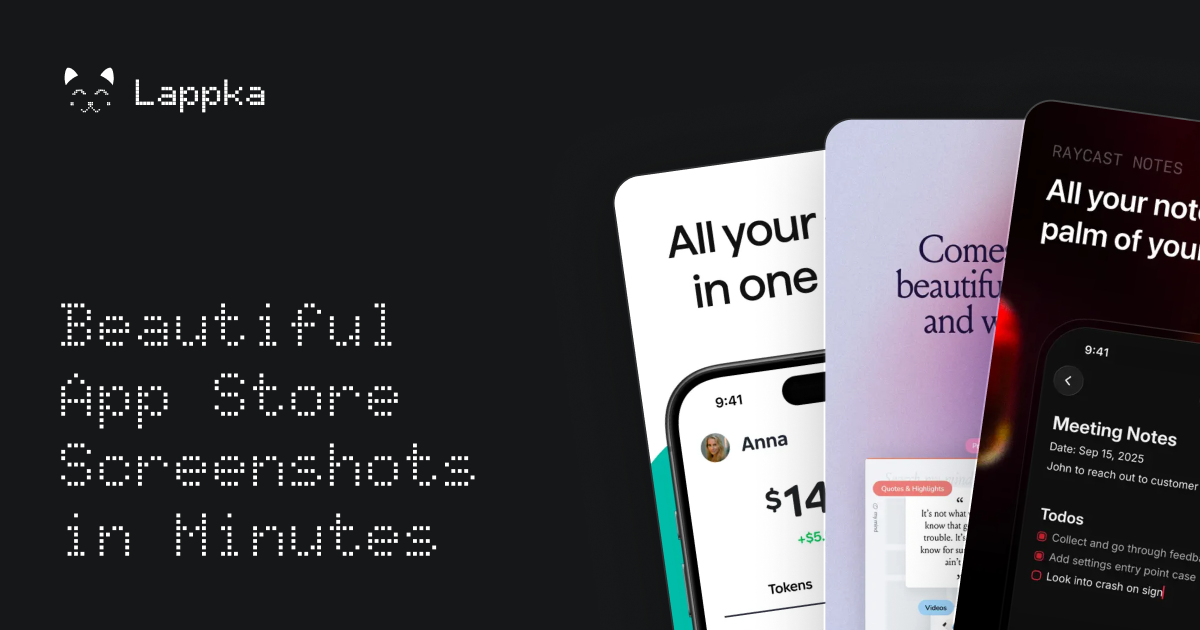
Lappka is an AI-assisted App Store screenshot generator for turning raw app screens into a structured store listing story. It combines AI copy strategy with editable templates, allowing users to plan the order and message of their screenshots before refining the visual presentation.
The workflow covers template selection, app description, design editing, localization, preview, and export. Lappka is intended for creating App Store-ready screenshot assets; the available source does not establish support for Android or Google Play output.
Lappka AI uses app context and product screens to help decide what to communicate, how to order the screenshot story, and how to make each line of copy clearer.
Start with templates inspired by visual patterns from leading apps, then adapt the design using custom backgrounds, font pairs, and device frames.
Use the advanced editor to refine the copy and visual details before the assets are finalized.
Translate screenshot copy with AI and replace product screens for individual locales while keeping the design structure in place.
Review the complete screenshot order, identify weak transitions, and export App Store-ready screenshot assets when the sequence is ready.
Turn a set of raw product screens into an ordered screenshot narrative with benefit-led copy and a clearer progression for an App Store listing.
Create additional localized versions by translating screenshot copy and swapping product screens for each locale while preserving the existing design.
Use editable templates, device frames, backgrounds, and font pairs to establish a consistent visual treatment without designing every screenshot from a blank canvas.
Review the full screenshot sequence, find weak transitions, and make final copy or layout changes before exporting the assets for submission.
Lappka AI uses your app context and product screens to help plan the screenshot narrative, order the story, and clarify the copy. The source does not specify the complete setup process beyond choosing a template and describing the app.
Yes. Lappka provides an advanced editing tool with editable templates, custom backgrounds, font pairs, and device frames, so you can review and adjust the generated story before exporting.
The product is designed to help users start from templates and use AI for copy strategy, but the source does not state that design skills are unnecessary. Users should still review the copy, layout, and final screenshots.
Yes. Lappka can translate screenshot copy with AI, replace product screens for individual locales, and let you review each language without rebuilding the design from scratch. The source does not list supported languages.
The site describes App Store-ready screenshots and App Store export. It asks about Android and Google Play support, but the available content does not confirm support for those platforms.

PixelDrive is a bulk image generation API for creating many on-brand images from one template through a browser editor, REST API, CSV batch, or MCP. It suits teams that need repeatable image output with cacheable renders and usage-based pricing.

Napkin AI convierte texto en visuales editables para presentaciones, documentos y contenido compartible. Generación desde texto y exportación a PPT, PNG, SVG o PDF.

appdesigns is a browser-based tool for creating App Store and Google Play screenshots from uploaded app images. It helps developers and designers add device frames, customize layouts, and export unlimited watermark-free PNGs without an account.

Refero MCP for AI agents connects an MCP-compatible agent to Refero’s curated library of web and iOS product interfaces and user flows. It helps agents research real design patterns before generating UI, with access included in the Refero Pro plan.

Pass Designer is a macOS beta tool for creating and previewing Apple Wallet passes. It helps businesses, developers, and design teams combine templates, custom imagery, pass fields, colors, and semantic data while checking how passes render on iPhone and Apple Watch.

Frames te ayuda a crear carteles de lanzamiento y gráficos para redes sociales rápido con marcos de dispositivo premium y plantillas. Empieza gratis.