
Source code for the app
The repository packages the Make Real application code, including the app directory, prompts, and supporting configuration files.

Make Real is a public GitHub repository for a tldraw-based project that turns UI drawing into a working demo. It includes a live demo link, starter-repo guidance, and prompt assets for adapting the project.
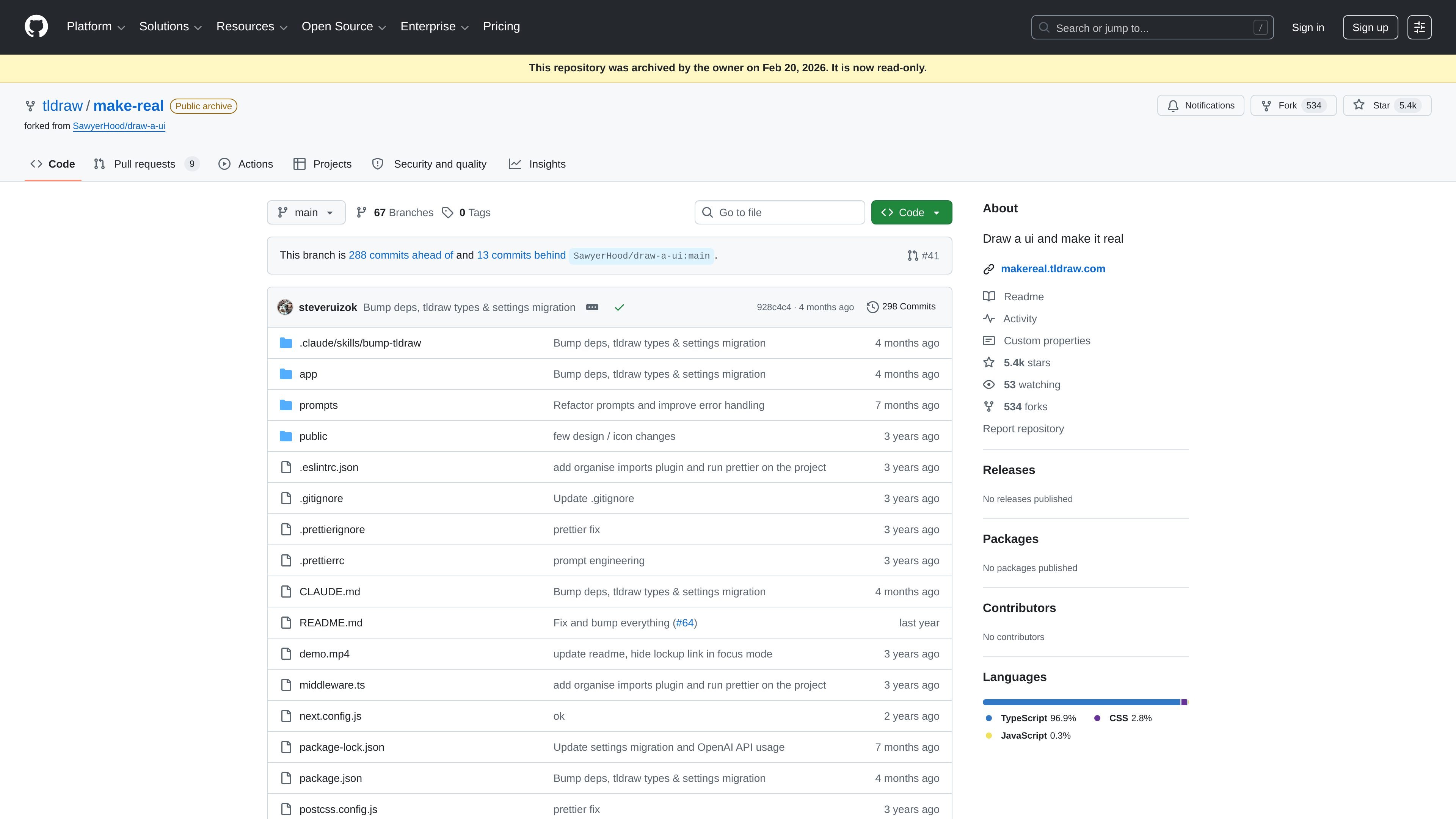
Make Real is a GitHub repository for a tldraw-based project described as “Draw a ui and make it real.” The README points to a live demo at makereal.tldraw.com and says the project is built with the tldraw SDK.
The repository is public but archived and read-only, so it functions as reference code and a starter repo rather than an actively maintained product site. Its file structure includes an app directory, prompt assets, and frontend configuration files that support the demo application.
The repository packages the Make Real application code, including the app directory, prompts, and supporting configuration files.
The README points to a live demo at makereal.tldraw.com, so the project is documented with a runnable public example.
The README says Make Real is built with the tldraw SDK, identifying the core rendering and interaction foundation.
The prompts directory contains separate prompt files for Anthropic, Google, OpenAI, the original prompt, and a scratchpad, showing model-specific prompt assets.
The repository includes a starter-repo note, indicating the project is meant to be cloned and adapted for a custom build.
Browse the repository to understand how the Make Real demo is assembled and how its app, prompts, and configuration files fit together.
Open the live demo to see the project’s UI-conversion workflow in action before deciding whether to adapt the idea.
Clone the starter repo and build a customized version of Make Real using the same tldraw-based foundation.
Inspect the prompts directory to compare the different model-specific prompt files used by the project.
It is a GitHub repository for the Make Real project, which is described as built with the tldraw SDK. The README points to the hosted demo at makereal.tldraw.com.
The repository README says to clone the starter repo if you want to build your own version of Make Real.
The page does not list a separate pricing model for the project itself. The linked GitHub pricing page shows GitHub’s Free, Team, and Enterprise plans, and the repository is public and archived.
The README directs readers to a blog post and to tldraw’s Discord for updates and examples of what others make.

Speculos is a deployment tool for Claude Code that publishes what you built to a shareable URL. It supports private, org-wide, or public apps and adds team controls for company domains, data connections, and customer-cloud deployments.

MakerLoft is a chat-first AI app builder for non-developers who want to create static sites or full-stack apps from a GitHub repository. It supports a free GitHub Pages path and a DigitalOcean-backed app path with sign-ins, payments, and an admin dashboard.

ClawTick is an AI agent automation platform for scheduling jobs from the CLI, dashboard, or REST API. It is aimed at developers and teams running LangChain, CrewAI, webhook, or custom agent workflows that need monitoring, alerts, and logs.

Falconer is an AI-powered company brain that keeps internal documentation accurate, searchable, and up to date by syncing with tools like GitHub, Slack, and Linear. It helps engineering and cross-functional teams centralize knowledge and answer questions from a shared source of truth.

OpenFlags is an open-source, self-hosted feature flag platform for modern JavaScript teams. It supports local evaluation, targeted rollouts, and controlled launches while keeping flag data in your own infrastructure.

Lucid Train is a local-first AI coding harness that turns repository code into architecture diagrams and uses those diagrams as specifications for coding agents. It is available as a desktop app and a lightweight Rust CLI, and it can run with local models or your own API keys.